 QuiddityML
What is computer vision? Images as measurements, and what a vision system outputs
What a computer receives when it gets a photo, the eight common kinds of answer a vision system returns, and why the same object can give very different numbers.
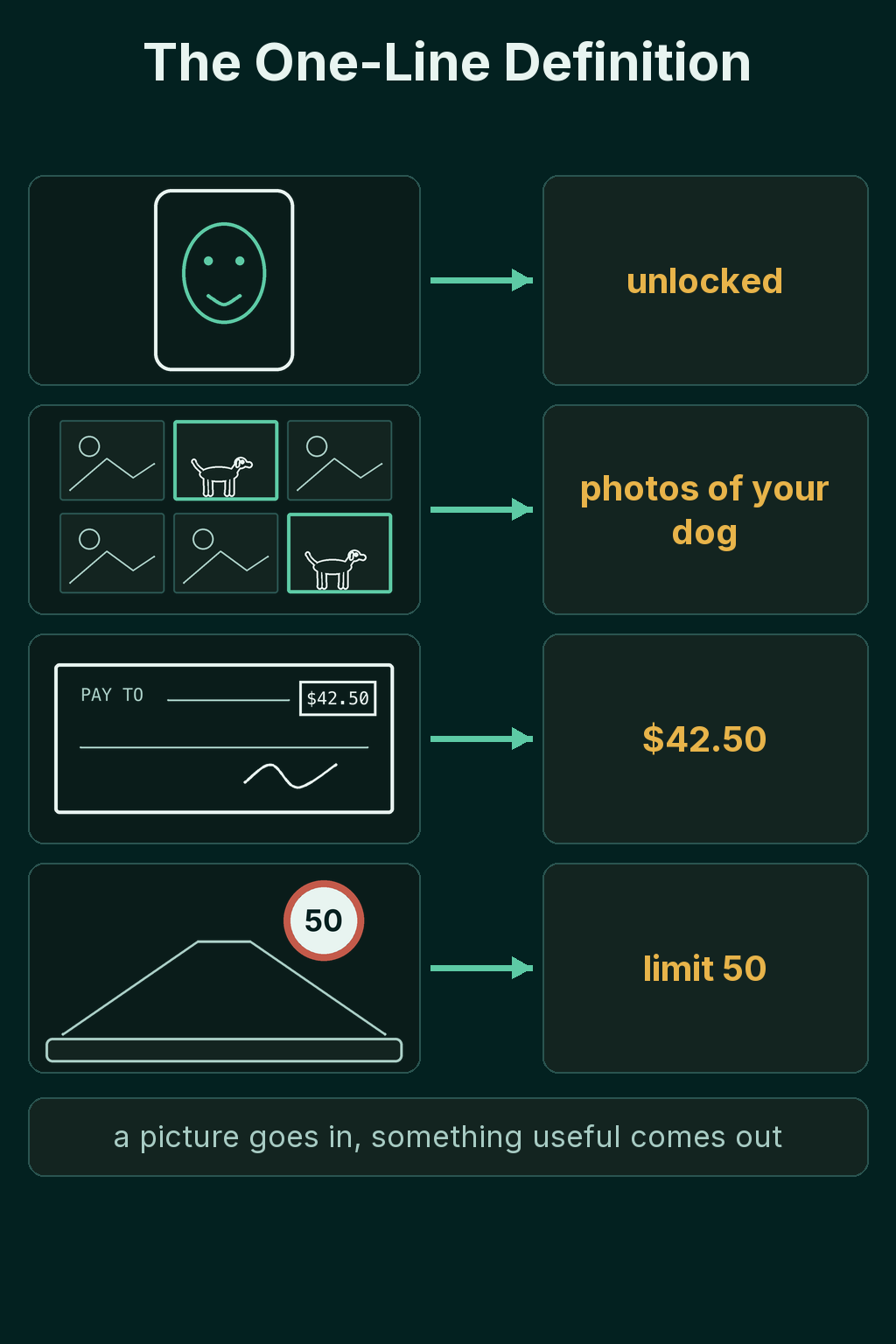
Computer vision is the field of getting computers to understand images and video. It is behind a phone that unlocks when its camera sees the owner's face, a photo app that finds your pictures of a dog when you search for "dog", and a banking app that reads the amount off a check you photographed. Some cars use it to read speed limit signs and show the limit on the dashboard.
In each of these a picture goes in and something useful comes out. That might be a name, a location, a line of text or a decision such as unlocking the phone. The pictures are not always photos either. Video, X-rays, satellite images and scanned documents all count.
What the computer actually gets
When you look at a photo of a cat, you see a cat. The computer gets a grid of numbers. Each number belongs to one pixel, a tiny square of the image, and it records how bright that square is. In a grayscale photo 0 is black and 255 is white, with shades of gray in between. So an image is a grid of brightness measurements, one per pixel.
For example, here is a small patch from the edge of a cat's ear. The low values on the left are the dark wall behind the ear and the high values on the right are light fur. Nothing in the grid says "ear" or "cat".
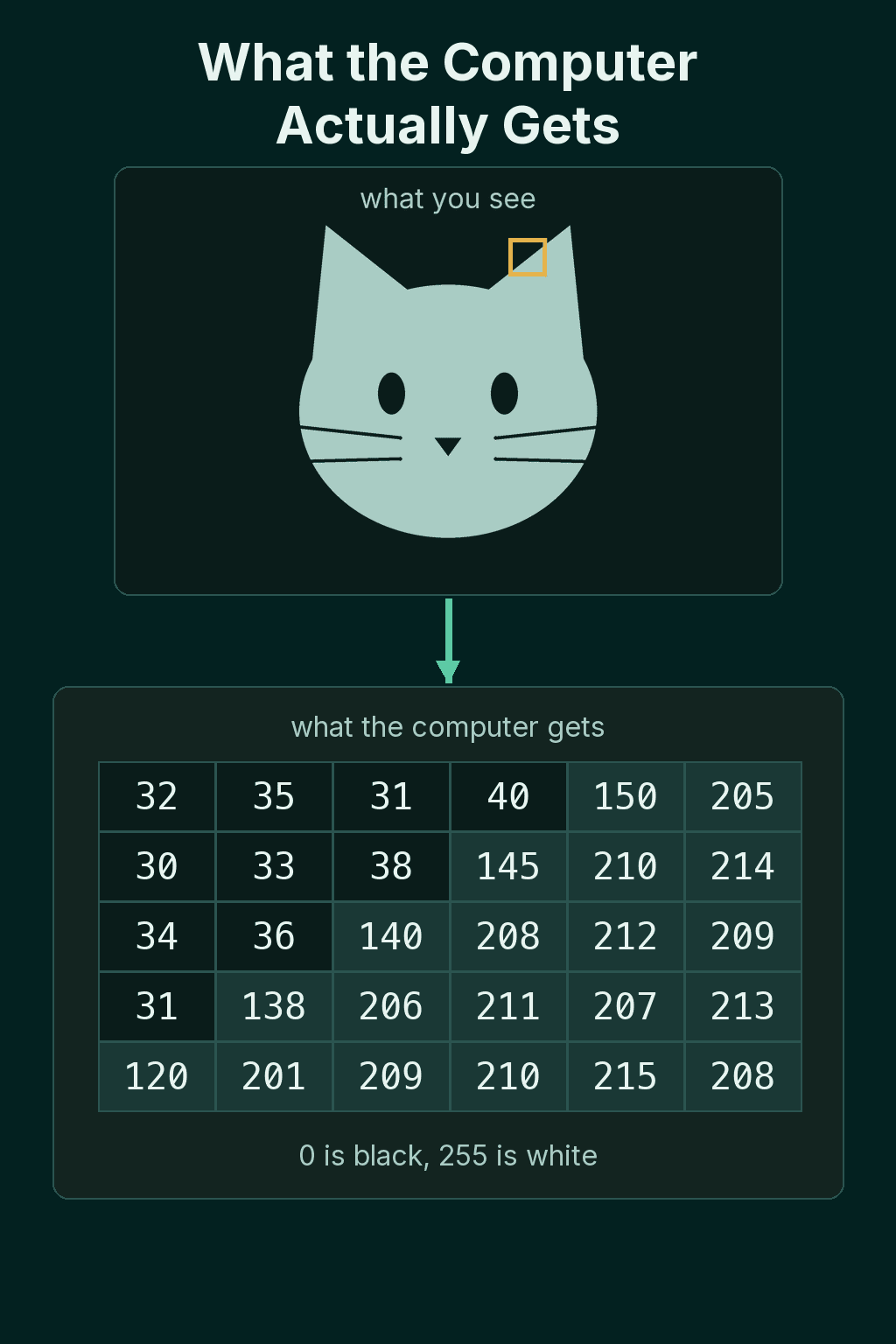
In PyTorch that patch is a small tensor (a grid of numbers with a fixed shape) of whole numbers from 0 to 255:
import torch
# a 5 by 6 grayscale patch from the edge of a cat's ear (0 is black, 255 is white)
patch = torch.tensor([
[ 32, 35, 31, 40, 150, 205],
[ 30, 33, 38, 145, 210, 214],
[ 34, 36, 140, 208, 212, 209],
[ 31, 138, 206, 211, 207, 213],
[120, 201, 209, 210, 215, 208],
], dtype=torch.uint8)
print(patch.shape, patch.dtype)
print(patch.min().item(), patch.max().item())
# a color photo stores three numbers per pixel: red, green and blue
photo = torch.zeros(3024, 4032, 3, dtype=torch.uint8)
print(photo.shape)
print(f"{3024 * 4032:,} pixels, {photo.numel():,} numbers")torch.Size([5, 6]) torch.uint8
30 215
torch.Size([3024, 4032, 3])
12,192,768 pixels, 36,578,304 numbersA color photo stores three numbers per pixel, one each for red, green and blue. A phone photo 4032 pixels wide and 3024 tall has about 12 million pixels and about 36 million numbers. Computer vision has to get from all of those numbers to an answer like "cat".
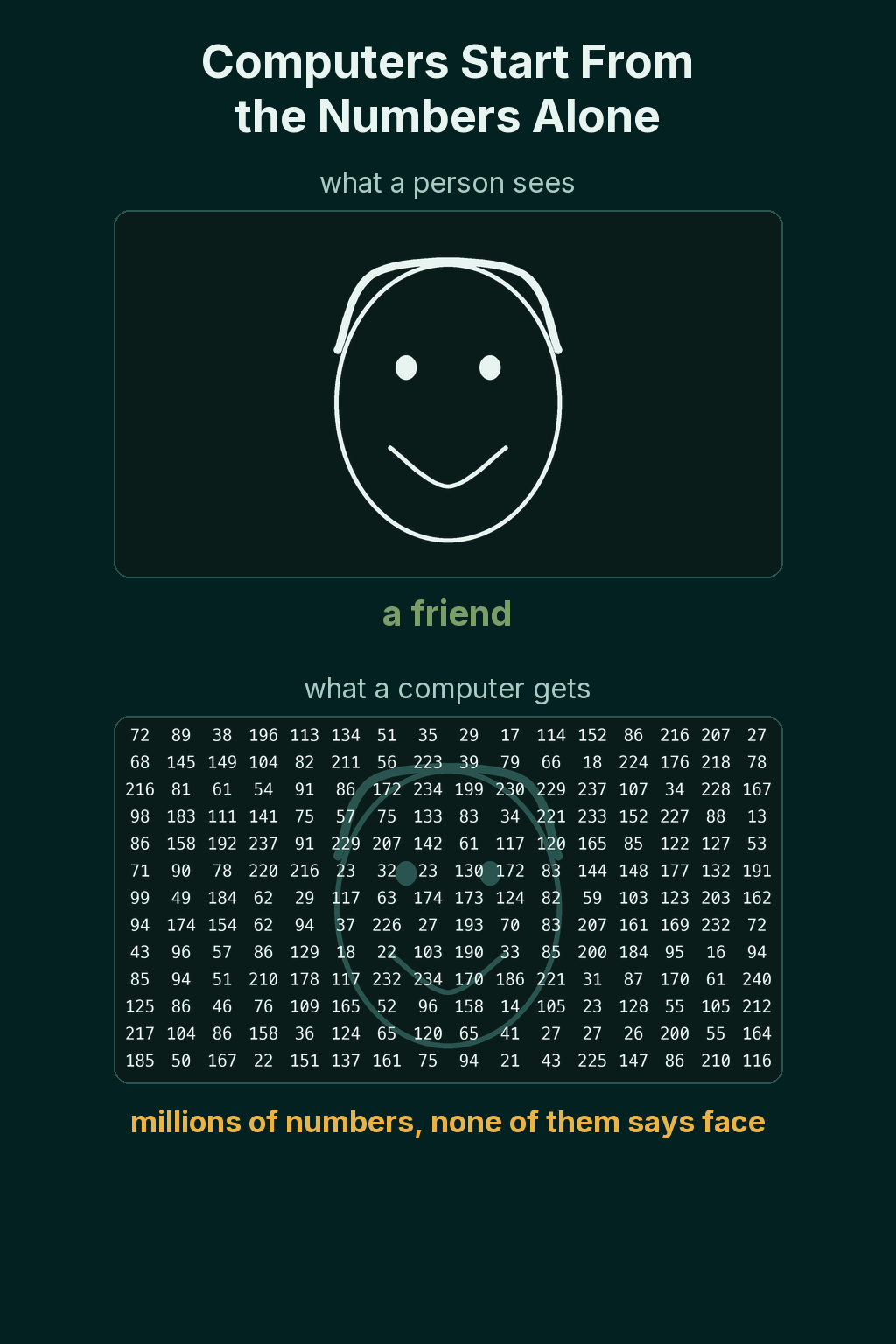
People recognize a friend's face in a fraction of a second, in sunlight or in a dim room. They do it from the front or from the side. A computer gets only the grid, and no number in it says "face". From the numbers alone it has to work out which pixels belong to the face and whose face it is.
Why computer vision is useful
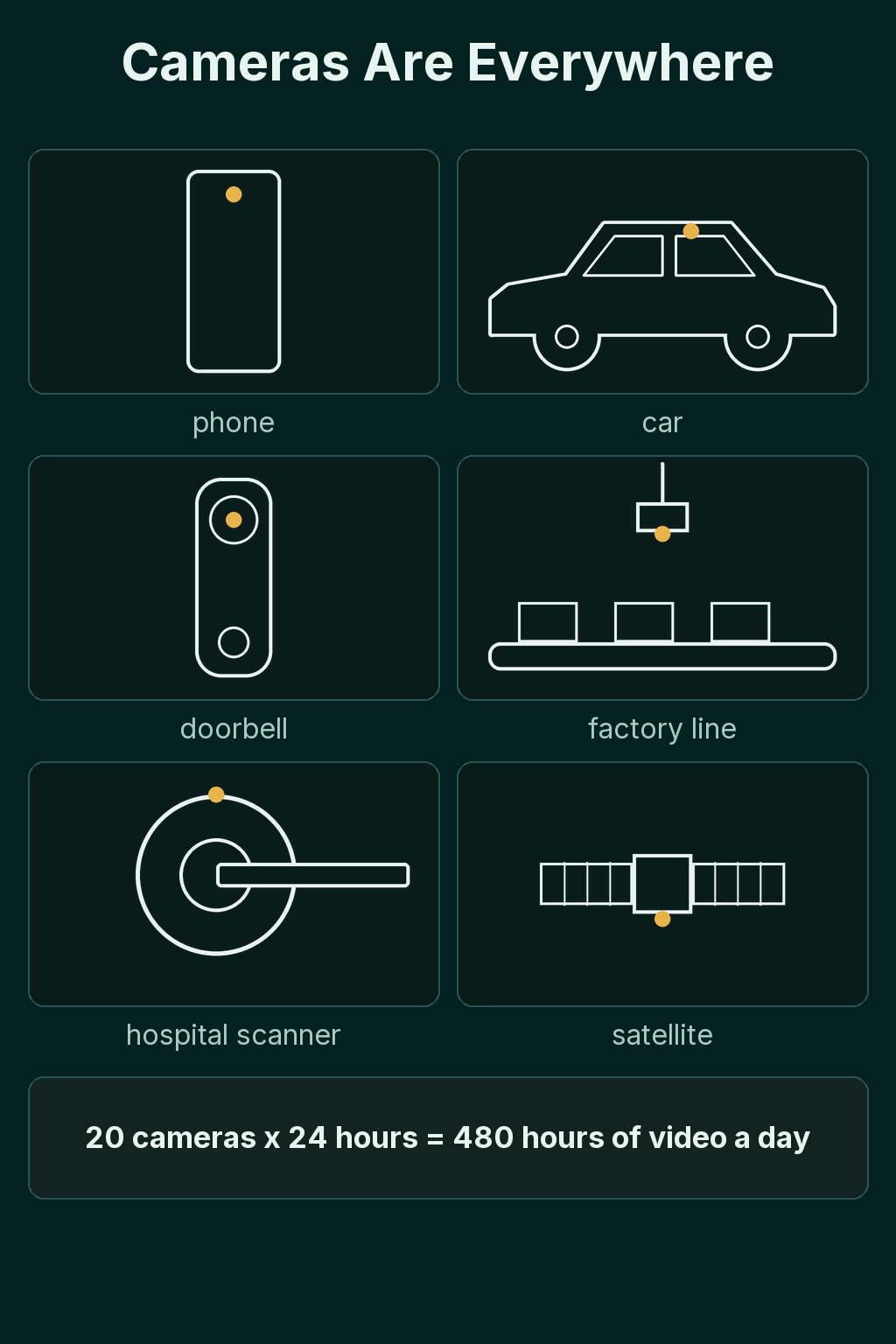
Cameras are small and cheap enough to sit almost anywhere. They are in phones and cars. They hang above doorways and along factory lines, in hospitals and on satellites. Together they record far more footage than people can look at. A store with twenty cameras records 480 hours of video every day, and no one person can watch 480 hours in a day. A system that can read images turns that footage into answers: how many people came in, which shelf is empty or whether a package was left at the door.
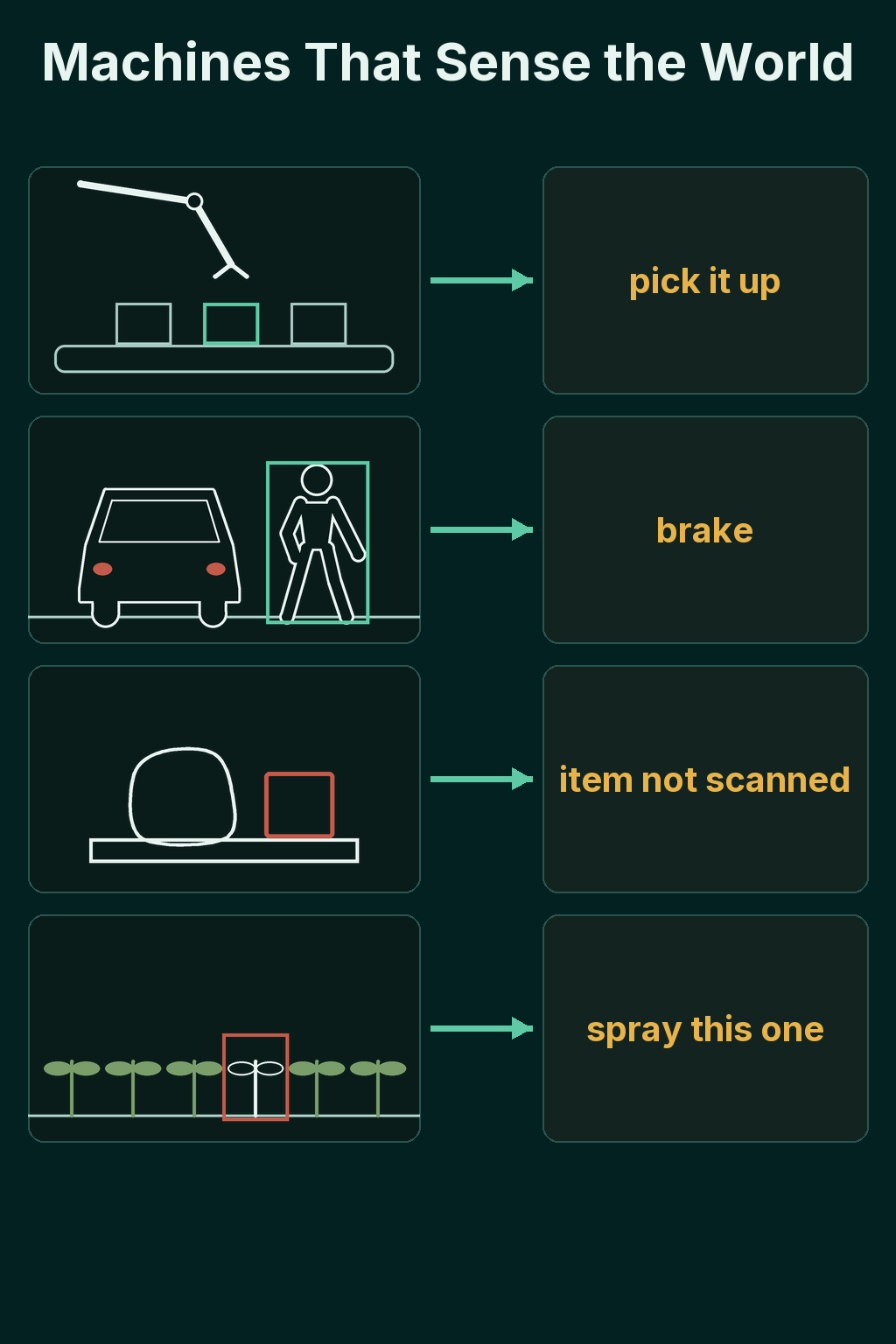
A machine that moves or acts in the physical world also needs to know what is in front of it, and a camera is often the cheapest way to find out. A robot arm finds the next part on a moving belt and picks it up. A car with driver assistance spots a pedestrian stepping into the road and brakes. A self-checkout camera flags an item that went into the bag without being scanned. A farm robot tells crop plants from weeds and sprays only the weeds.
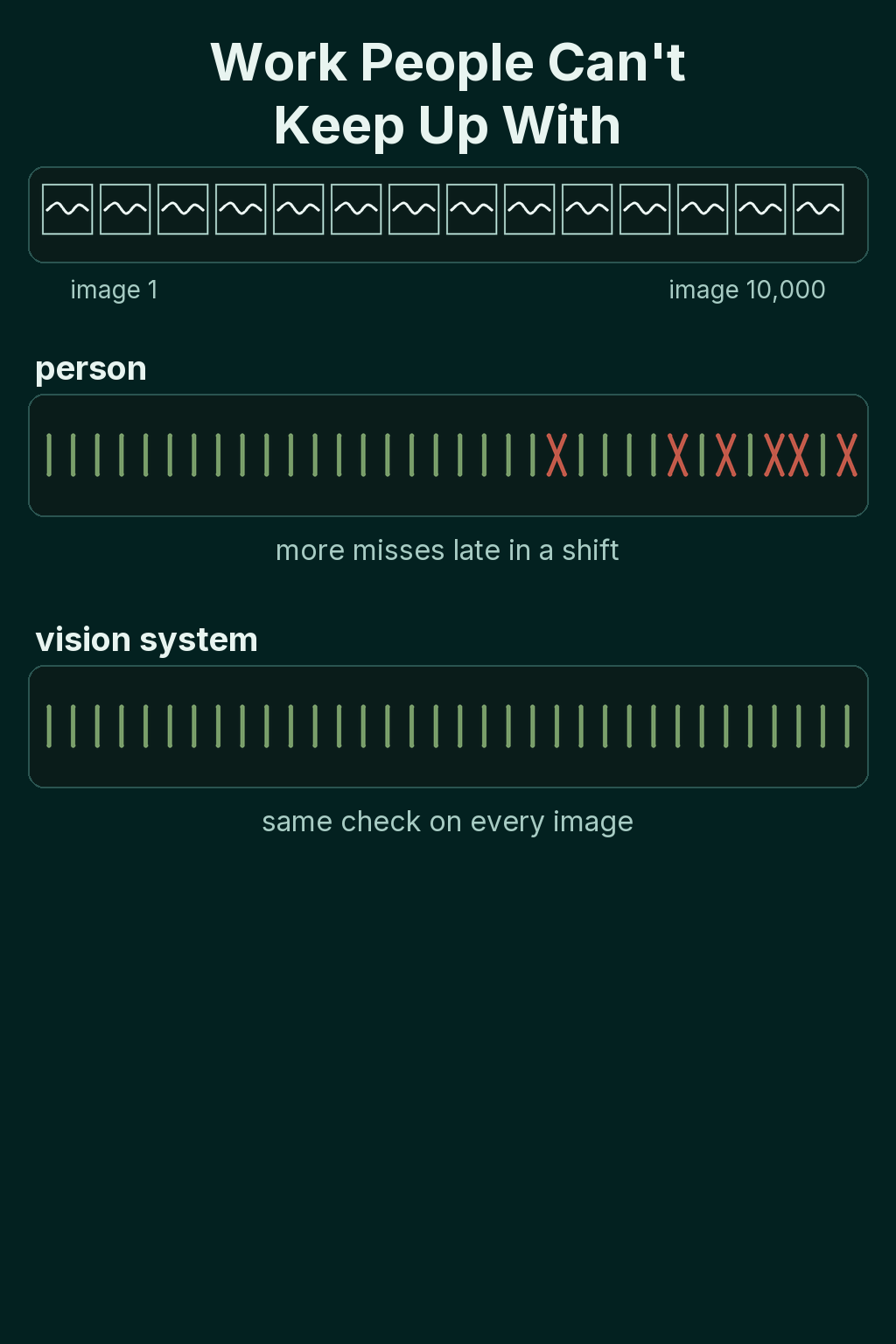
Some jobs need someone to look at a huge number of images one after another. A pipeline builder checks every weld for cracks, and a city counts the cars at each intersection to time its traffic lights. People can do this, but they slow down over a long shift and miss more as they tire. A vision system checks the ten-thousandth image the same way it checked the first.
What a vision system outputs
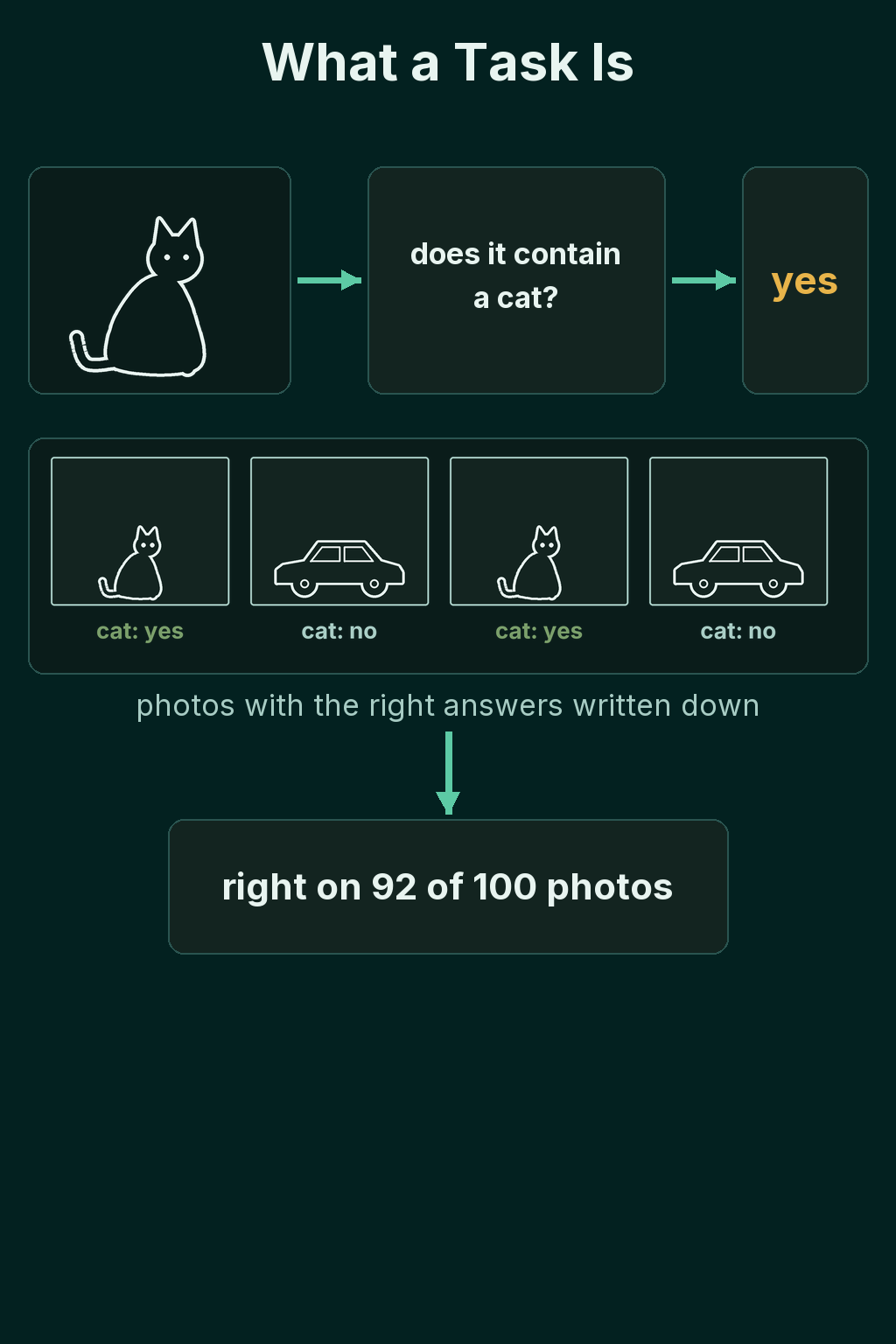
Computer vision covers many different jobs, so the field splits them into tasks. A task states up front what goes in and what kind of answer comes out. For example, one task takes a photo and answers one question: does it contain a cat? Once the answer is fixed like that, you can collect photos with the right answers written down, build a system and count how often it is right.
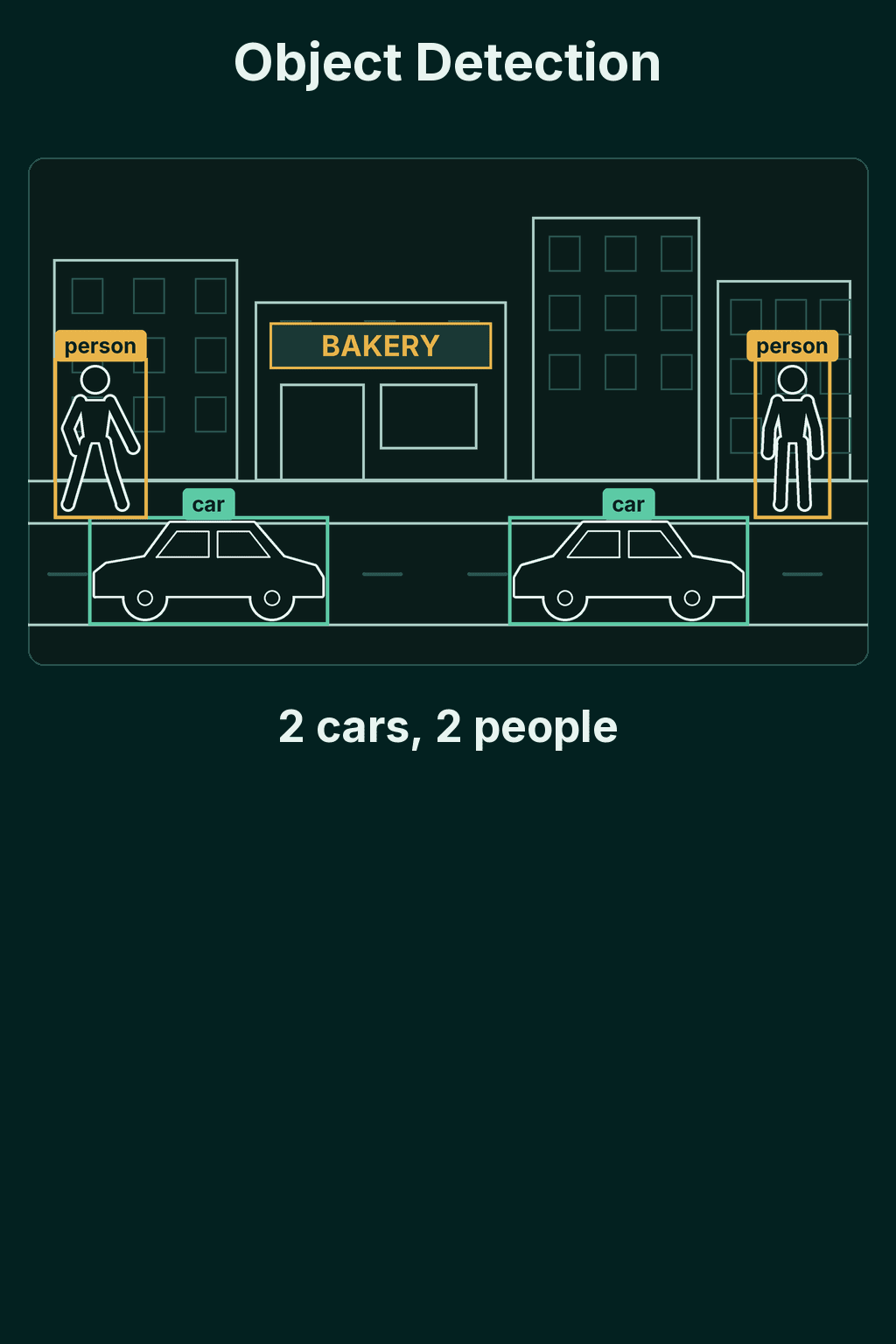
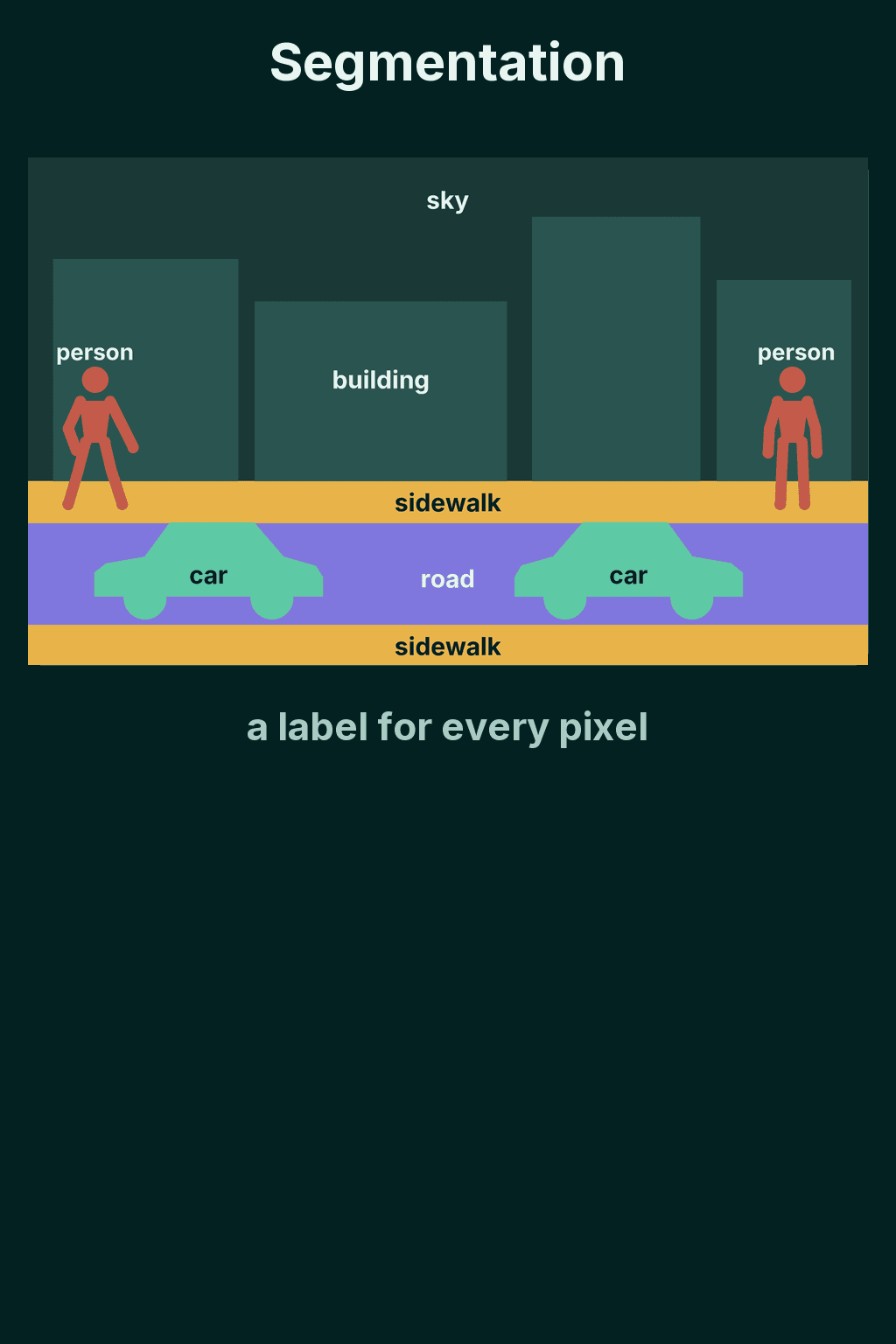
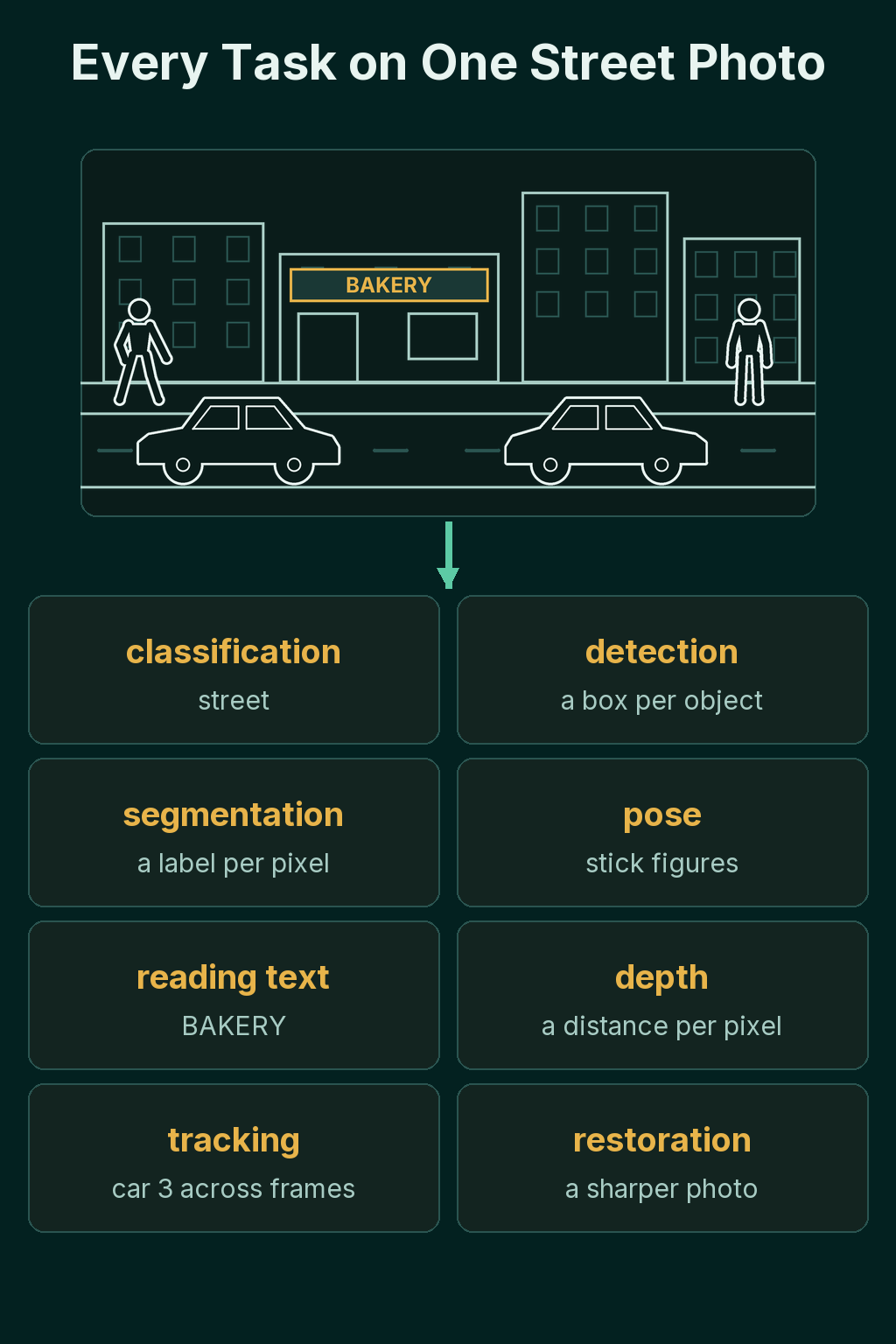
The main tasks differ in the shape of their answer, from one label for the whole photo to a separate label for every pixel. One photo of a busy street with cars, people and a bakery sign can show each of them.
Classification: one label for the whole photo
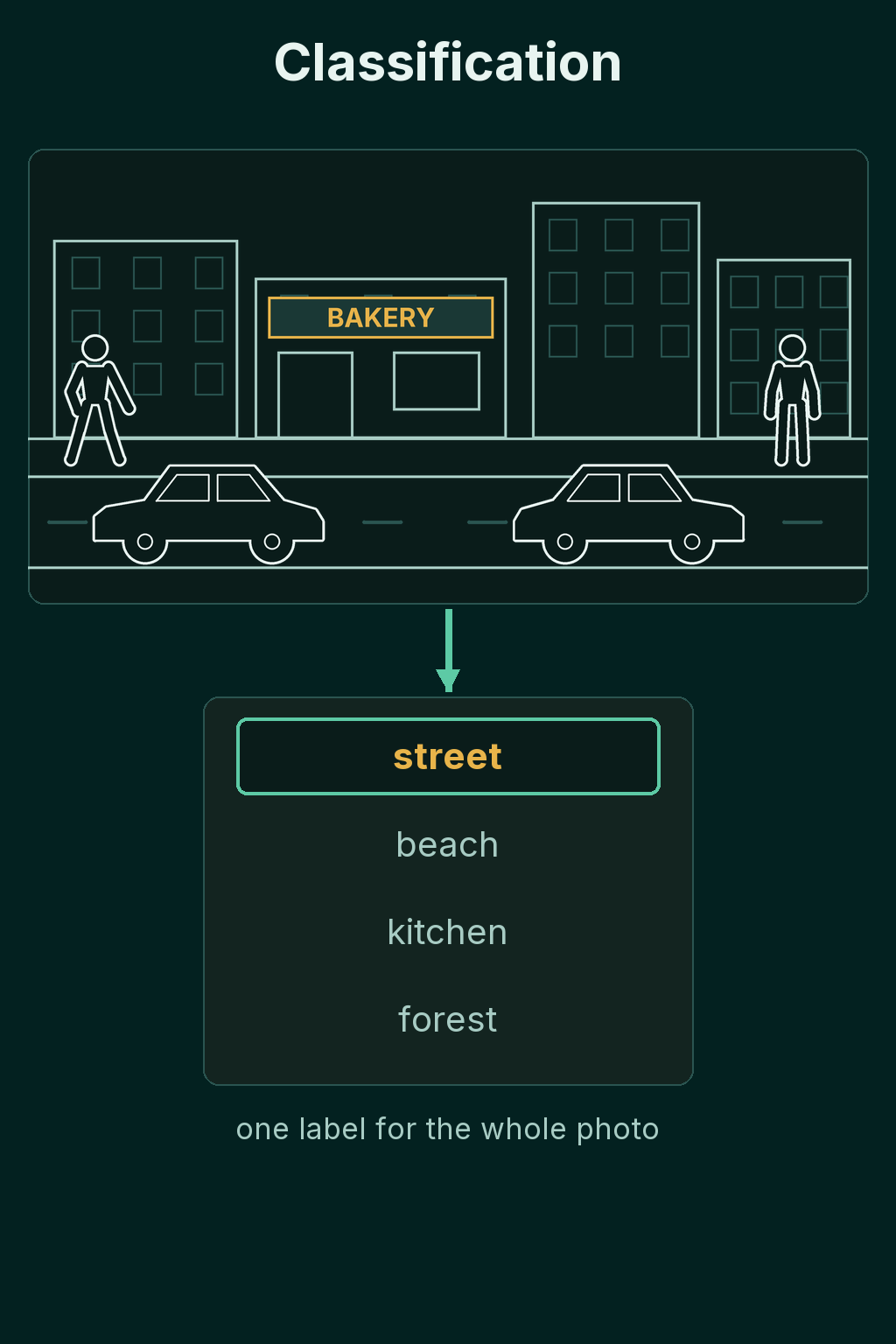
Image classification gives one label to the whole photo, picked from a fixed list. A classifier that picks from street, beach, kitchen and forest answers "street" for the street photo. A photo app can find your pictures of dogs this way: it labels every photo and keeps the ones labeled "dog". One label says nothing about where the object is or how many there are, so a photo with three dogs and a photo with one dog both get "dog".
Object detection: a box around each object
Object detection finds each object in the photo, draws a box around it and labels the box. In the street photo a detector draws one box around every car and one around every person. The number of boxes changes from photo to photo, so a detector can count things. A box is a rough outline, though, and a box around a car also covers some of the road around it.
Segmentation: a label for every pixel
Segmentation gives a class to every single pixel, such as road, car or sky. The result is an exact outline instead of a box. A car's outline follows its roof and wheels, and the road between two cars stays marked as road. Some segmentation also tells separate objects apart, so two cars parked bumper to bumper get two outlines. Video calls use segmentation to blur the room behind you while keeping you sharp.
Pose estimation, reading text and depth
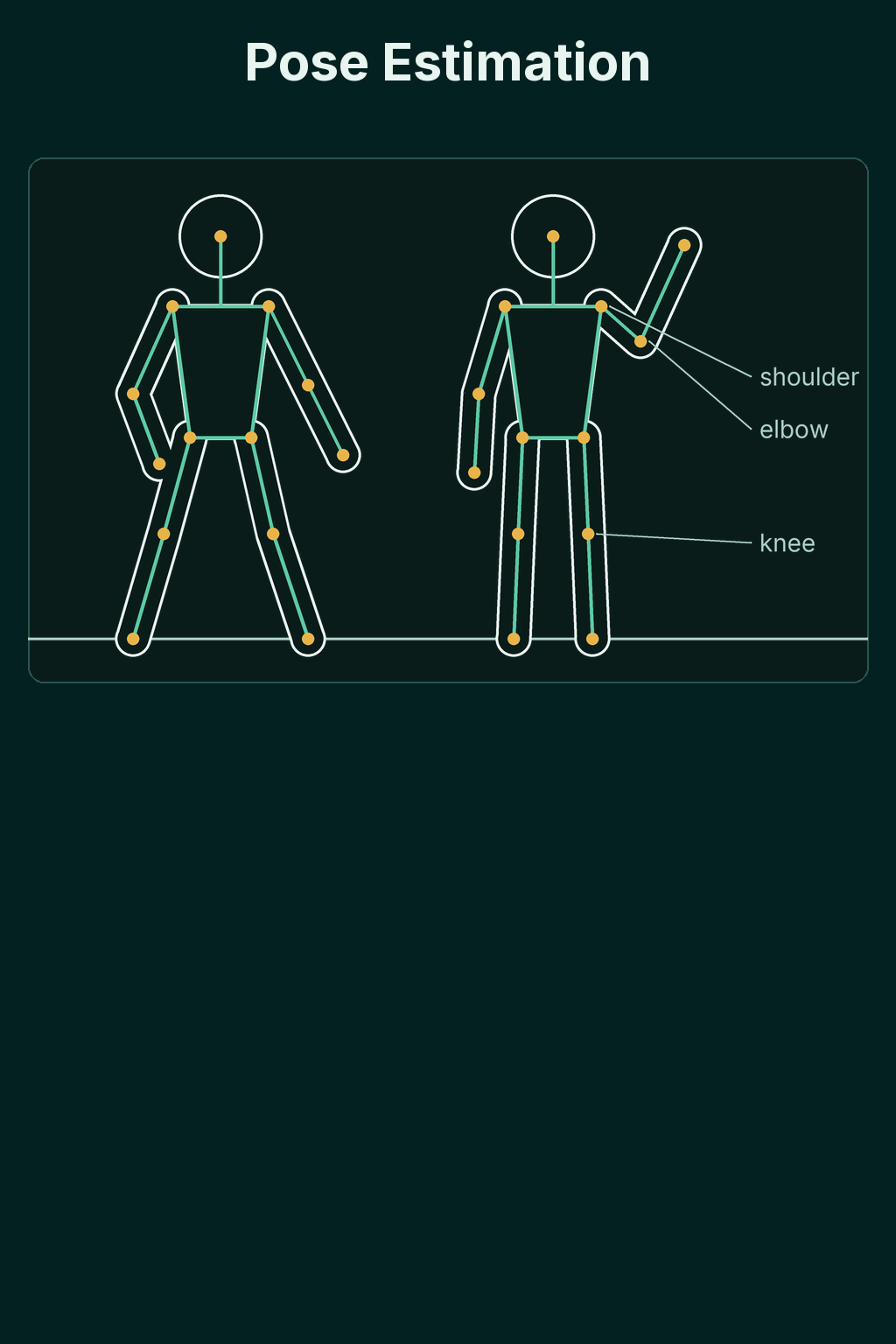
Pose estimation finds points on a body such as the shoulders, elbows and knees, then joins them into a stick figure. Fitness apps use it to count squats and check form.
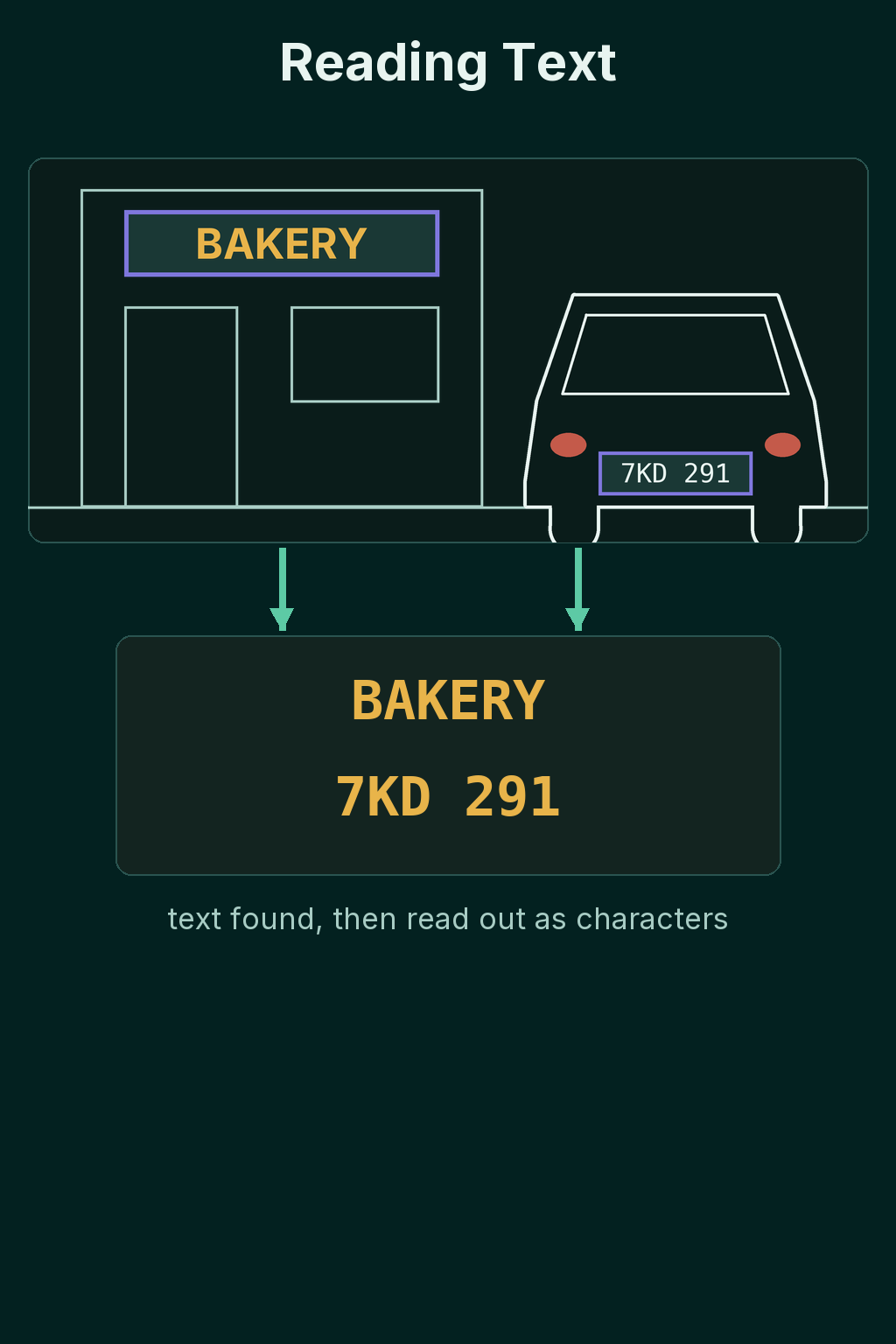
Optical character recognition, or OCR, finds text in an image and reads it out as characters. In the street photo it finds the shop sign and the license plate and returns the actual characters, such as "7KD 291". Scanning a receipt into an expense app relies on OCR.
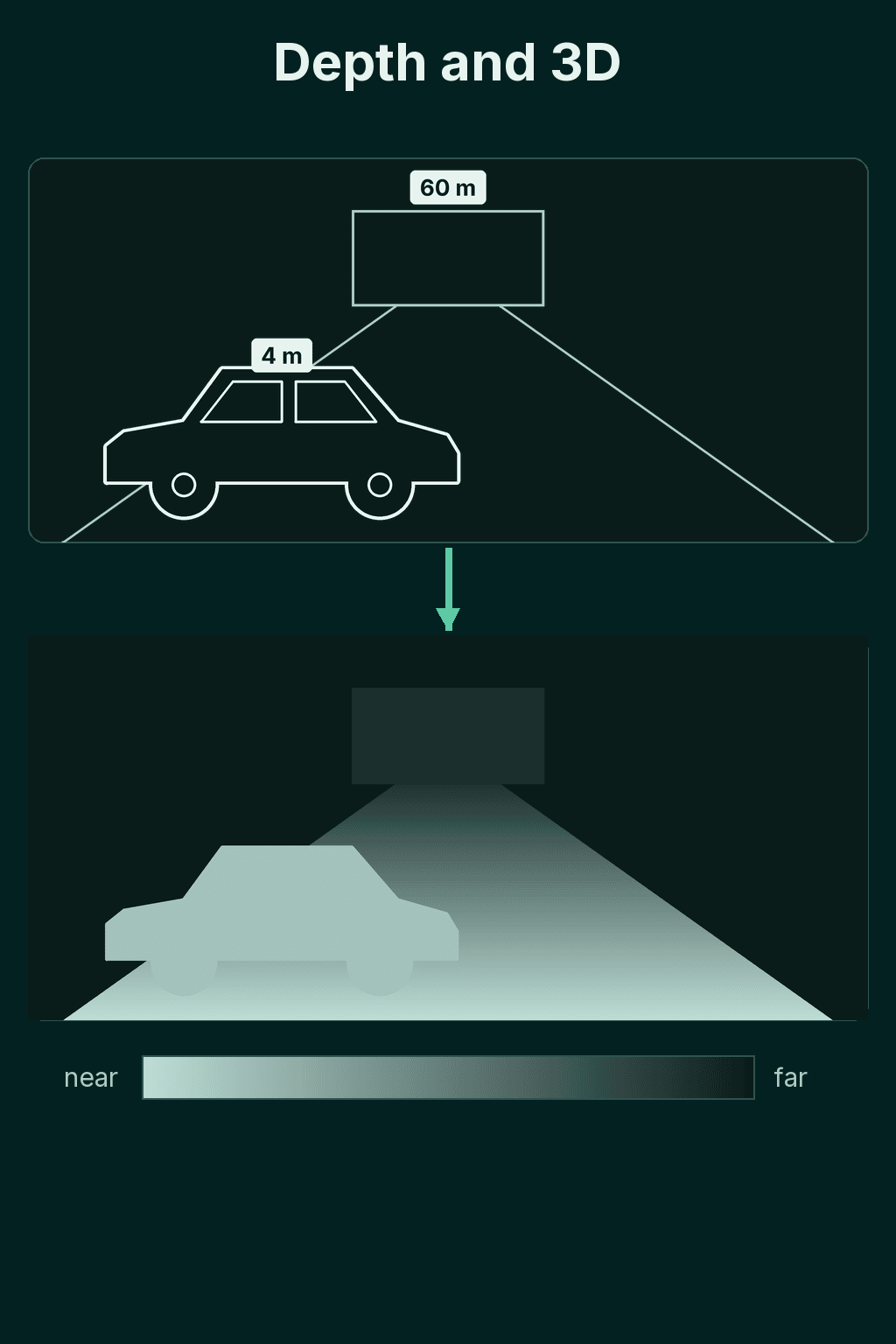
Depth estimation works out how far each part of the scene is from the camera. The answer is a distance for every pixel, so the car in front gets a small number and the building at the end of the street gets a large one. A single photo is flat, so the distance has to be worked out from clues such as how big familiar objects look. Phones use depth to blur the background in portrait mode.
Video: tracking and action recognition
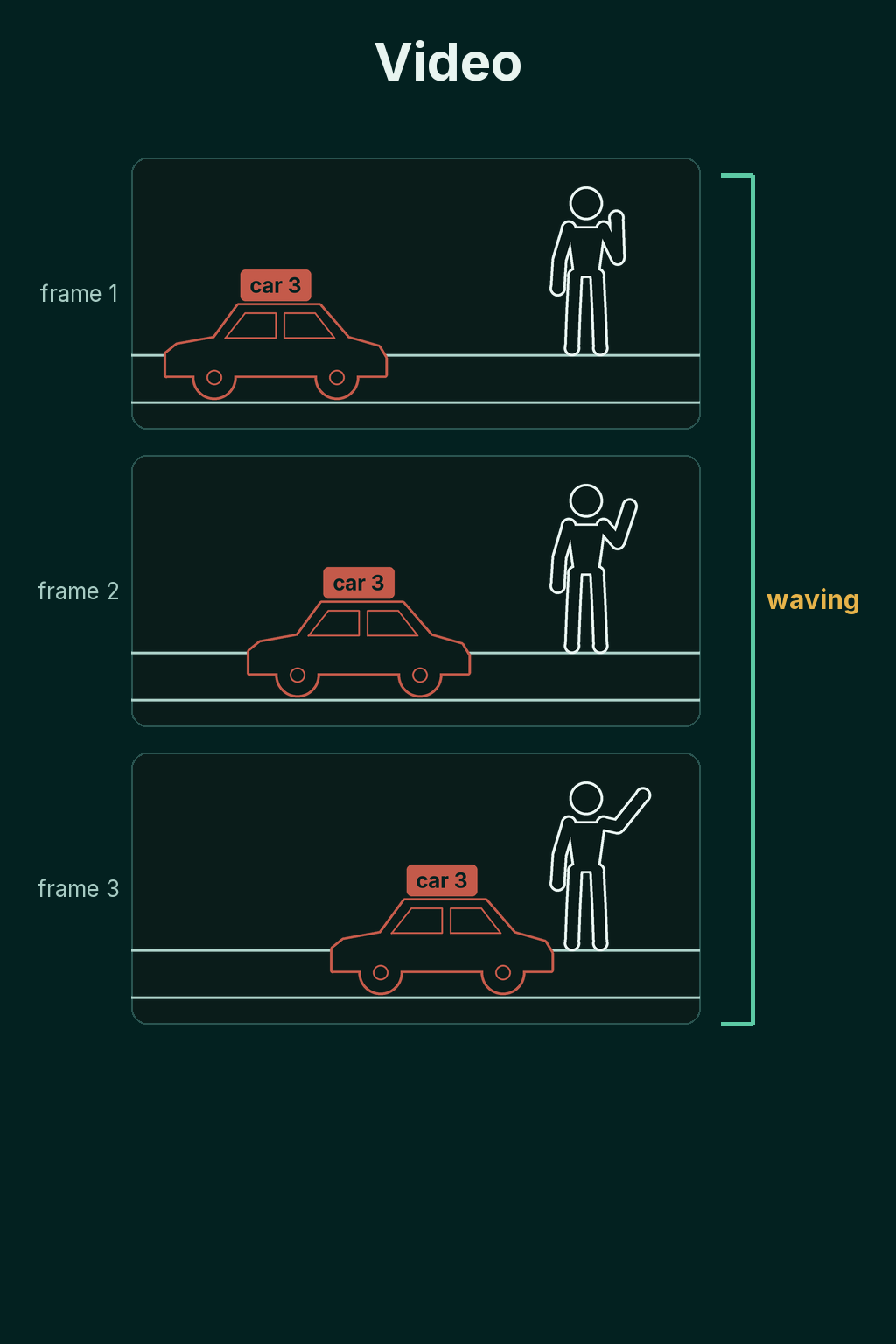
A video is a series of images called frames, often 30 every second, and some tasks need more than one of them. Tracking follows each object from frame to frame and keeps its identity, so the red car stays "car 3" for the whole clip. Action recognition names what is happening over time, such as someone waving or crossing the street. A single frame of someone with a raised hand cannot tell waving from reaching for a shelf, and the frames before and after show which one it is.
Restoration: an image as the answer
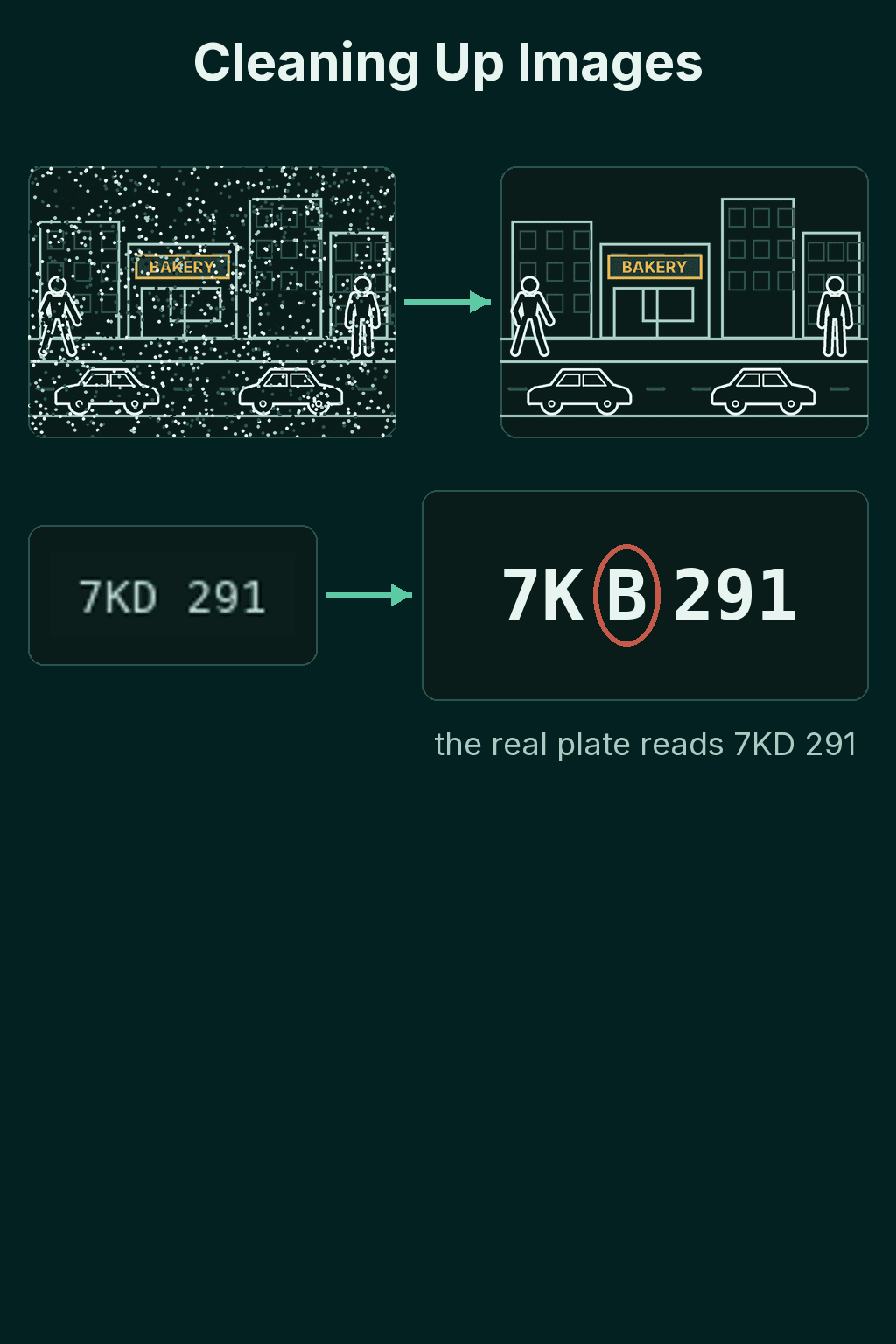
Image restoration takes a damaged photo and returns a better one, for example by removing the grain from a photo taken in the dark. The answer is another image instead of a label. The risk is that the model invents detail. Asked to enlarge a blurry license plate, it can produce sharp characters that look believable and were never on the plate.
All the outputs side by side
The input is the same grid of numbers each time, and the task decides what comes out. Written as PyTorch objects, the answers for a 480 by 640 street photo have very different shapes:
import torch
H, W = 480, 640 # the street photo is 480 pixels tall and 640 wide
# classification: one label for the whole photo, picked from a fixed list
classes = ["street", "beach", "kitchen", "forest"]
label = classes[0]
# detection: one box per object, as (x0, y0, x1, y1) in pixels, plus a label per box
boxes = torch.tensor([[ 20, 190, 100, 400],
[560, 190, 640, 400],
[ 70, 380, 340, 520],
[400, 380, 640, 520]])
box_labels = ["person", "person", "car", "car"]
# segmentation: one class id for every pixel
segmentation = torch.zeros(H, W, dtype=torch.long)
# depth: one distance in meters for every pixel
depth = torch.zeros(H, W)
print(label)
print(boxes.shape, "->", len(boxes), "objects")
print(segmentation.shape, depth.shape)street
torch.Size([4, 4]) -> 4 objects
torch.Size([480, 640]) torch.Size([480, 640])Classification returns one value, detection returns one row per object, and segmentation and depth return one value per pixel at the image's own height and width.
Why computer vision is hard
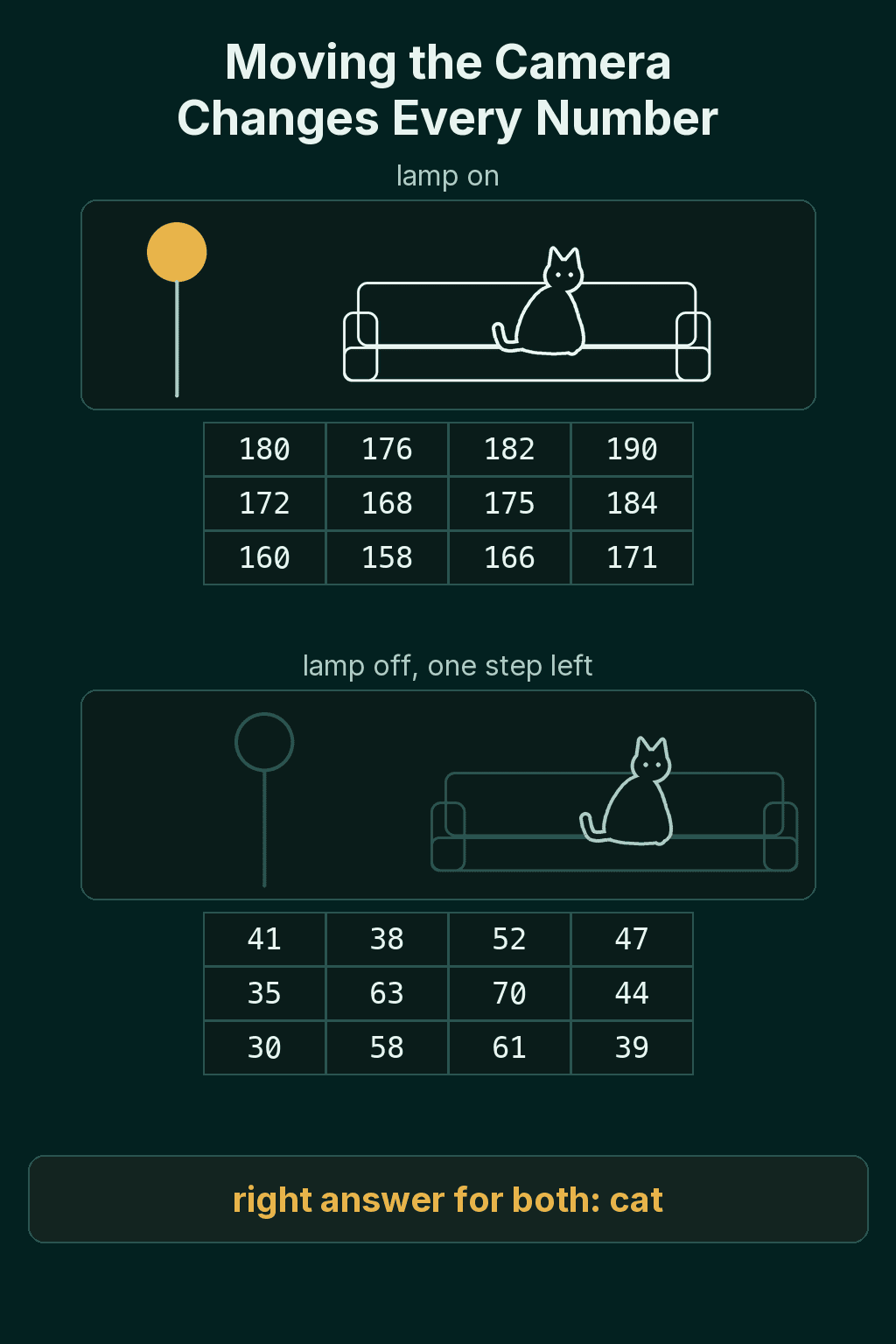
Take two photos of the same cat on the same sofa, the second one a step to the left with the lamp turned off. To you they show the same cat. To the computer they are two grids that barely match, since almost every pixel has a different value and the cat sits in a different part of the grid. A vision system has to answer "cat" for both. The numbers change a lot for reasons that have nothing to do with the answer, and that is the core difficulty.
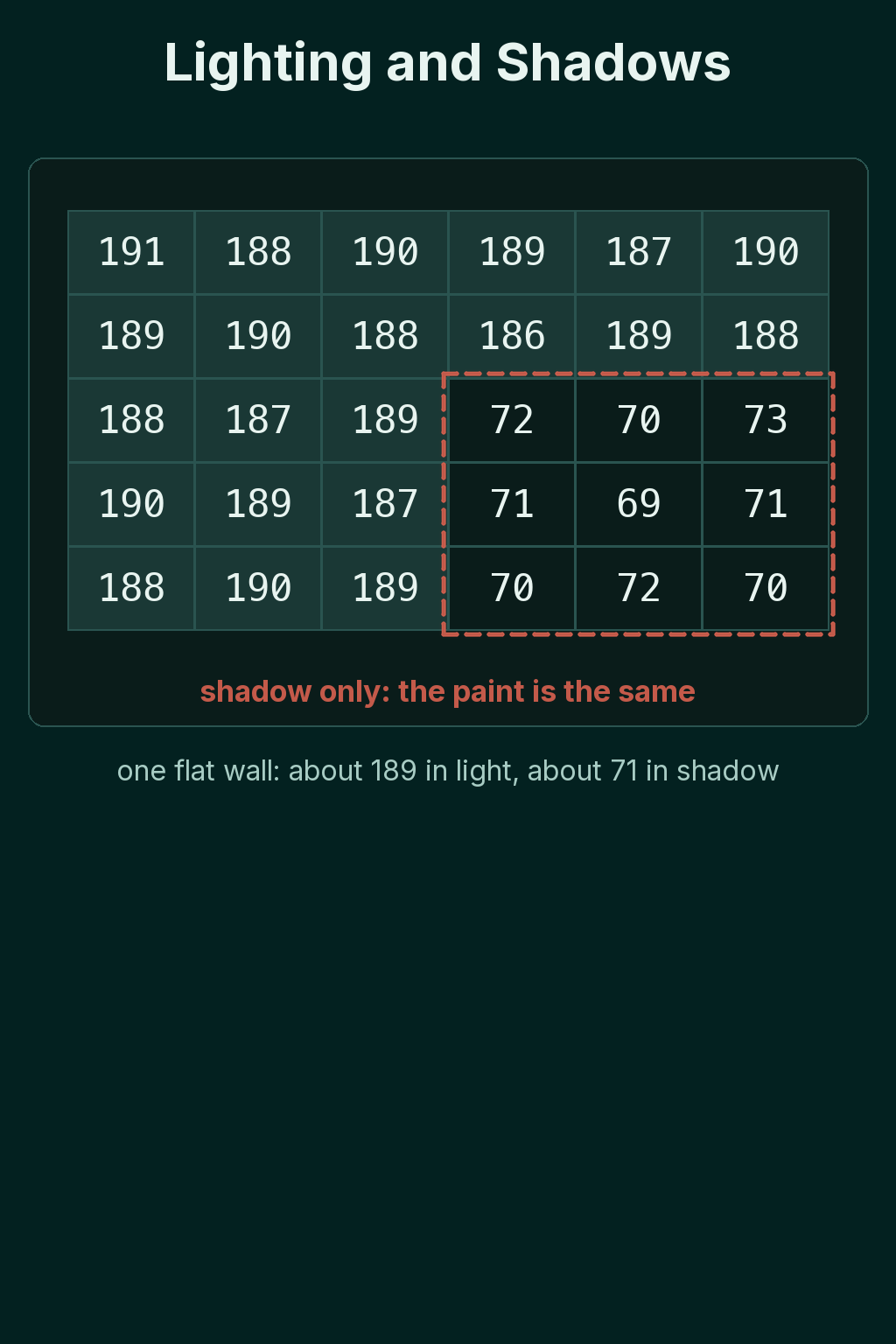
Lighting changes the numbers even when nothing moves. Here is a strip of a flat, evenly painted wall with a shadow falling across the lower right:
import torch
# one flat wall, photographed with a shadow across the lower right
wall = torch.tensor([
[191, 188, 190, 189, 187, 190],
[189, 190, 188, 186, 189, 188],
[188, 187, 189, 72, 70, 73],
[190, 189, 187, 71, 69, 71],
[188, 190, 189, 70, 72, 70],
]).float()
shadow = torch.zeros_like(wall, dtype=torch.bool)
shadow[2:, 3:] = True
print(f"in light: {wall[~shadow].mean():.1f}")
print(f"in shadow: {wall[shadow].mean():.1f}")in light: 188.7
in shadow: 70.9The paint is the same everywhere, yet the shadowed pixels drop from about 189 to about 71. A system that treats the low values as a different surface sees an edge in the wall where there is only a shadow. Color shifts too, and a white shirt photographed at sunset comes out orange in the numbers.
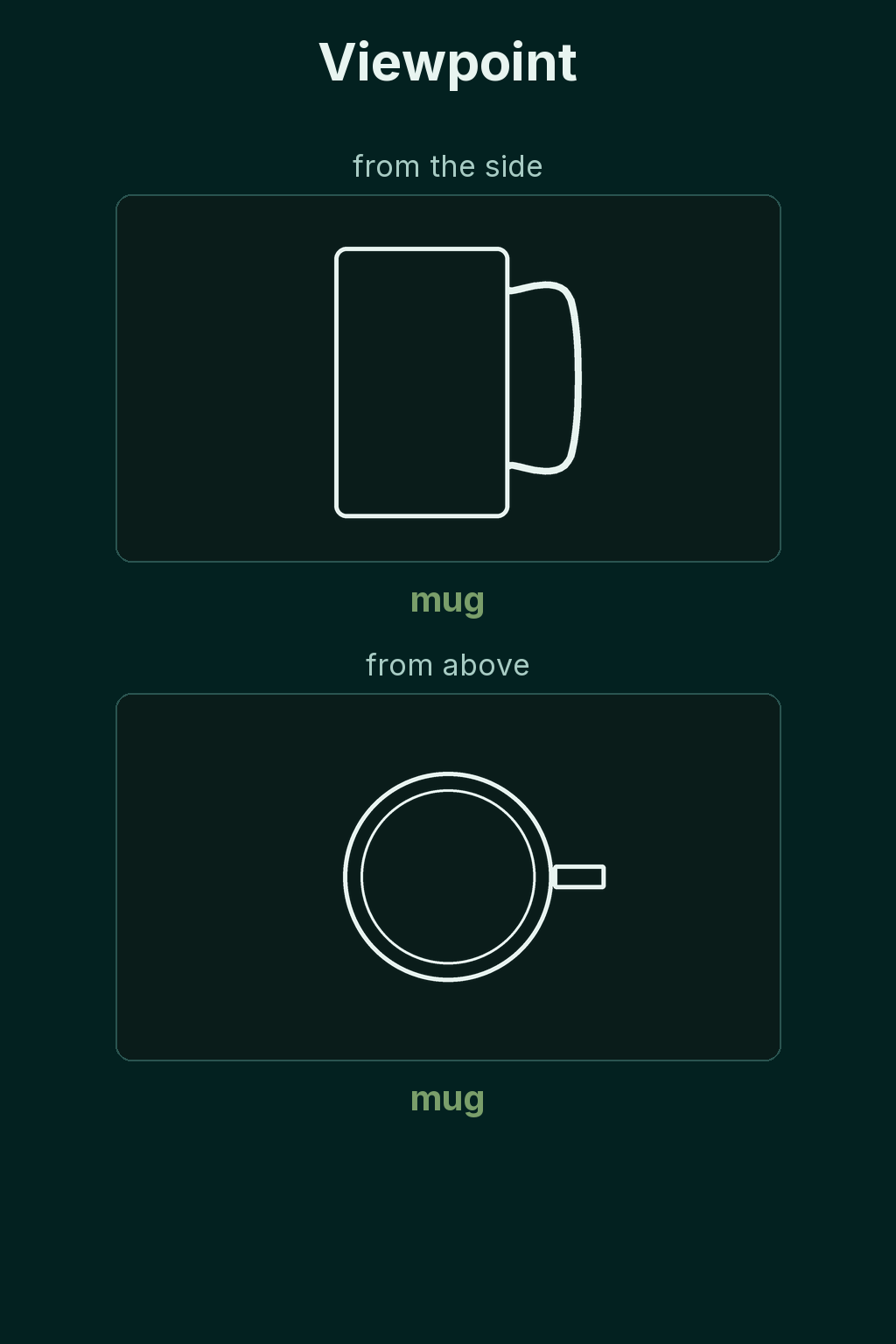
Viewpoint changes the shape. A mug seen from the side is a tall shape with a handle, and seen from above it is a ring with a small bump. Those two views share almost none of their pixel values, and both should get the answer "mug".
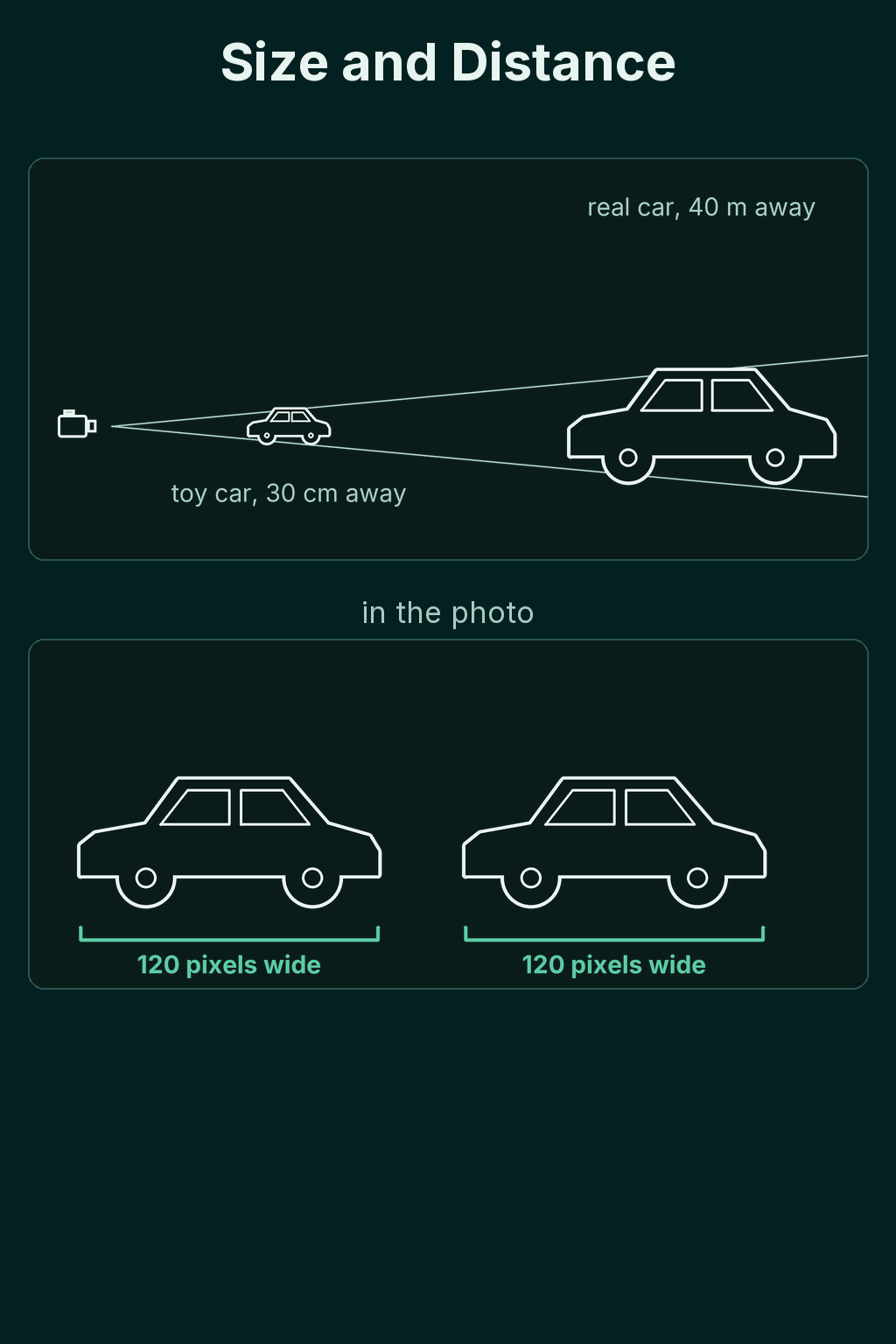
Size and distance get mixed together. A toy car near the lens and a real car down the street can cover the same number of pixels, because the photo records how big something looks and that mixes its real size with its distance. To tell them apart a system needs another clue, such as a known object next to it or the spot where it touches the ground.
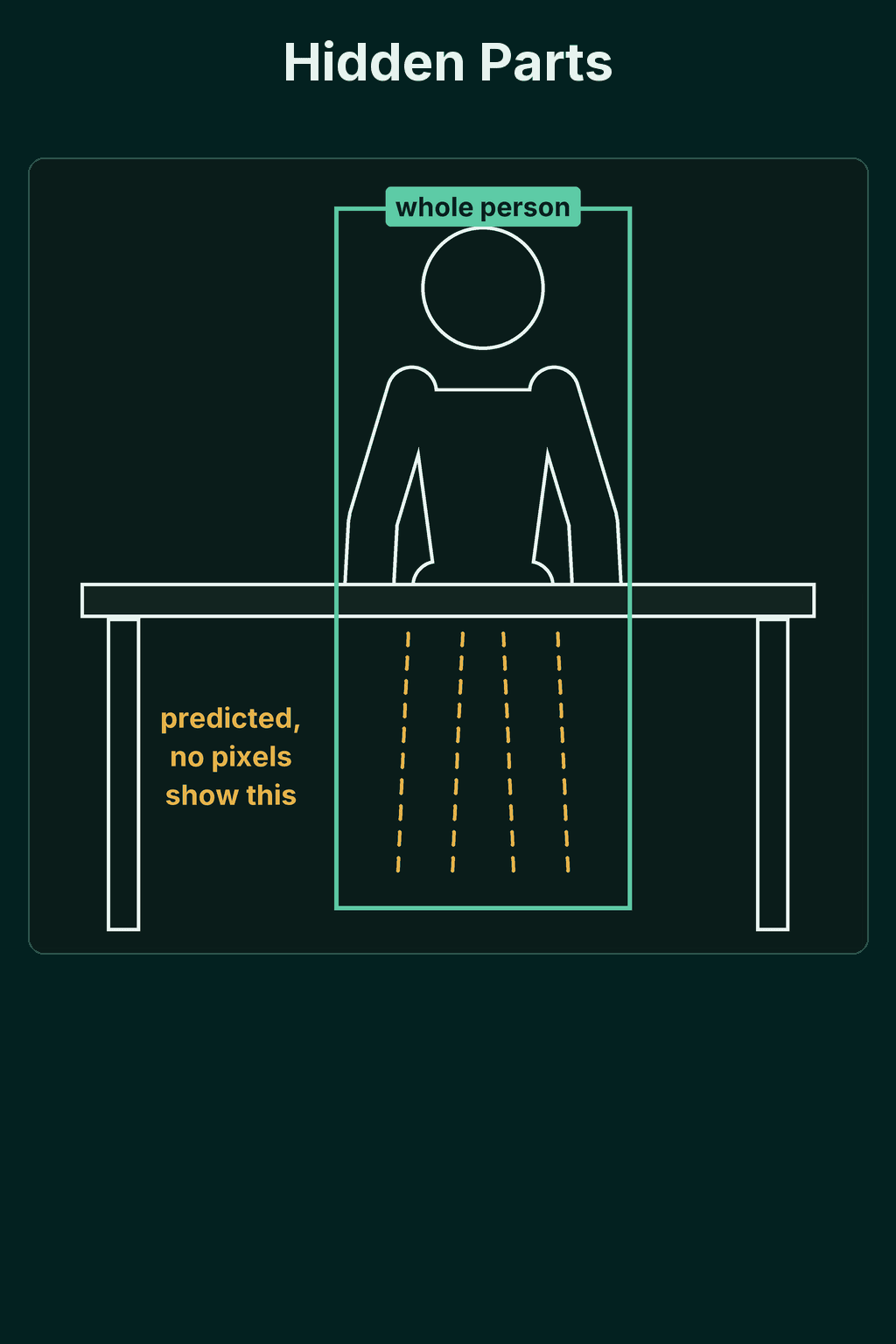
Hidden parts have to be guessed. A person behind a desk still has legs, but no pixel shows them. A system asked to draw a box around the whole person has to predict where the legs end from what people usually look like, since the pixels say nothing about the legs.
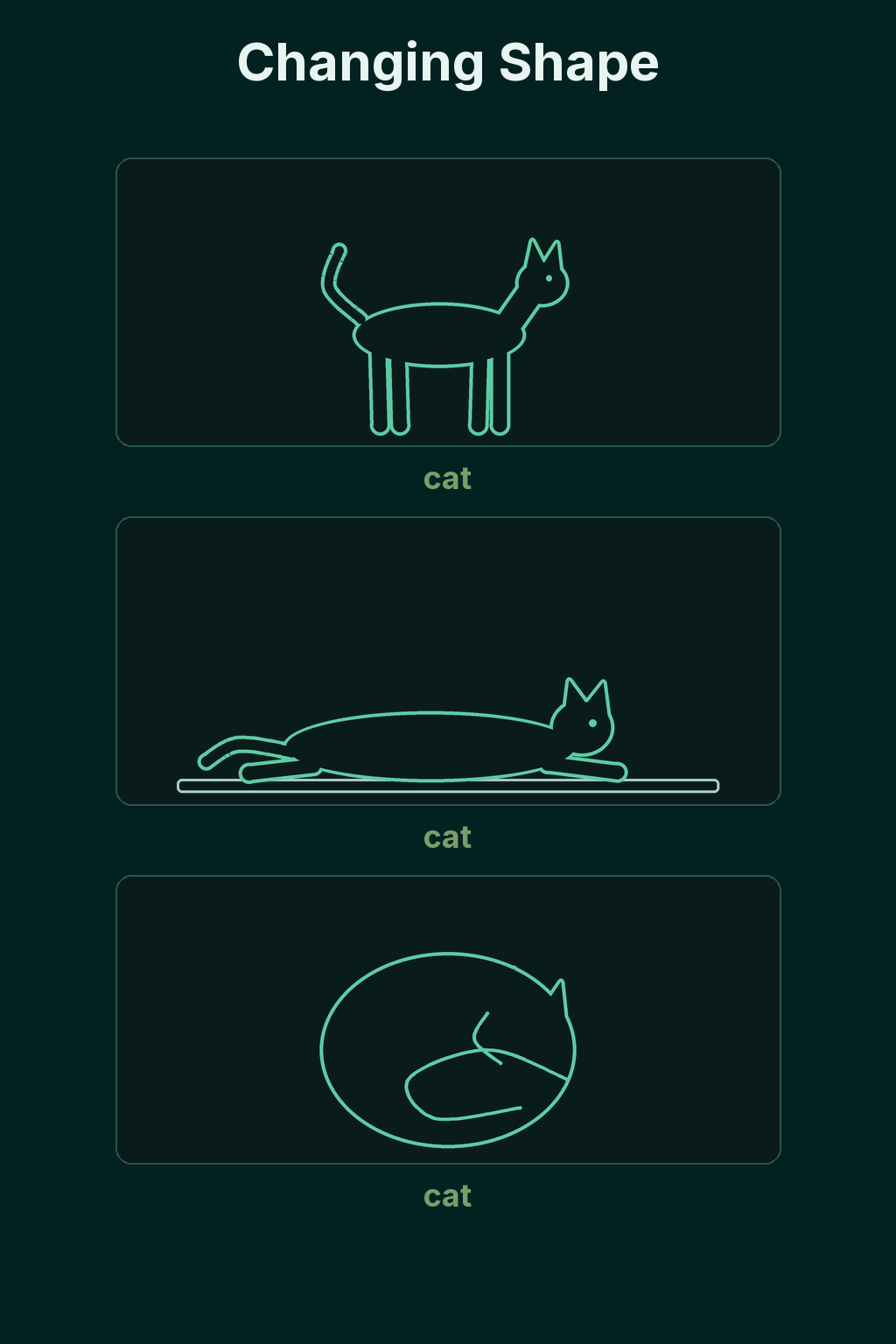
Shape changes too. A cat stretched out on a rug and the same cat curled into a ball have very different outlines, and people, hands and clothes change shape all the time.
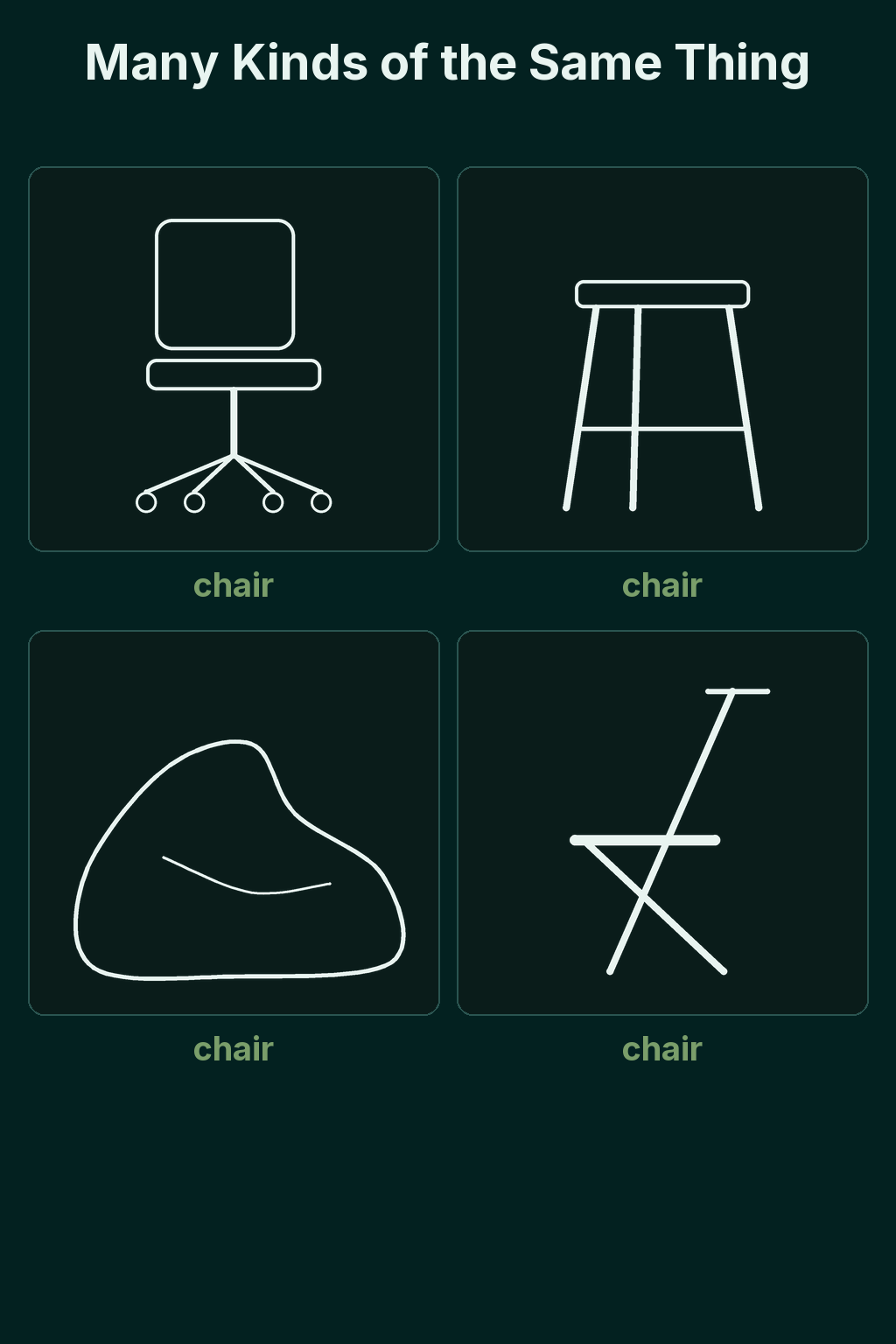
One word covers objects that look nothing alike. "Chair" includes an office chair on wheels, a wooden stool, a beanbag and a folding chair. What makes each one a chair is that people sit on it, and that fact is not in the pixels. A system has to learn what a whole category has in common from many examples.
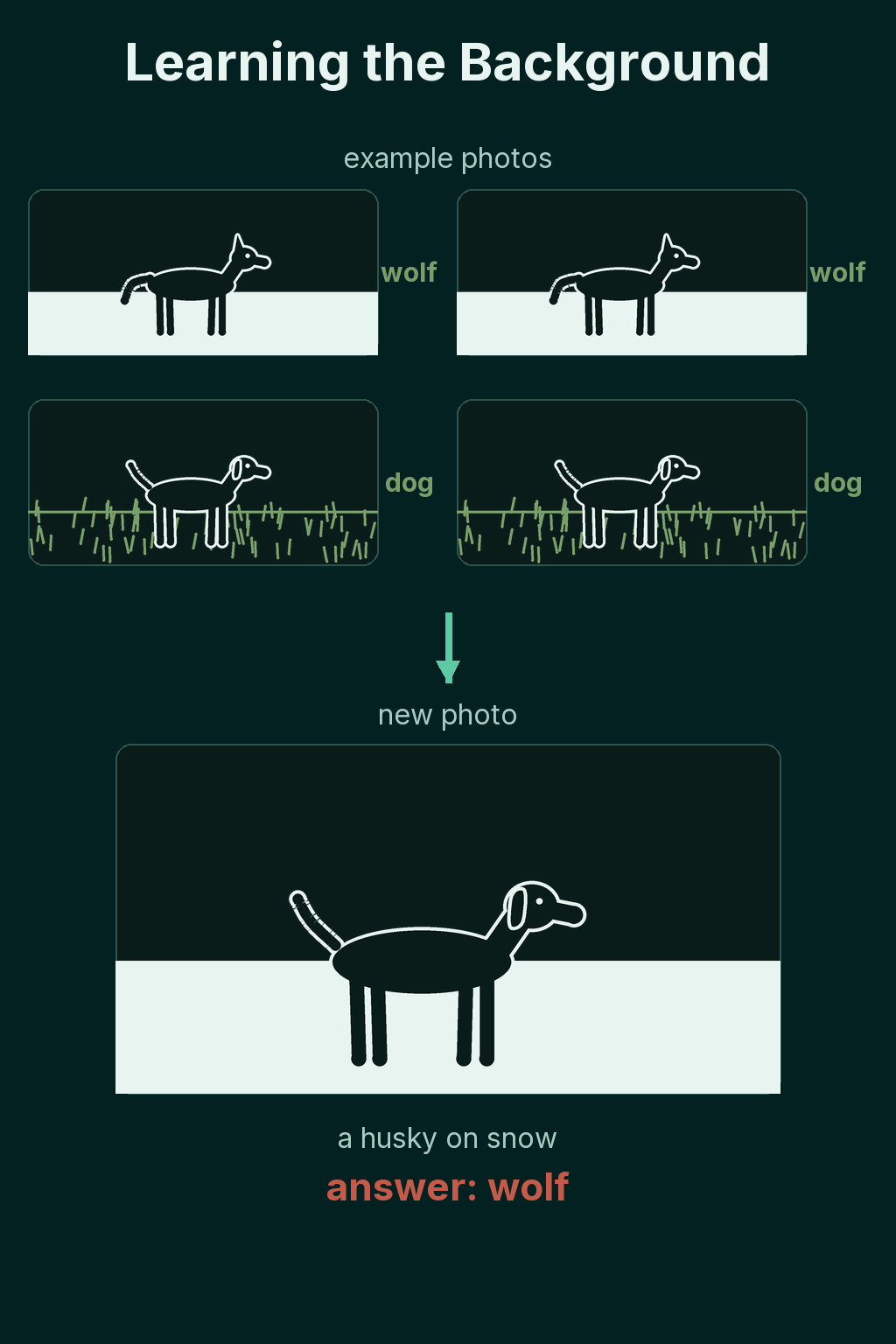
A system can get the right answer for the wrong reason. Suppose it learns from photos where wolves almost always stand in snow and dogs almost always stand on grass. It can end up relying on the white background instead of the animal, and then a husky standing in snow gets the answer "wolf". A pattern that goes with the right answer in the example photos without being the object itself is called a shortcut. Watermarks, photo borders and the type of camera can all become shortcuts.
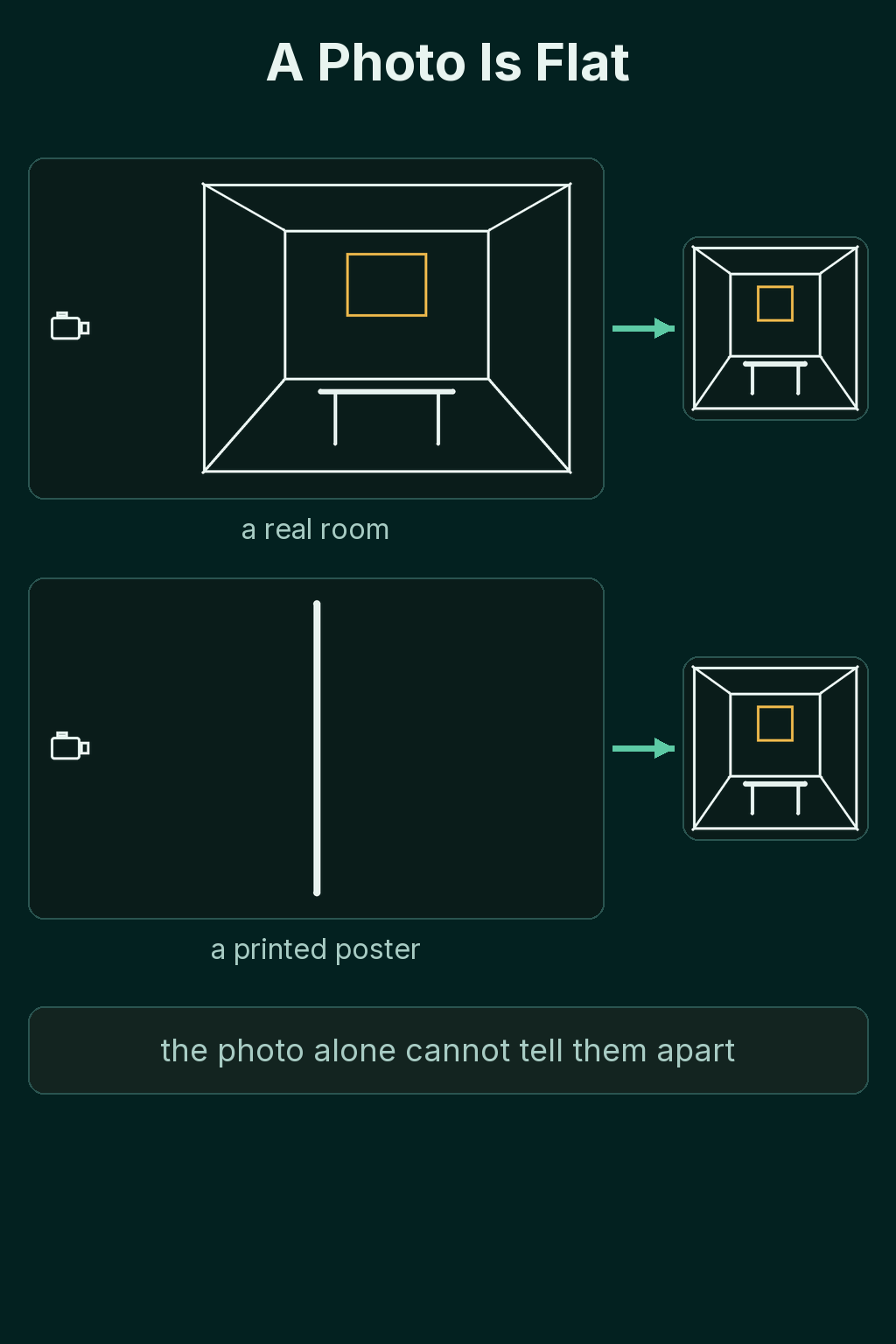
A photo is flat. The world has three dimensions and a photo has two, so taking a photo throws away how far away each point was. A large print of a room, hung in front of the camera at the right distance, can produce nearly the same picture as the room itself. So a vision system has to pick the most likely scene from what it learned about how the world usually looks: rooms have floors, light usually comes from above, and objects rarely float in midair.
Common mistakes when starting out
- Picking a model before the output. Decide what comes out first: one label, a box per object, a label per pixel or a new image. The output decides what data you collect and how you count mistakes.
- Collecting labels in the wrong shape. One label per photo cannot train a detector, because a detector needs a box around every object. Boxes cannot train segmentation, which needs a class for every pixel.
- Testing on photos that all look alike. If every test photo is taken in daylight from the same angle, a good score says little about the dim room or the view from above.
- Missing a shortcut. When most photos of one class share a background, a watermark or a camera, check some photos of that class taken elsewhere before trusting the score.
- Trusting a restored image as evidence. A sharpened plate or face can contain detail the model invented. Treat it as a guess, not a record.
Related concepts
The tasks above start from images stored as tensors, and how images are stored as tensors covers pixel coordinates, channels and the HWC and CHW layouts. A short history of computer vision shows how systems moved from hand-written rules to models that learn from photos. If the term is new, what is a tensor covers the data structure itself.
QuiddityML opens its Computer Vision track with these ideas. Its exercises ask learners to name the task behind requests such as a fitness app that counts squats, and to name the difficulty in examples such as a red car that comes out orange under a streetlight (QuiddityML).