By Sagi Shaier · 29 October 2026 · 11 min read
How to use a Hugging Face tokenizer: special tokens, token IDs, padding, and batches
How to load a pretrained tokenizer and read what it returns, the four stages a string passes through, and how to batch sentences of different lengths with padding and truncation.
A Hugging Face tokenizer is the object that turns text into the integer ids a pretrained model reads, and turns ids back into text. Pretrained language models on the Hugging Face Hub come with the tokenizer they were trained with. Using that exact tokenizer is what makes the model's output make sense, and batching several sentences at once needs a few more of its settings.
Loading a tokenizer
A model reads text as a list of integers, one per token, where a token is a word or a piece of a word. The list of every token a tokenizer knows is its vocabulary, and each token's position in that list is its token id.
Hugging Face's transformers library keeps tokenizers next to the models they belong to, so you ask for one by the model's name:
1from transformers import AutoTokenizer
2
3tokenizer = AutoTokenizer.from_pretrained("gpt2")
4enc = tokenizer("Hello, world!")
5print(enc["input_ids"])
6print(enc["attention_mask"])
7print(tokenizer.convert_ids_to_tokens(enc["input_ids"]))1[15496, 11, 995, 0]
2[1, 1, 1, 1]
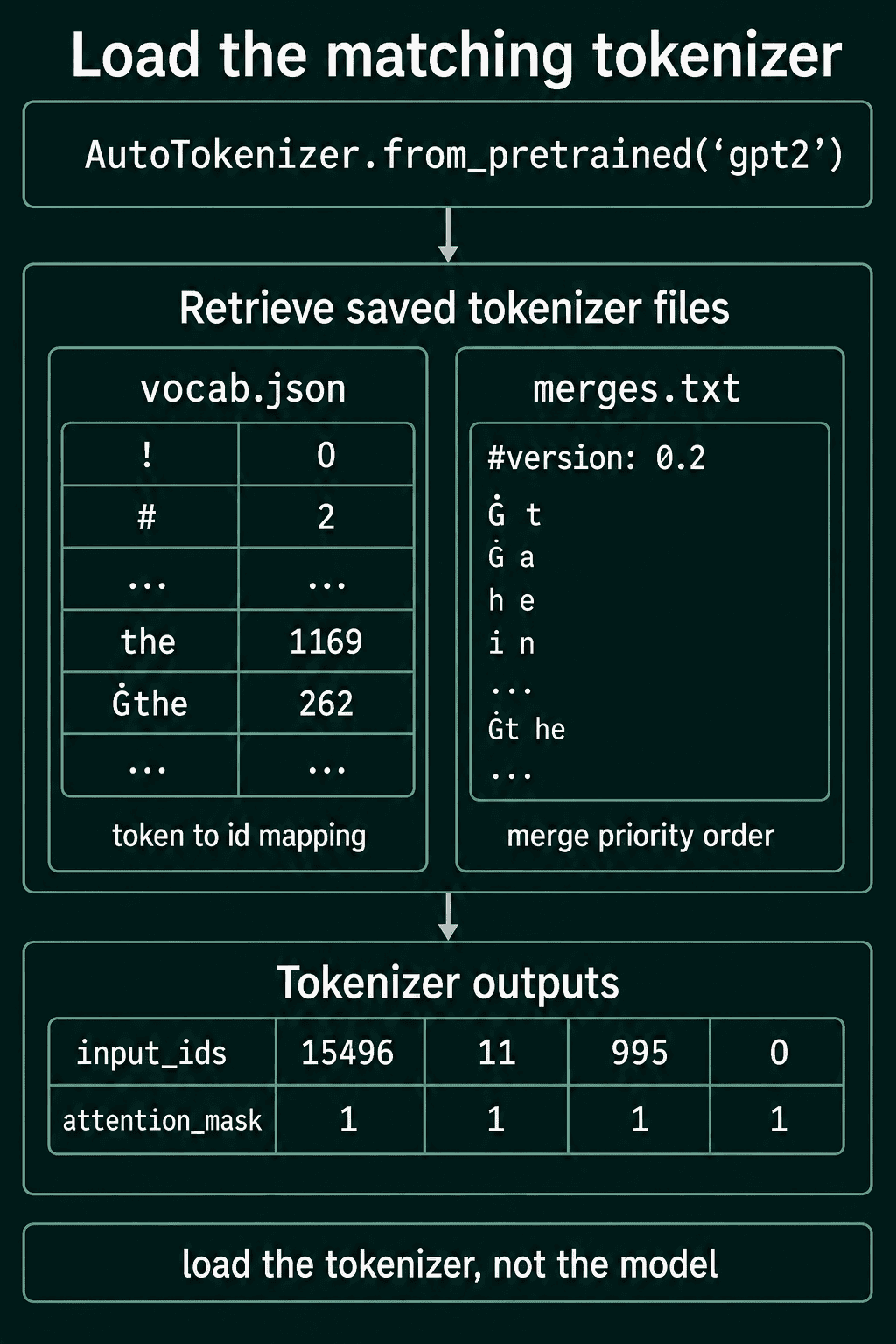
3['Hello', ',', 'Ġworld', '!']from_pretrained("gpt2") downloads the GPT-2 tokenizer the first time and reuses the cached copy after that. It loads only the tokenizer, not the model. Calling the tokenizer on a string returns two lists:
input_idsis the text as token ids, one integer per piece.attention_maskhas one entry per id, with1for a real token and0for padding. A single string has no padding, so every value is1.
The Ġ in Ġworld is how GPT-2 writes a leading space. The word world with a space in front of it is id 995, and world with no space is a different entry with a different id.
Two files sit behind it. vocab.json holds the vocabulary as a map from token to id. merges.txt holds the merge rules the tokenizer learned when it was trained, in the order they are applied, and from_pretrained loads exactly those.
Seeing the pieces and decoding back
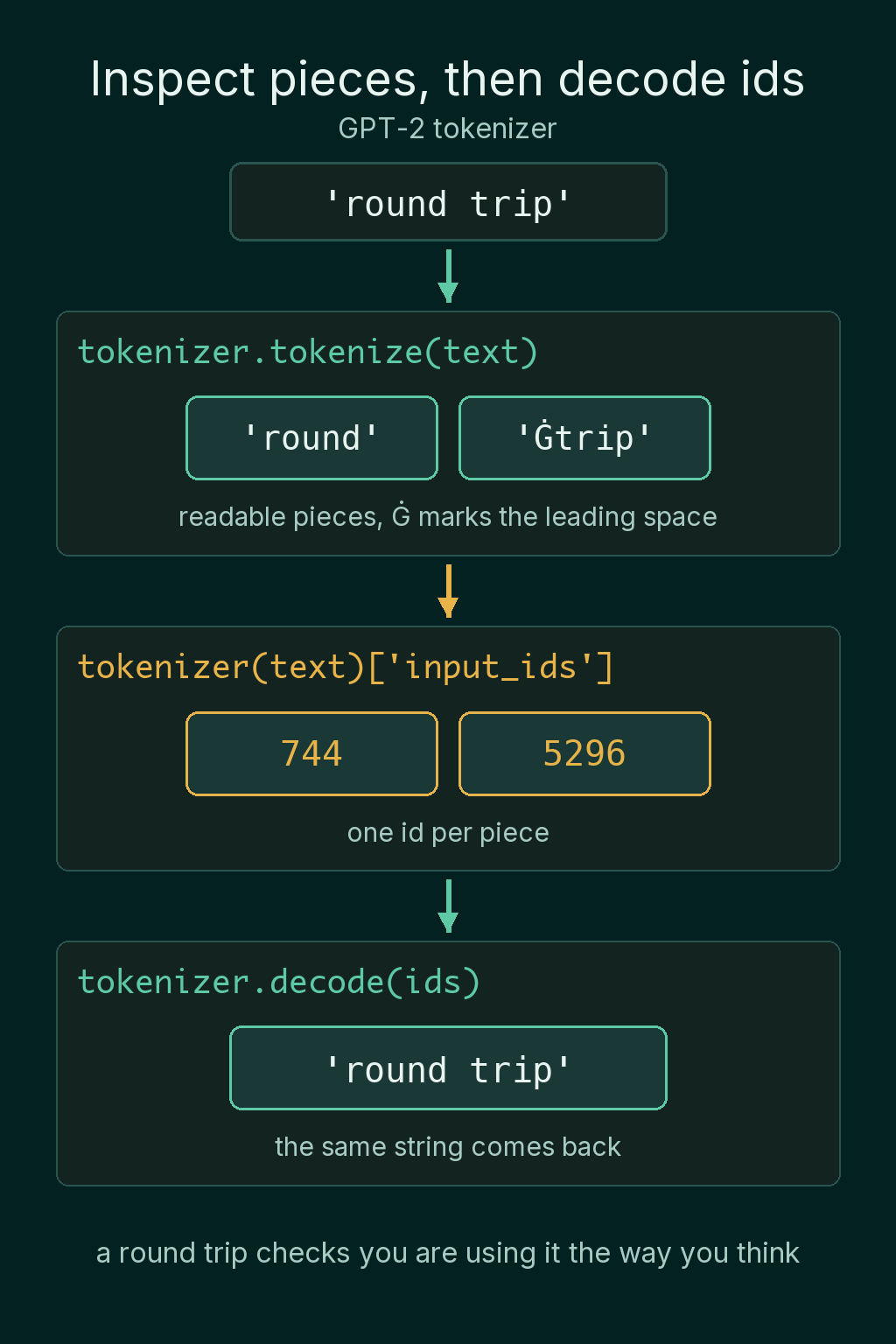
Ids are hard to read. tokenize shows the pieces the tokenizer chose, and decode turns a list of ids back into text:
1print(tokenizer.tokenize("tokenizing"))
2
3ids = tokenizer("round trip")["input_ids"]
4print(ids)
5print(tokenizer.decode(ids))1['token', 'izing']
2[744, 5296]
3round tripTokenizing is not in GPT-2's vocabulary as one piece, so it comes out as two. Encoding a string and decoding the ids gives back the string you started with, as long as the tokenizer did not lowercase or strip accents on the way in. That round trip is a quick check that you are using the tokenizer the way you think you are.
Token ids belong to one vocabulary
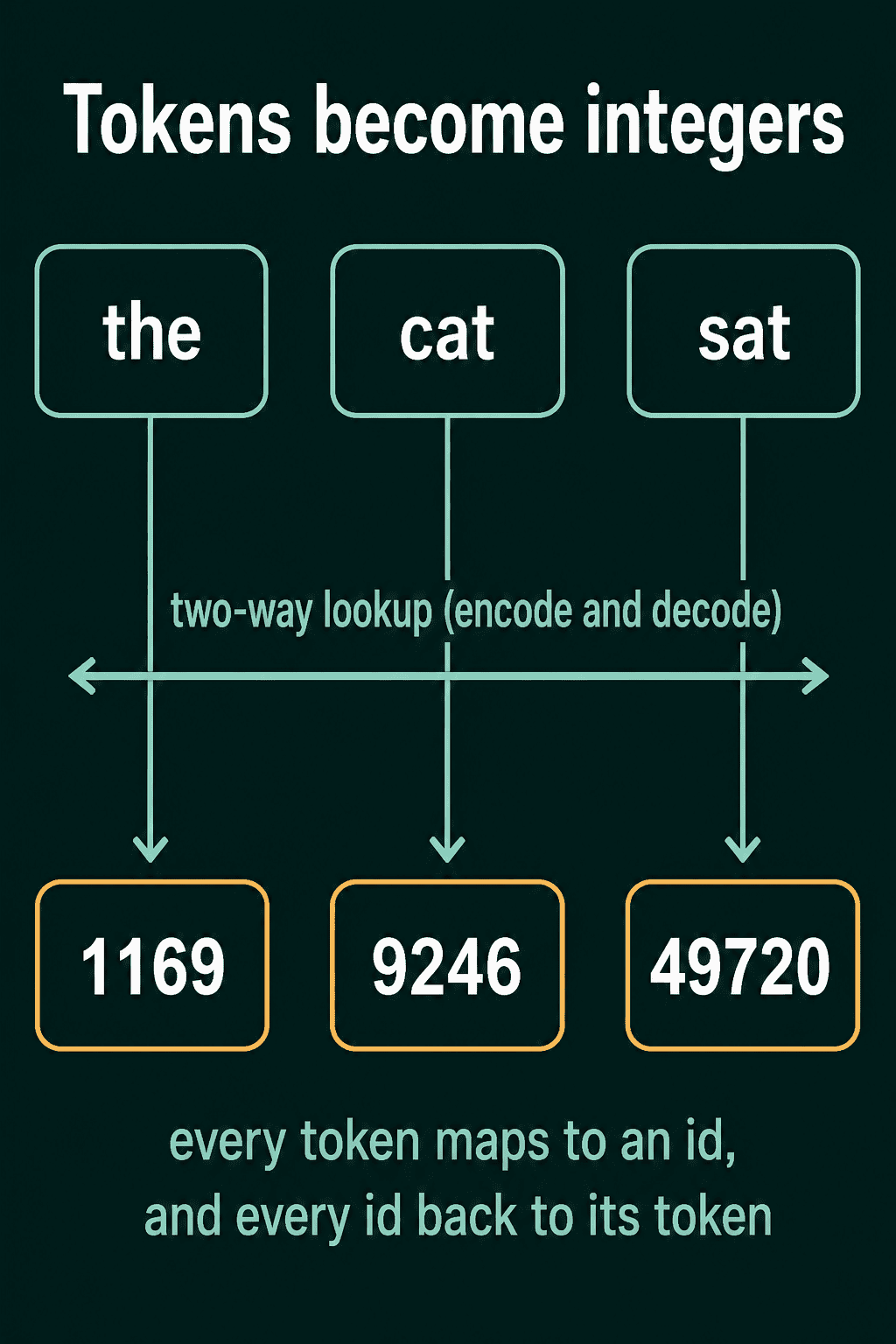
The vocabulary is a two-way table. Every token has an id and every id points back at its token, so encoding looks up an id for each piece and decoding looks up a piece for each id. In GPT-2's vocabulary, the with no space in front is 1169 and cat with no space is 9246.
To the model, an id is a row number. The model keeps a large table of numbers with one row per id, and it learns what goes in each row during training. Id 9246 does not mean cat to the model. It means row 9246, and whatever the model learned to store in that row is what cat amounts to. The tokenizer's job stops at the ids.
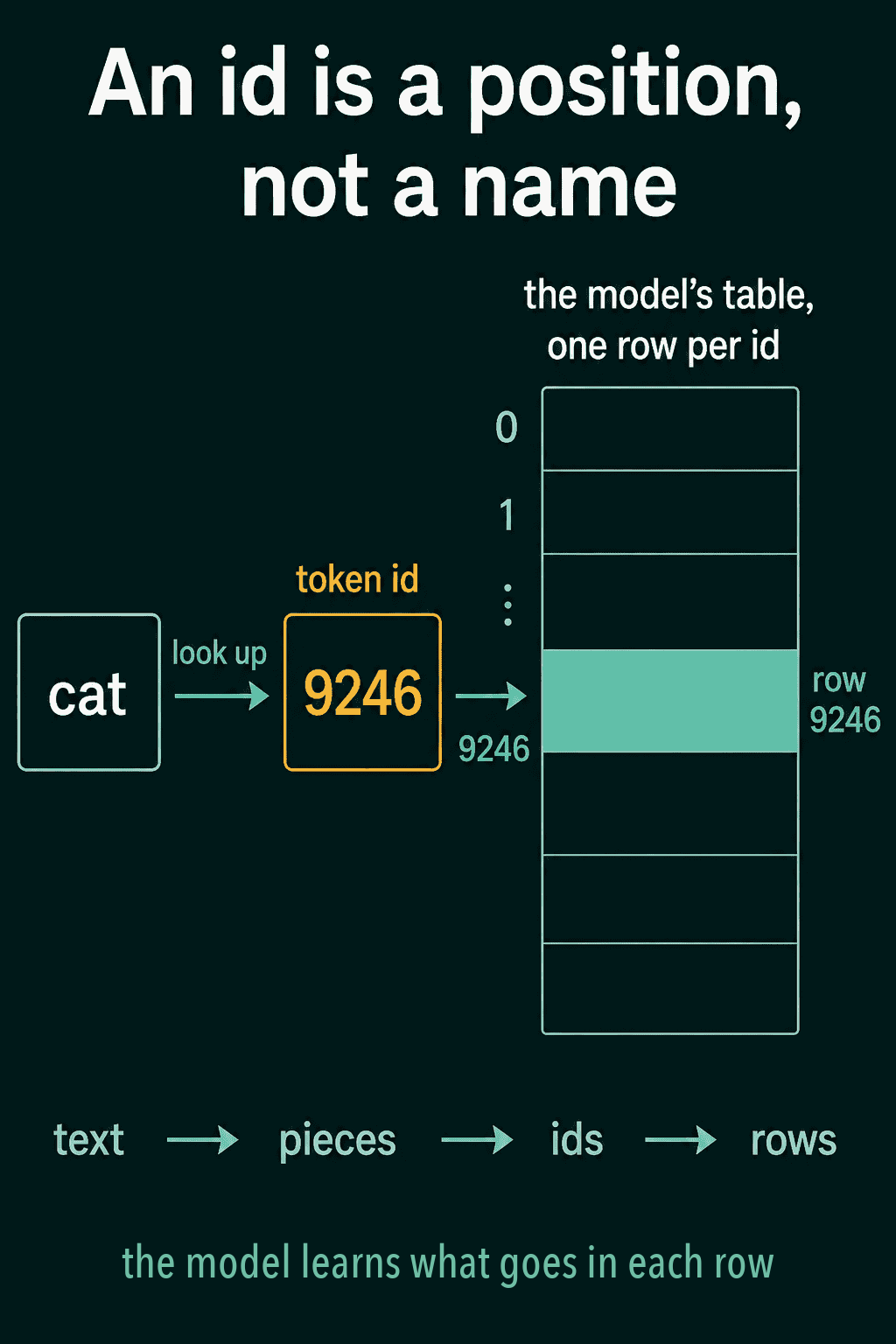
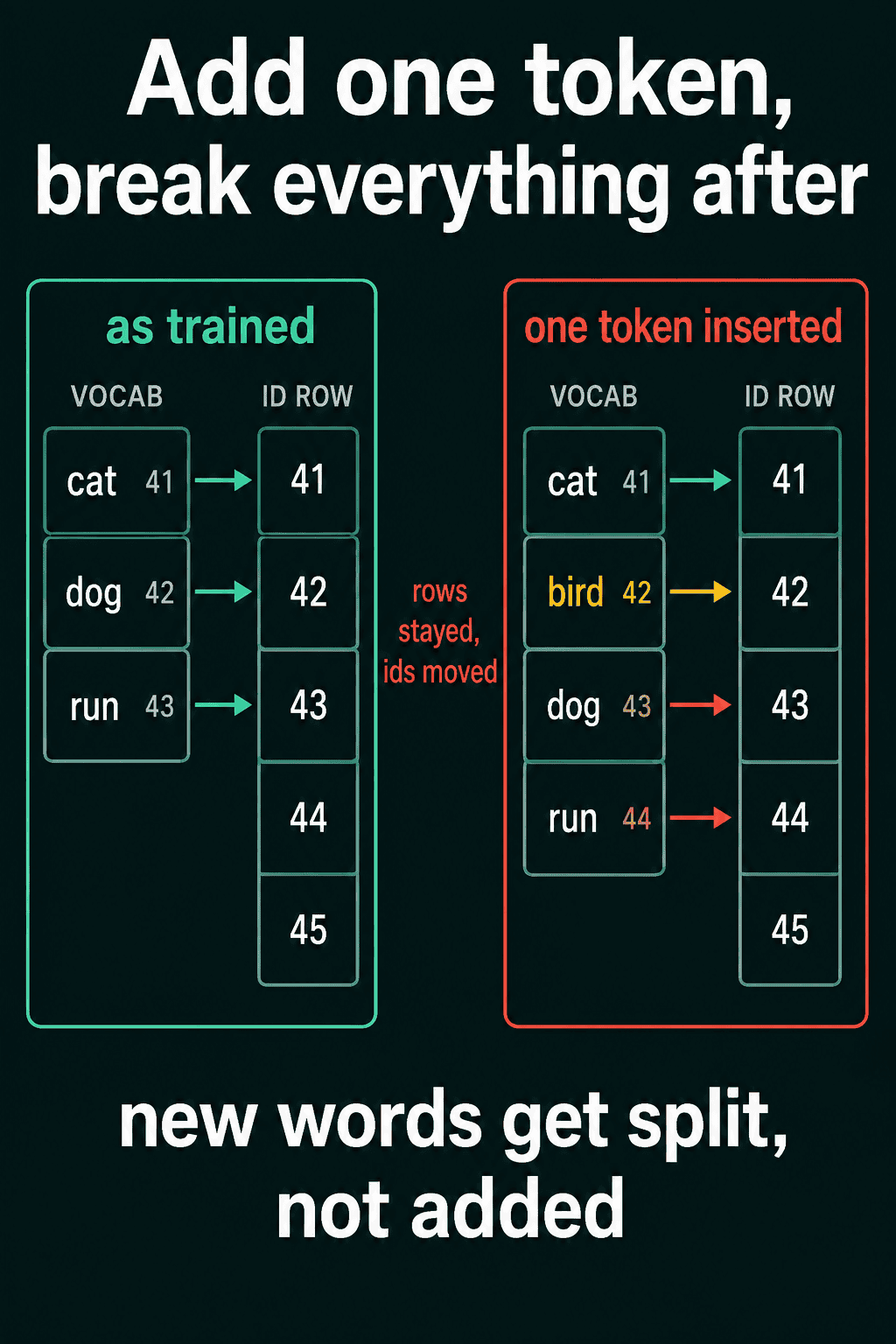
That is why a vocabulary cannot change once a model is trained on it. Insert one token in the middle and every id after it shifts by one, while the model's rows stay where they were. Each token then reads the row that belonged to its neighbour, and the output is garbage. A new word gets cut into pieces that already exist instead of being added.
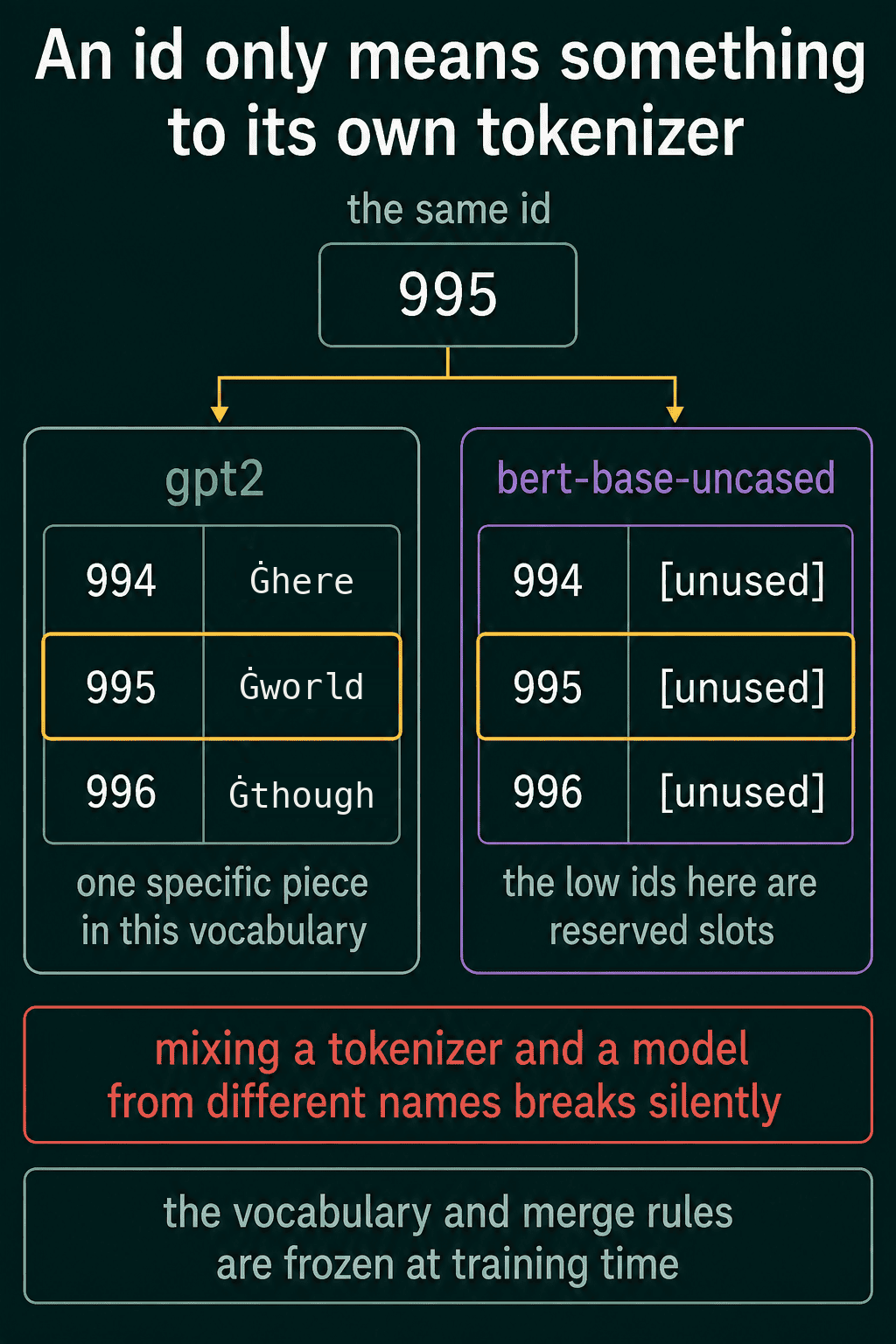
It also means an id only has a meaning inside the vocabulary that produced it. The same number decodes to completely different things in two tokenizers:
1bert = AutoTokenizer.from_pretrained("bert-base-uncased")
2print(repr(tokenizer.decode([995])))
3print(repr(bert.decode([995])))1' world'
2'[unused990]'Id 995 is world with a leading space in GPT-2 and an unused reserved slot in BERT, a widely used family of pretrained language models. Encode and decode with the same tokenizer, and use the tokenizer that shipped with the model you run.
What happens inside the tokenizer
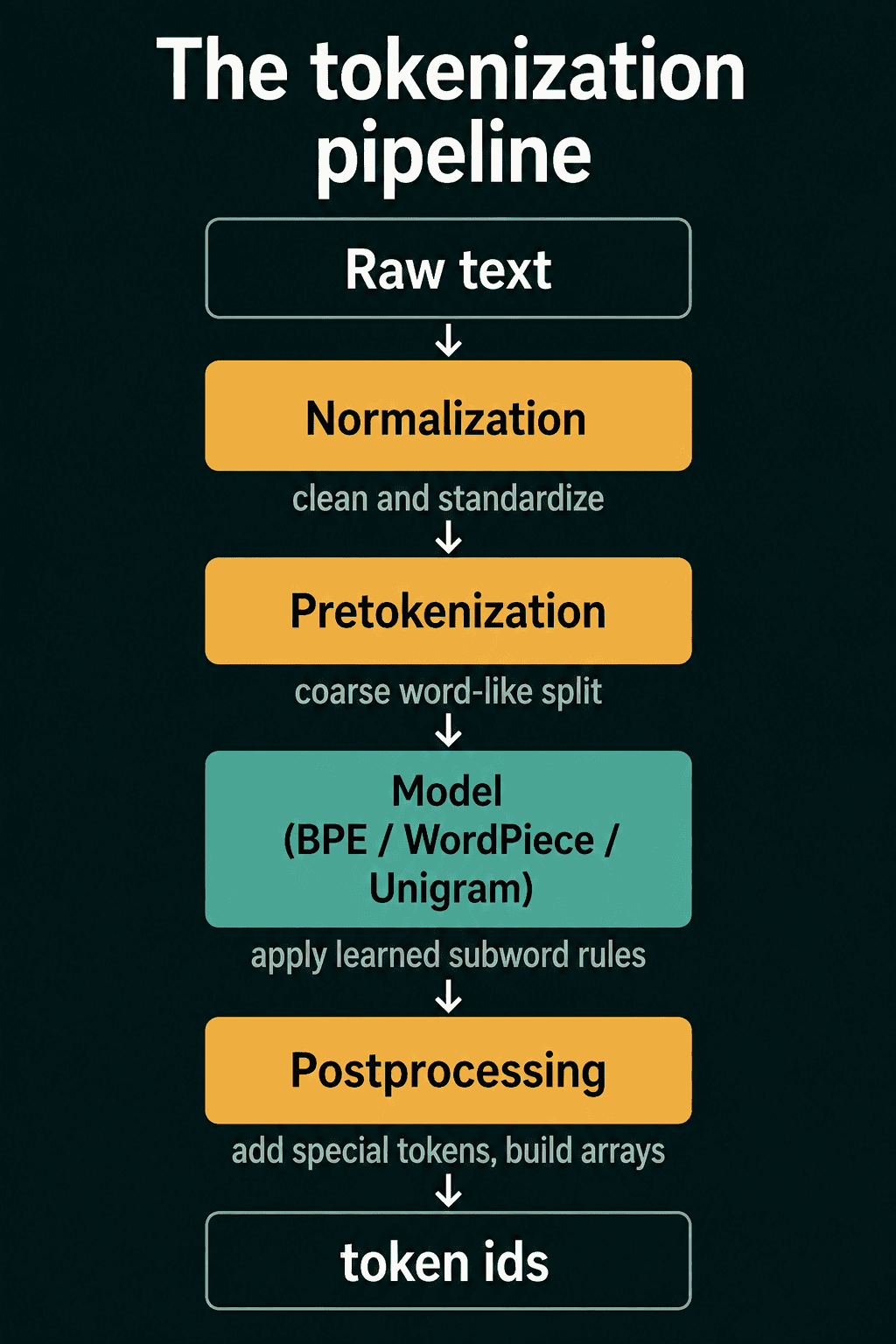
The subword algorithm, such as BPE or WordPiece, is one stage of a tokenizer. A string passes through four stages in order before it comes out as ids:
- Normalization cleans up the text so inputs that mean the same thing look the same.
- Pretokenization makes a rough split into word-like chunks.
- The model runs the subword algorithm (BPE, WordPiece or Unigram) inside each chunk.
- Postprocessing adds the markers the model expects and hands back the arrays.
Normalization
Normalization standardizes text before anything is split. Common steps are lowercasing and putting Unicode characters into one standard form. Others strip accents, drop control characters and collapse repeated spaces.
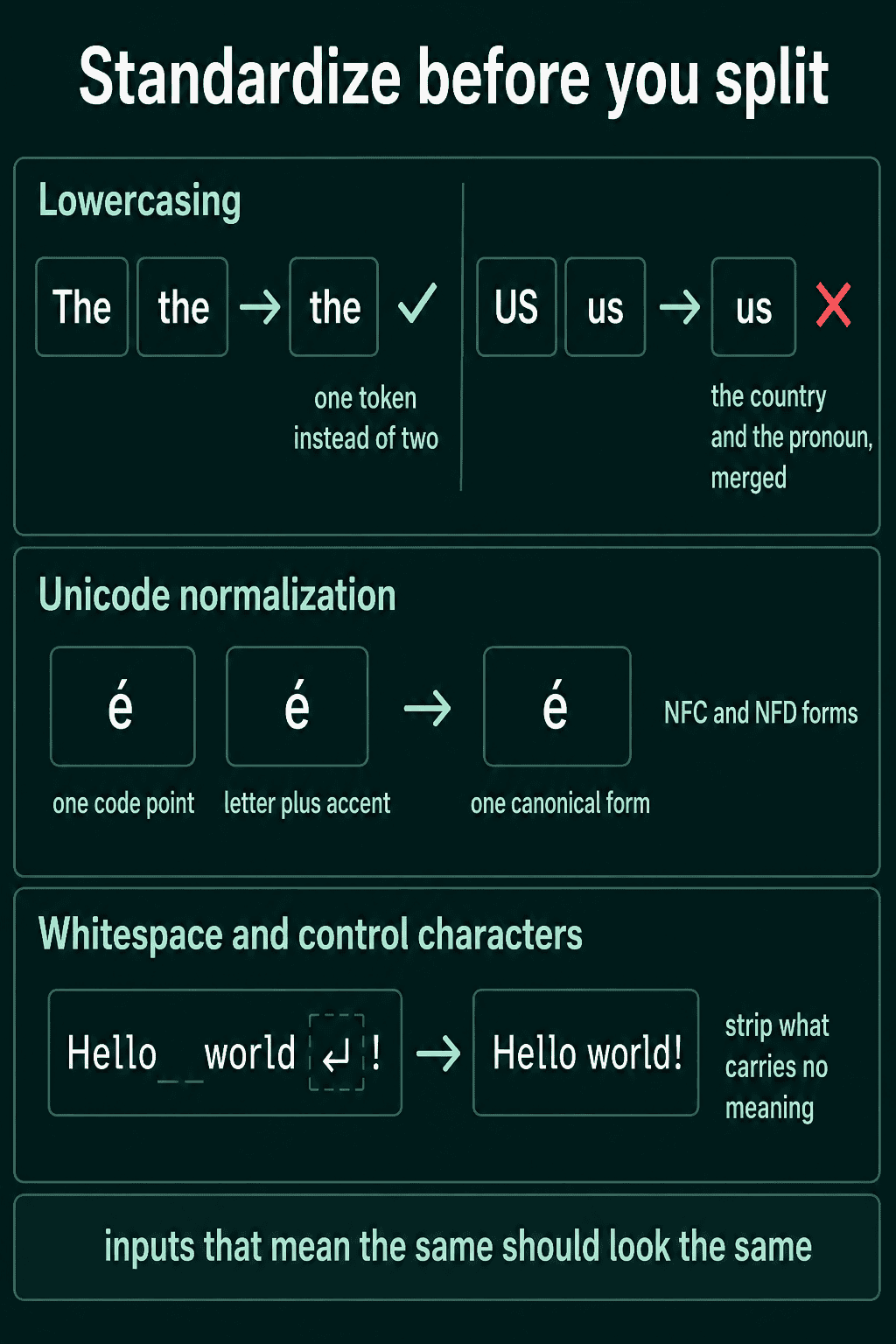
BERT's uncased tokenizer lowercases and strips accents. You can run its normalizer on its own:
1text = "She's moving to Zürich in 2027."
2print(bert.backend_tokenizer.normalizer.normalize_str(text))1she's moving to zurich in 2027.That shrinks the vocabulary and throws information away for good. Apple and apple become the same string, and decoding cannot bring the capital back. Many newer tokenizers do little or no normalization. Byte-level ones such as GPT-2's pass the raw bytes through, case and accents included.
Pretokenization
Pretokenization cuts the text into word-like chunks before the subword algorithm runs. It is usually a regular expression. A common one splits off contractions such as 's, keeps a leading space attached to the word after it, and breaks long runs of digits into groups of at most three.
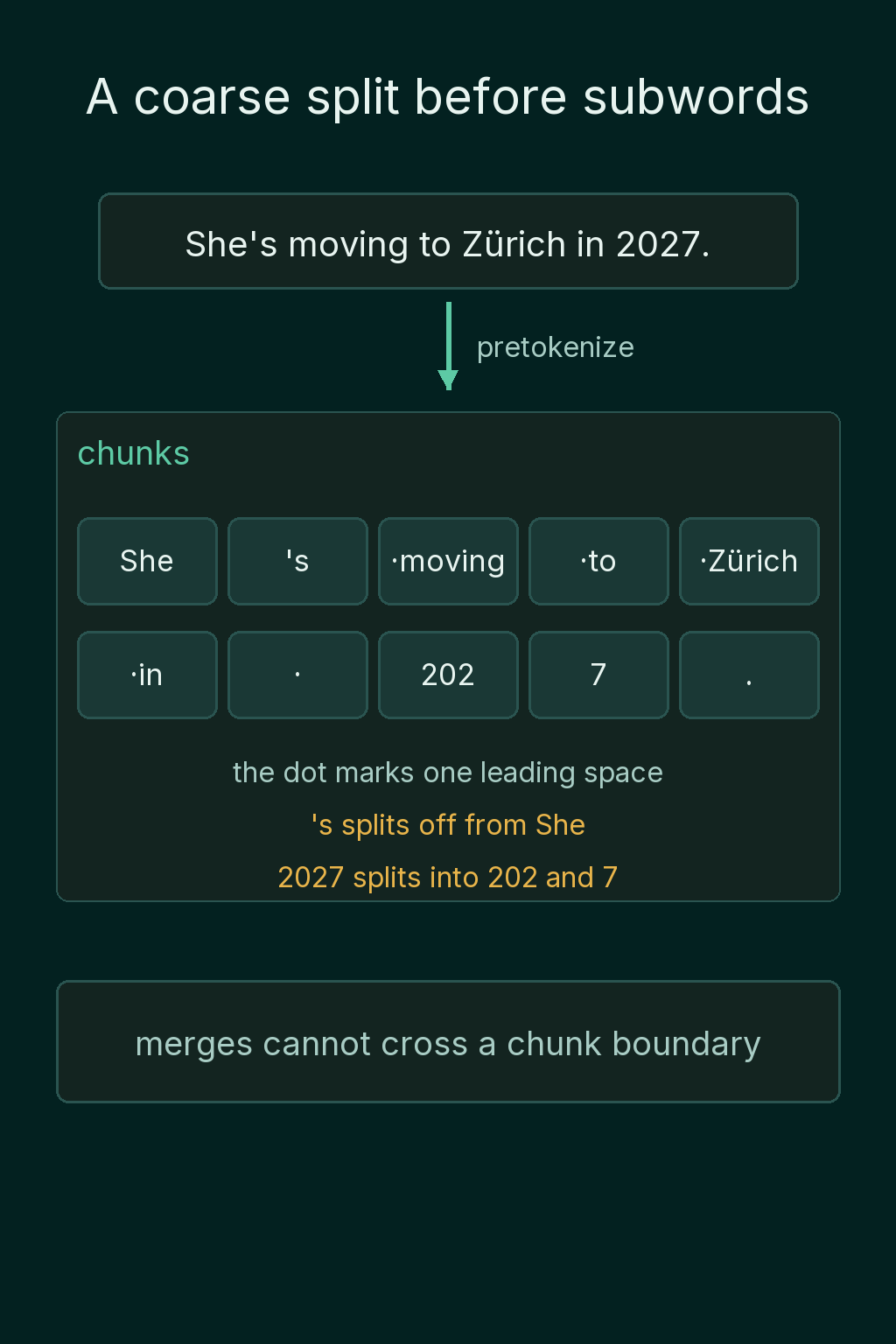
Two things come from this stage. Merges cannot run across a word boundary, so the cat never becomes one token only because the pair is frequent. And the subword algorithm only searches inside each chunk instead of across the whole string.
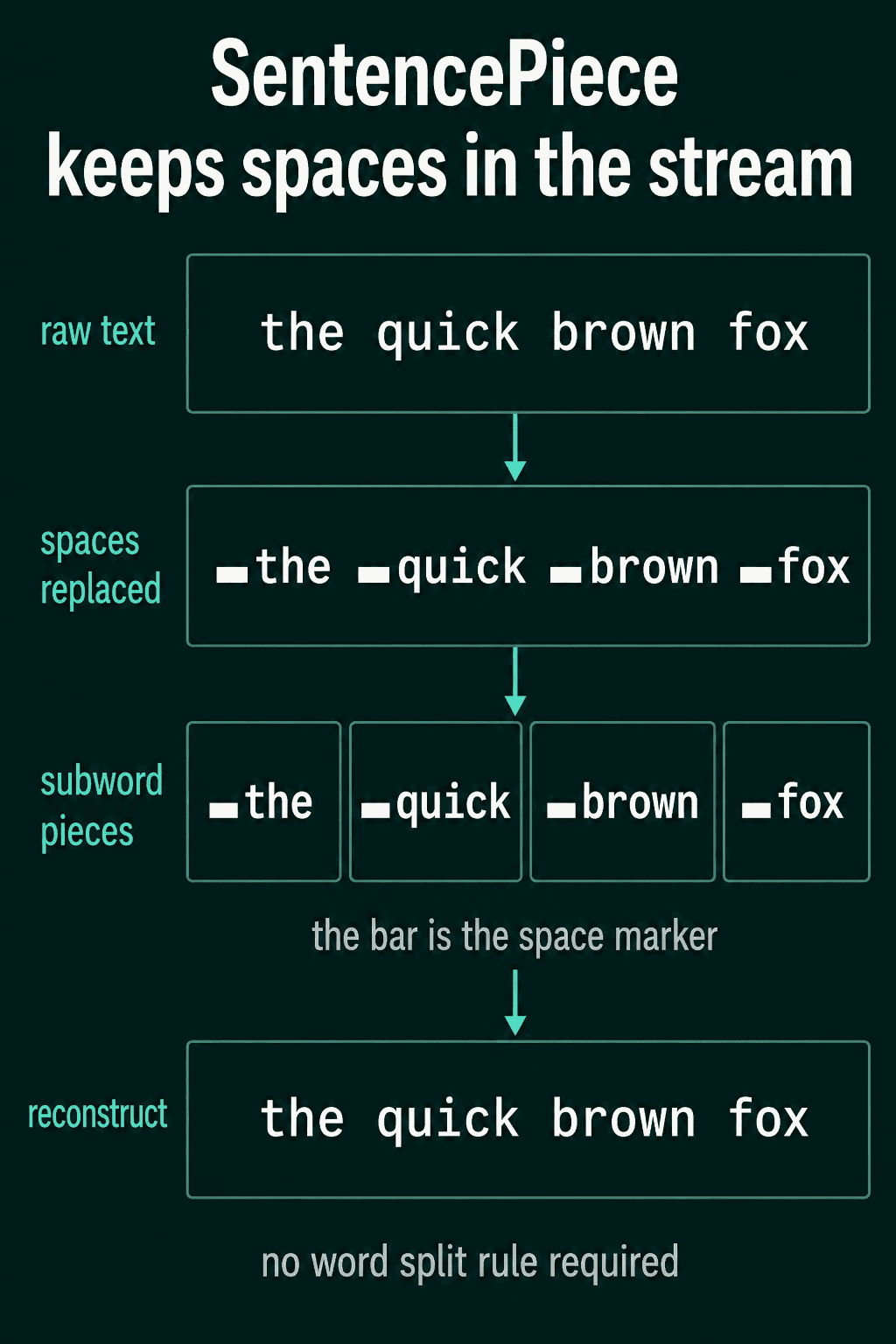
Languages that do not put spaces between words need a different approach here. SentencePiece is a tool that trains BPE or Unigram and skips pretokenization entirely. It treats the space as an ordinary character, written ▁, and runs the subword algorithm over the raw stream. The same setup works in any language without a hand-written splitting rule, and decoding only has to turn each ▁ back into a space.
The subword model
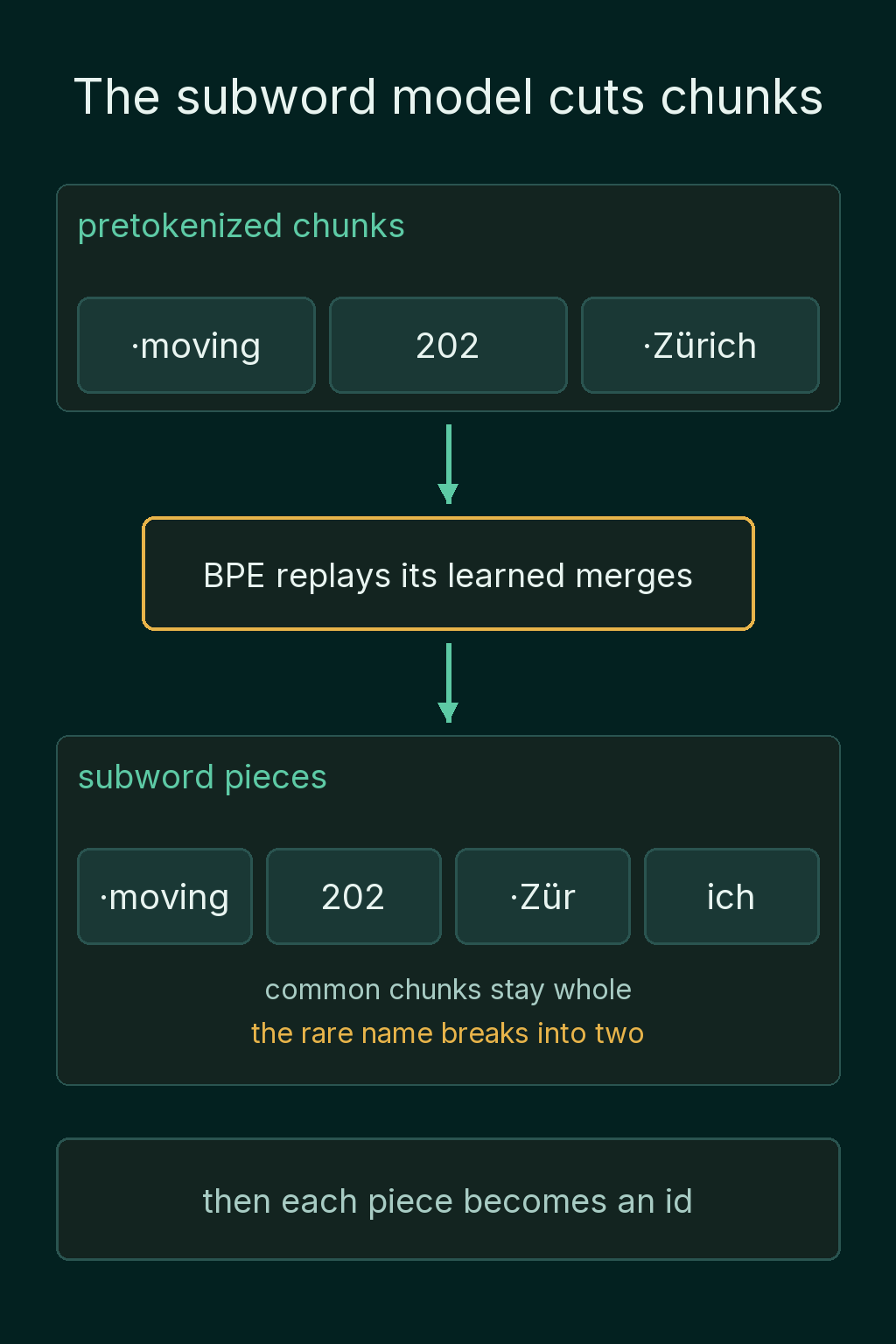
The third stage runs the algorithm the tokenizer was trained with (BPE, WordPiece or Unigram) on each chunk. Common chunks come through whole and rarer ones break into pieces. Then each piece is replaced by its id.
Postprocessing
Postprocessing assembles the final sequence. BERT expects a [CLS] token at the front and a [SEP] token at the end:
1print(bert.convert_ids_to_tokens(bert(text)["input_ids"]))1['[CLS]', 'she', "'", 's', 'moving', 'to', 'zurich', 'in', '202', '##7', '.', '[SEP]']The capital and the accent are gone from normalization, and the apostrophe is its own chunk from BERT's pretokenizer. WordPiece then cut 2027 into 202 and ##7, where ## marks a piece that continues the word before it.
For two sentences, BERT adds a second [SEP] between them and returns a segment id per token saying which sentence it came from. Hugging Face calls that list token_type_ids:
1pair = bert("the cat", "it slept")
2print(bert.convert_ids_to_tokens(pair["input_ids"]))
3print(pair["input_ids"])
4print(pair["token_type_ids"])1['[CLS]', 'the', 'cat', '[SEP]', 'it', 'slept', '[SEP]']
2[101, 1996, 4937, 102, 2009, 7771, 102]
3[0, 0, 0, 0, 1, 1, 1]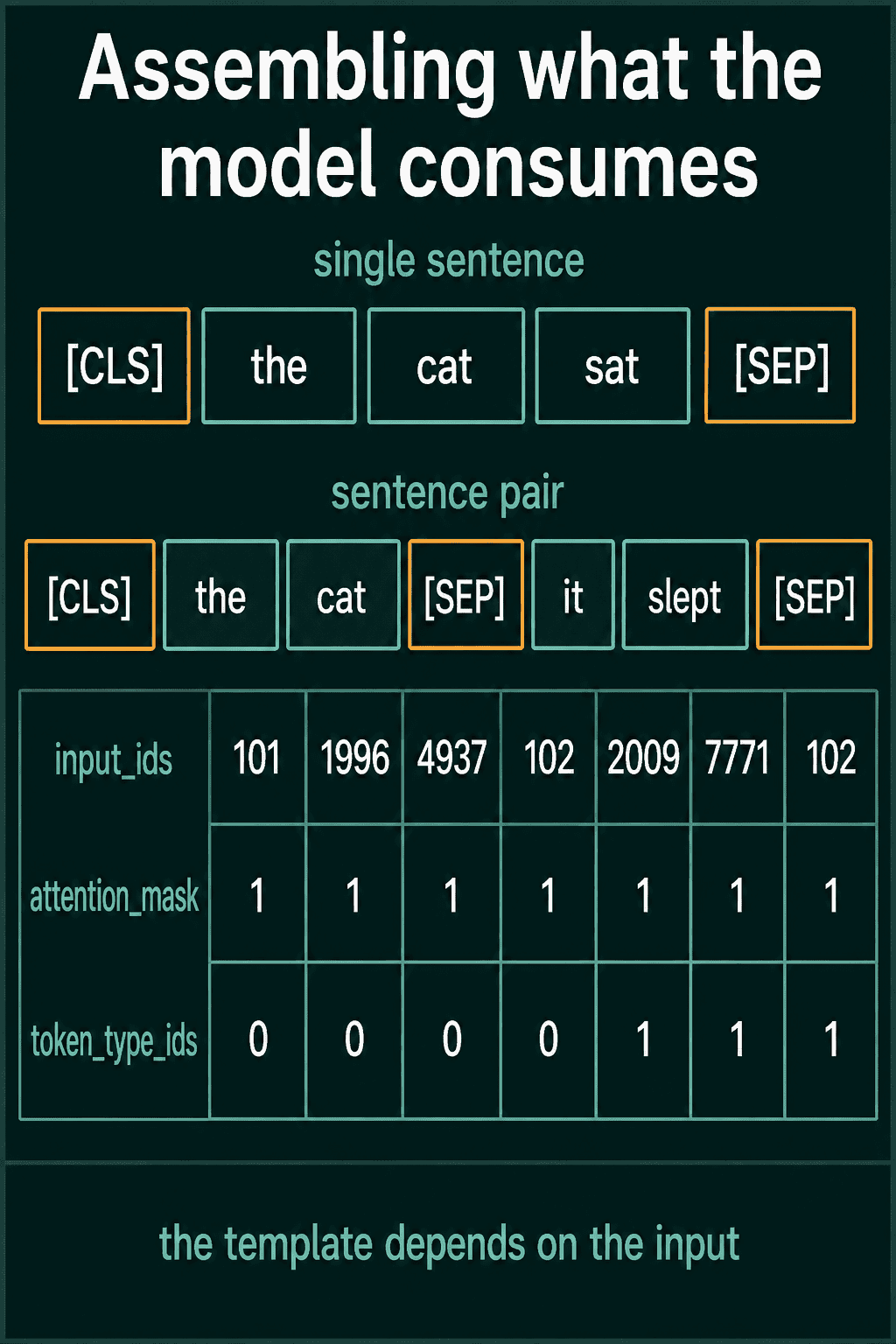
Many newer models ask for less here, usually a beginning-of-sequence and an end-of-sequence marker, and they do not use segment ids. The four stages stay the same and their settings change from model to model, which is why the first thing to check when a tokenizer does something unexpected is which stage did it.
Special tokens
Special tokens are entries in the vocabulary that are not words from the input. They are control signals that mark structure, and each one has its own id and its own row in the model. The BERT family spells them like this:
| Token | Name | Purpose |
|---|---|---|
[PAD] |
padding | fills short rows in a batch |
[UNK] |
unknown | stands in for a piece not in the vocabulary |
[CLS] |
class | whole-sequence slot at the start |
[SEP] |
separator | ends a sentence or splits a pair |
[MASK] |
mask | hides a token the model must predict |
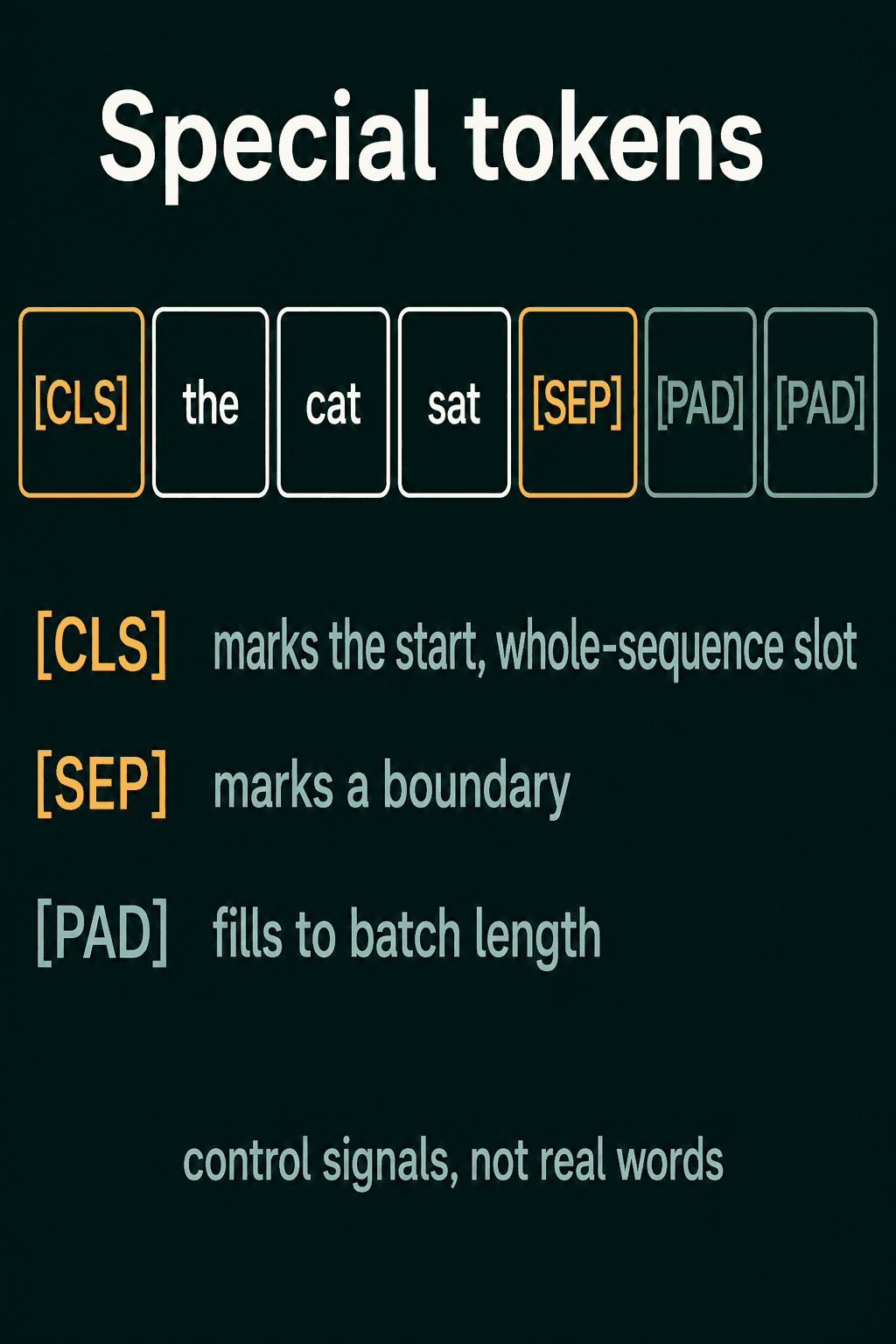
The bracket style is a convention of one model family. GPT-2 has a single special token, <|endoftext|>, and no padding token at all:
1print(bert.all_special_tokens)
2print(tokenizer.all_special_tokens, tokenizer.eos_token_id, tokenizer.pad_token)1['[UNK]', '[SEP]', '[PAD]', '[CLS]', '[MASK]']
2['<|endoftext|>'] 50256 NoneModels that generate text use an end-of-sequence marker, which is the token the model learns to emit when it is finished. In GPT-2 that is <|endoftext|>, id 50256.
Batching sentences of different lengths
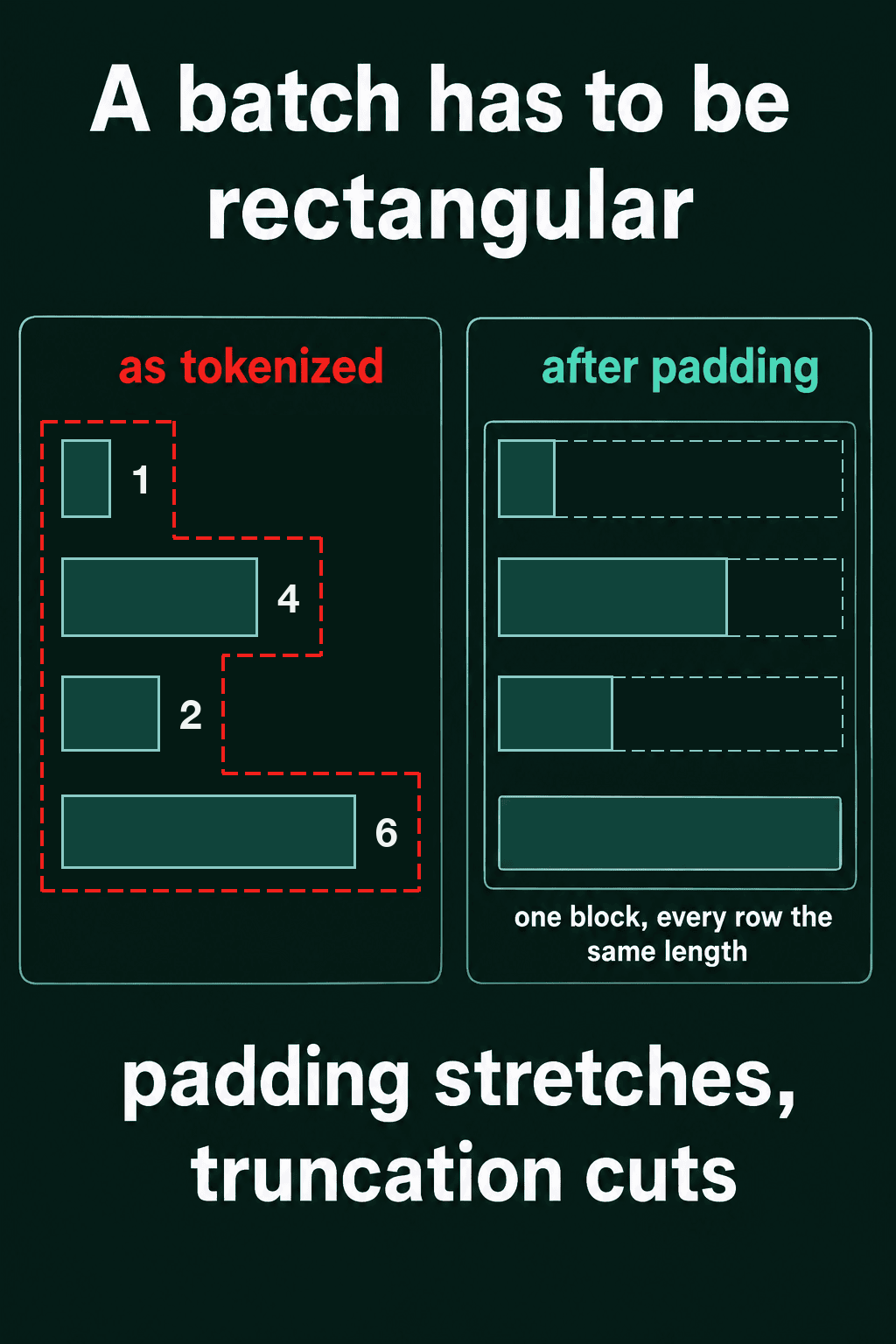
Running sentences through a model one at a time works, and it is slow. The hardware a model runs on does the same arithmetic across many rows at once, so models process a batch, a stack of sequences handled together. A batch is one rectangular block of numbers, so every row has to be the same length, and real sentences rarely are. Hello is 1 token in GPT-2 and The quick brown fox is 4.
Padding
Padding adds a filler token to the short rows until every row is the same length. GPT-2 ships without a padding token, so the usual setup reuses its end-of-sequence token as the filler:
1tokenizer.pad_token = tokenizer.eos_token
2
3batch = tokenizer(
4    ["Hello", "The quick brown fox"],
5    padding=True,
6    truncation=True,
7    max_length=512,
8    return_tensors="pt",
9)
10print(batch["input_ids"])
11print(batch["attention_mask"])1tensor([[15496, 50256, 50256, 50256],
2 [ 464, 2068, 7586, 21831]])
3tensor([[1, 0, 0, 0],
4 [1, 1, 1, 1]])return_tensors="pt" returns PyTorch tensors instead of Python lists. Hello got three pad ids, 50256, so both rows have 4 ids.
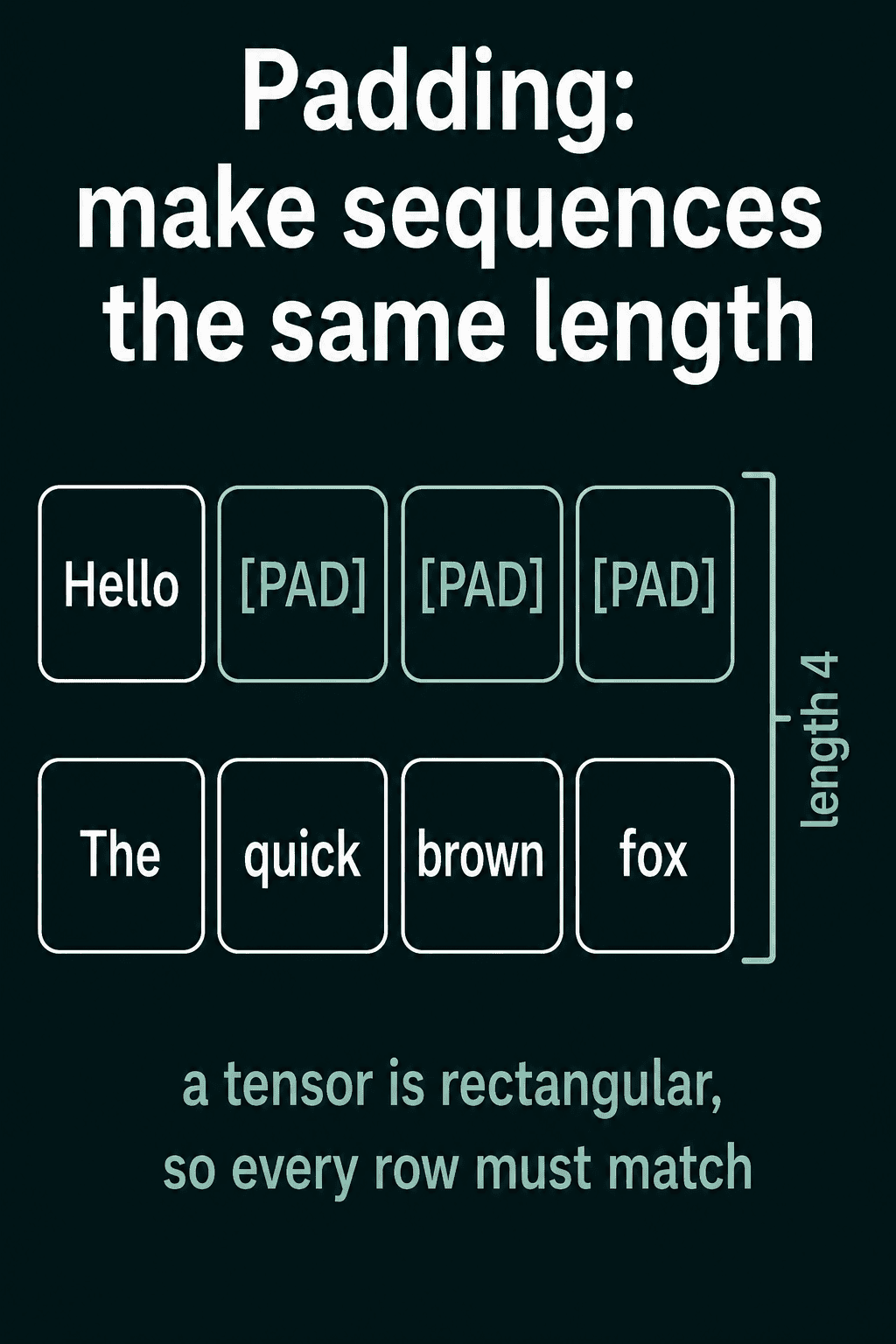
padding=True pads to the longest sequence in the batch, which keeps a batch of short sentences short. padding="max_length" pads every row to max_length, which gives the same shape every time when something downstream expects one fixed size.
The attention mask
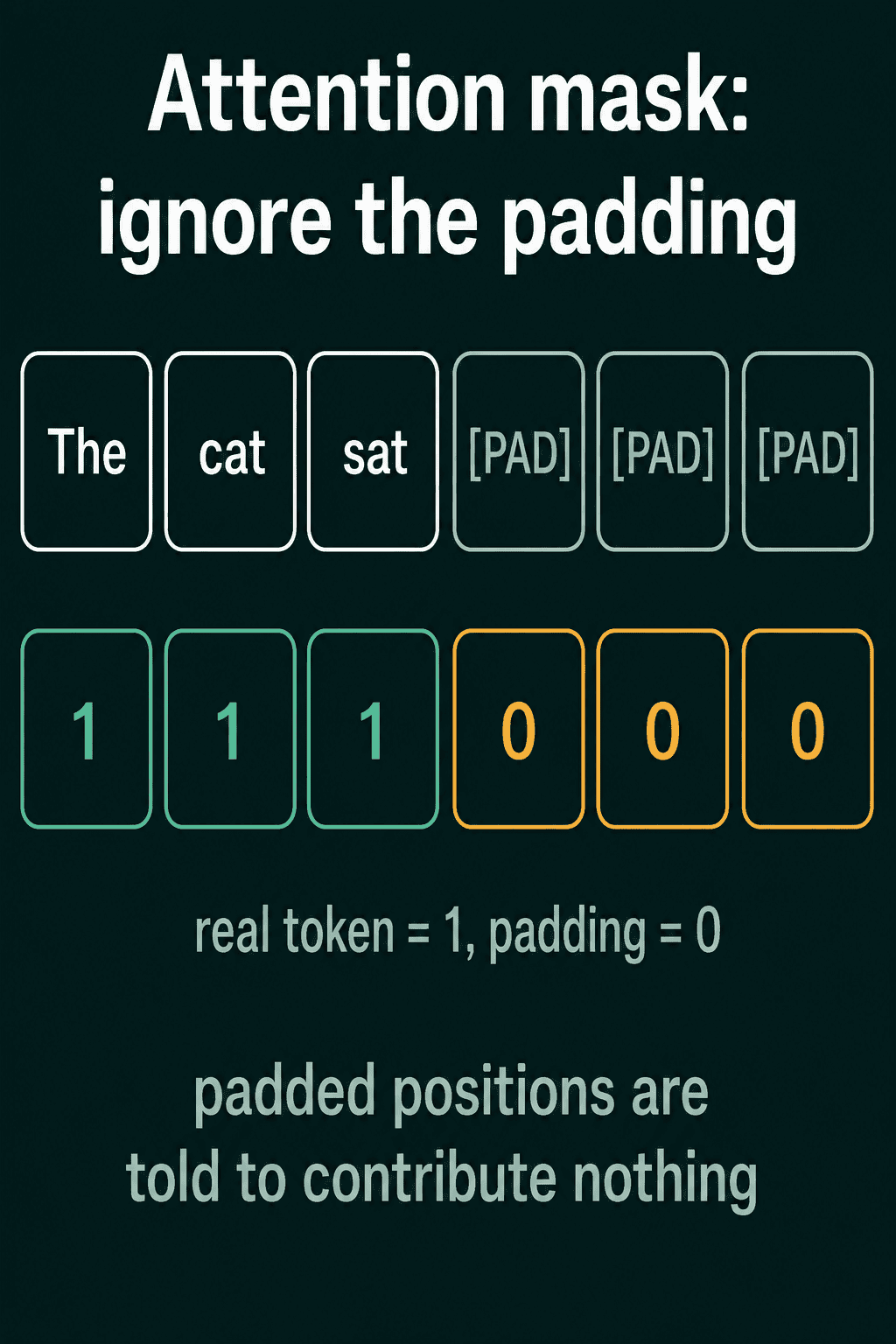
Pad tokens have no meaning, and the model has no way to tell them from real tokens by their ids alone. The attention mask is the second array above, the same shape as the ids, with 1 for a real token and 0 for padding. The model reads it and gives the 0 positions no influence on the real tokens, so padding a sentence does not change the result for that sentence. Pass attention_mask to the model along with input_ids.
Left or right padding
Padding can go on either end. For a model that reads a whole sequence and classifies it, either side works. A model that generates text writes the next token onto the end of each row, so with right padding it would continue from a run of pad tokens. Pad on the left and the real tokens end at the right edge, where the next token is written:
1tokenizer.padding_side = "left"
2batch = tokenizer(["Hello", "The quick brown fox"], padding=True, return_tensors="pt")
3print(batch["input_ids"])
4print(batch["attention_mask"])
5tokenizer.padding_side = "right"1tensor([[50256, 50256, 50256, 15496],
2 [ 464, 2068, 7586, 21831]])
3tensor([[0, 0, 0, 1],
4 [1, 1, 1, 1]])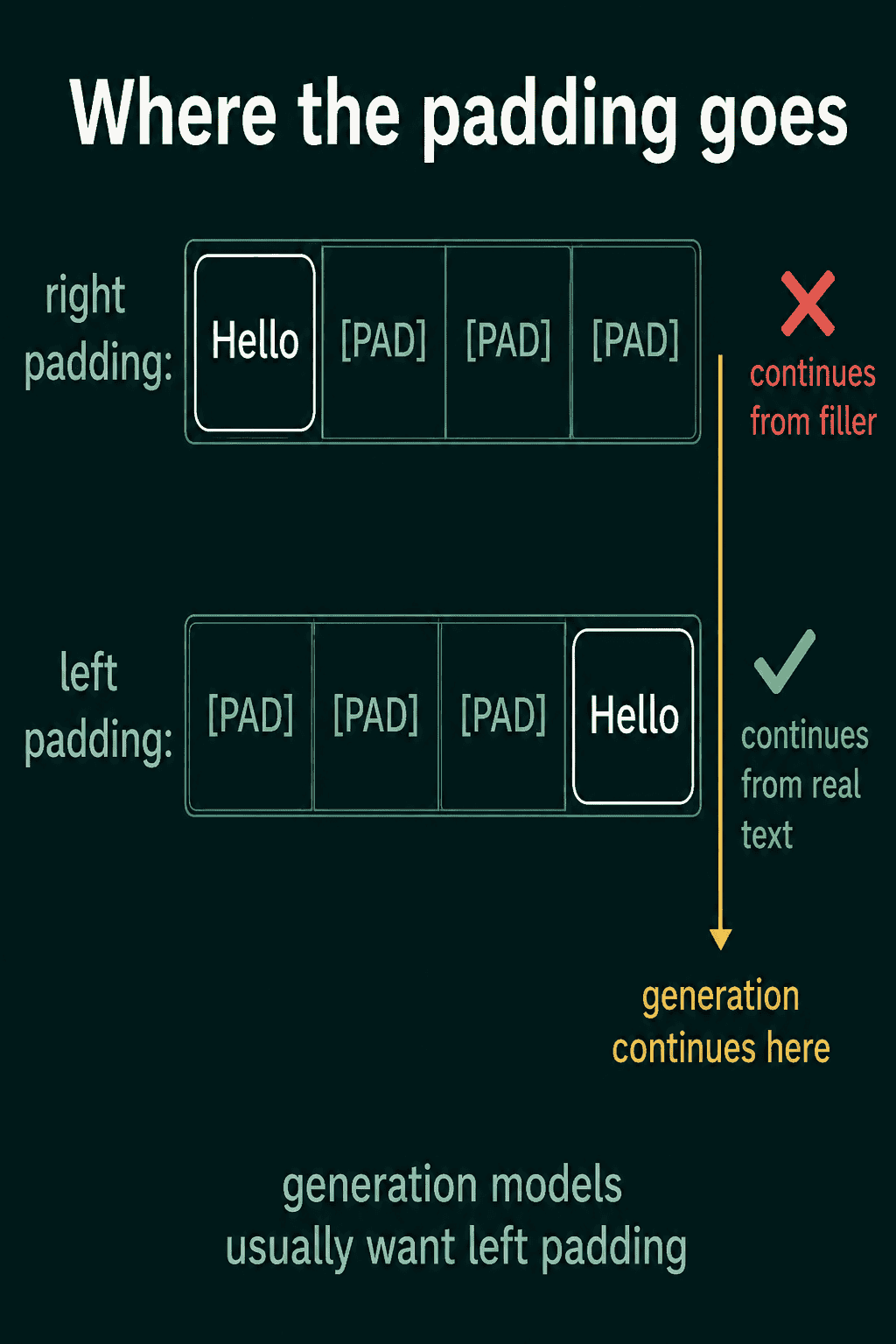
If a generation model produces nonsense for every row in a batch except the longest one, the padding side is the first thing to check.
Truncation
Truncation handles the opposite problem. A model has a maximum context length, a cap on how many tokens it can take at once, and a longer input has to be cut down. truncation=True with max_length cuts each row to that many tokens:
1long_text = "one two three four five six seven eight"
2print(len(tokenizer(long_text)["input_ids"]))
3
4cut = tokenizer(long_text, truncation=True, max_length=5)
5print(tokenizer.decode(cut["input_ids"]))
6
7tokenizer.truncation_side = "left"
8cut = tokenizer(long_text, truncation=True, max_length=5)
9print(tokenizer.decode(cut["input_ids"]))
10tokenizer.truncation_side = "right"18
2one two three four five
3 four five six seven eightBy default the end is cut and the start is kept. Setting truncation_side = "left" keeps the end instead, which helps when the most recent text counts most, such as the tail of a conversation.
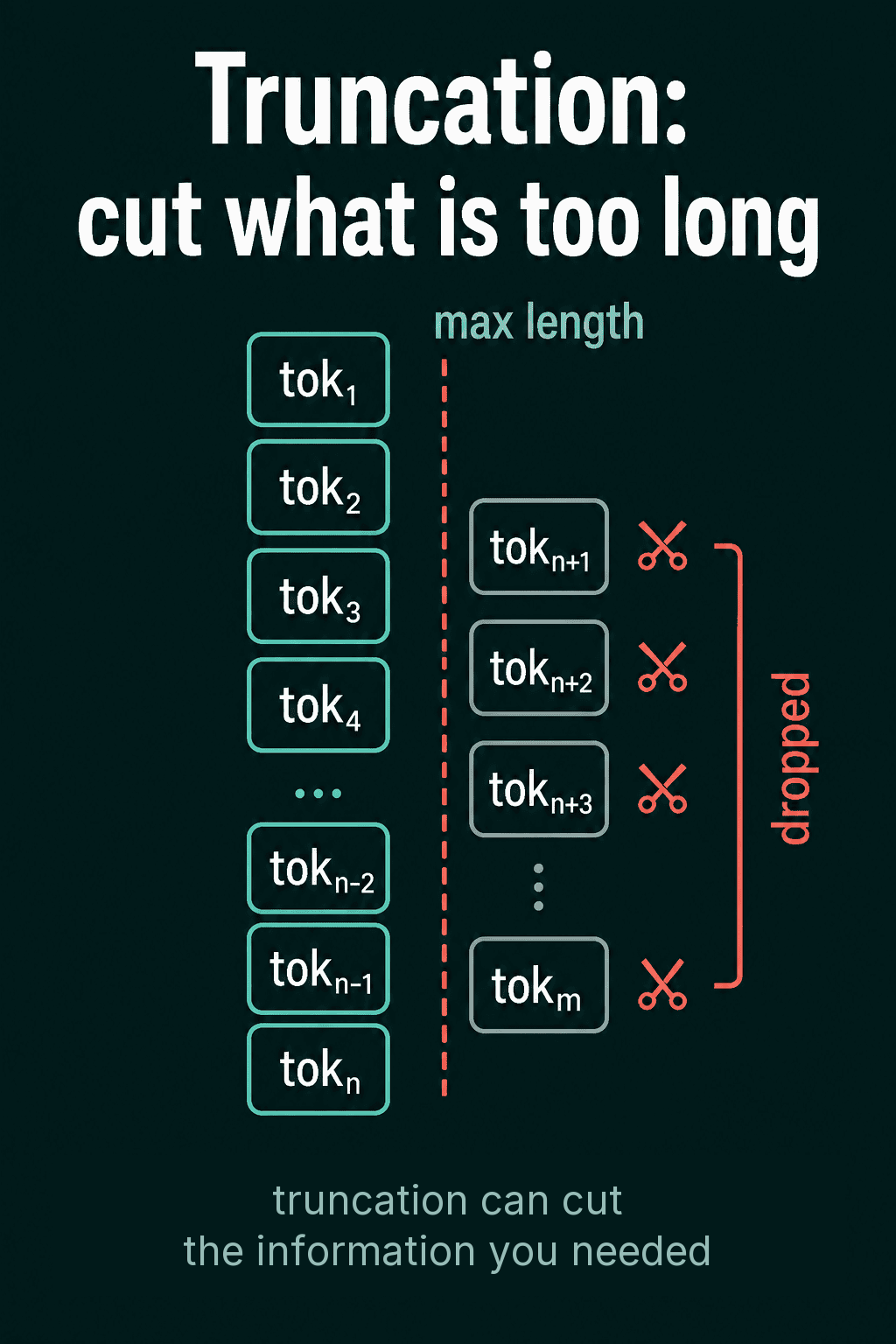
Truncation gives no warning. If the answer to a question sits in the last paragraph of a document and that paragraph is cut, the model never sees it. Pick max_length with the task in mind and check how much text is being dropped.
Should you train your own tokenizer?
With a pretrained model, use the tokenizer that shipped with it, since the model's rows were learned for that vocabulary. For word-level splitting in classical pipelines or text analysis, toolkits such as spaCy, Stanford CoreNLP and NLTK are a good start. Their tokenizers already handle cases like a.m., couldn't and prices with commas.
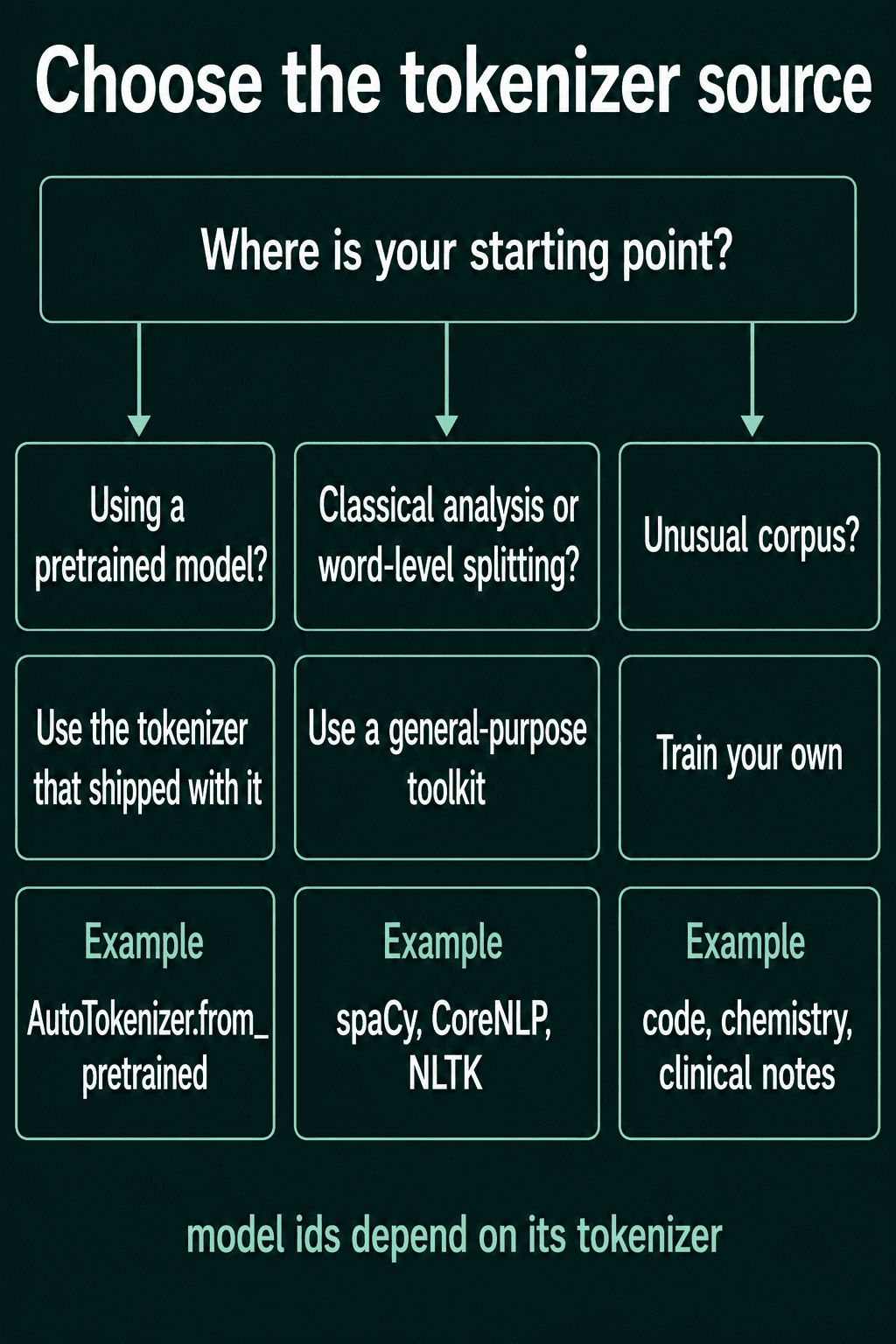
Training your own tokenizer makes sense when your text is far from anything a public tokenizer saw. Code, chemical formulas, clinical notes and languages with little coverage are common examples. A general tokenizer cuts that text into many small pieces, and a vocabulary learned from your own corpus keeps sequences shorter.
![A general tokenizer splitting sum += arr[i]; into 8 tokens, C6H12O6 + H2O into 10 and a clinical note into 11, while a domain-trained tokenizer keeps += , the formulas and terms like hypertension and T2DM whole](images/when_to_train_one_anyway.png)
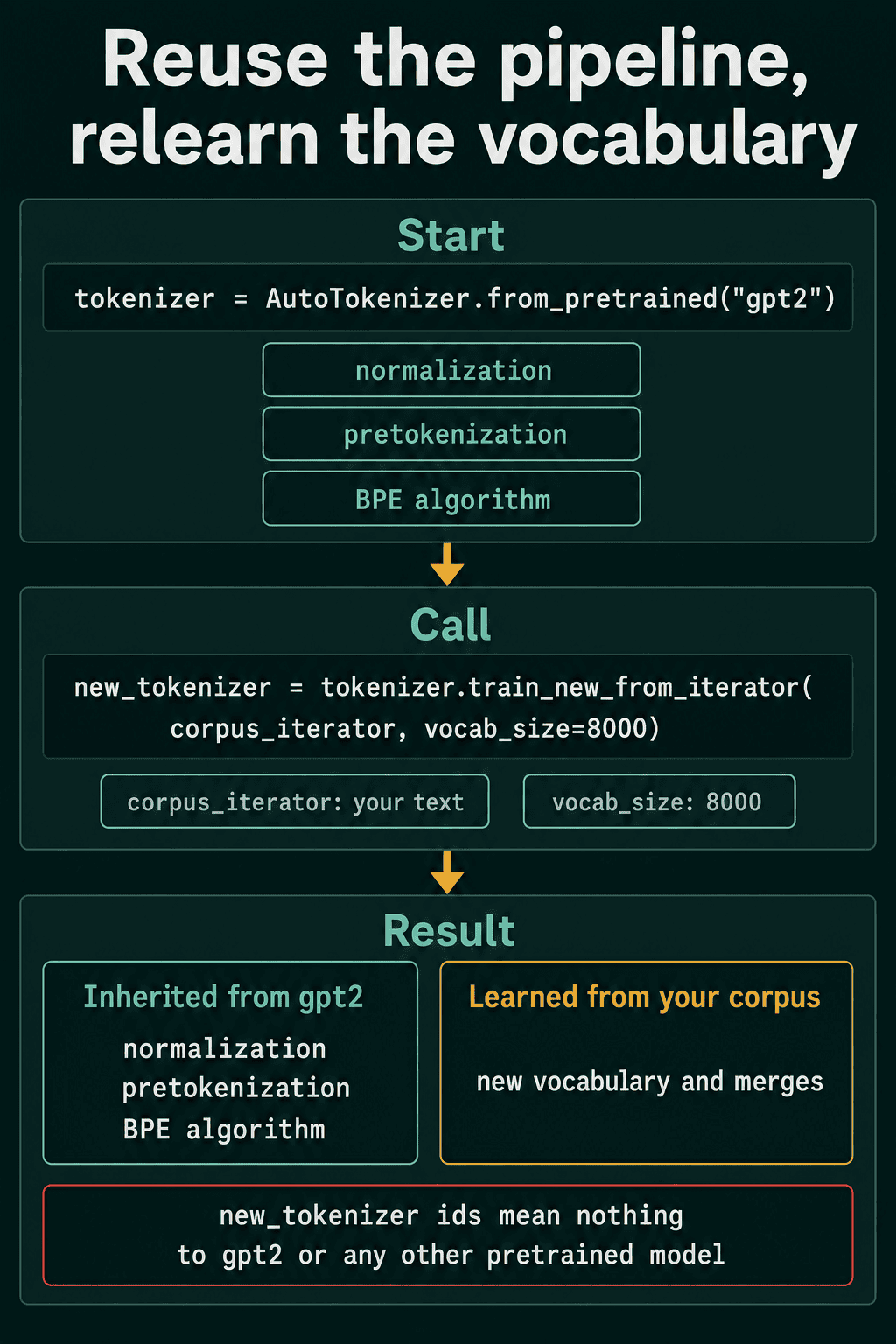
The shortest path reuses an existing tokenizer's pipeline and learns only a new vocabulary and new merges from your text. train_new_from_iterator takes anything that yields batches of strings:
1from transformers import AutoTokenizer
2
3corpus = [
4    "def add(a, b): return a + b",
5    "def sub(a, b): return a - b",
6    "def mul(a, b): return a * b",
7] * 100
8
9def corpus_iterator():
10    for i in range(0, len(corpus), 50):
11        yield corpus[i : i + 50]
12
13tokenizer = AutoTokenizer.from_pretrained("gpt2")
14new_tokenizer = tokenizer.train_new_from_iterator(corpus_iterator(), vocab_size=300)
15new_tokenizer.save_pretrained("my-tokenizer")
16
17line = "def add(a, b): return a + b"
18print(len(tokenizer), len(new_tokenizer))
19print(tokenizer(line)["input_ids"])
20print(new_tokenizer(line)["input_ids"])150257 279
2[4299, 751, 7, 64, 11, 275, 2599, 1441, 257, 1343, 275]
3[266, 276, 8, 65, 12, 257, 259, 267, 258, 272, 257]The new tokenizer keeps GPT-2's normalization, pretokenization and byte-level BPE, with a vocabulary counted from this tiny corpus. It stopped at 279 entries because this tiny corpus ran out of pairs to merge before reaching 300. The same line gets completely different ids, so the new tokenizer is only useful for a model you train yourself.
Common mistakes
- Loading a tokenizer from a different model name than the model. The ids point at the wrong rows and the output is garbage, with no error.
- Batching GPT-2 without setting a pad token. GPT-2 has none, so
padding=Trueraises an error untilpad_tokenis set. - Forgetting to pass
attention_maskto the model. The pad tokens then count as real input and change the result. - Right-padding a batch for text generation. Every row shorter than the longest one continues from pad tokens.
- Assuming encode then decode always returns the input. A tokenizer that lowercases or strips accents gives back zurich for Zürich.
- Setting
max_lengthwithout checking what gets cut. Truncation drops text without any warning.
Related concepts
The subword algorithm inside the tokenizer decides how words get cut. The BPE post builds GPT-2's algorithm from scratch, and the post on BPE vs WordPiece vs Unigram compares it with BERT's WordPiece and with Unigram. The post on tokenization covers why models use subword pieces in the first place.
QuiddityML teaches this material as five concepts in the NLP track's tokenization unit, and the exercises include filling in a GPT-2 encode and decode round trip, tracing the ids and attention mask a padded batch returns and writing the round trip from scratch (QuiddityML).