By Sagi Shaier · 13 November 2026 · 11 min read
How to load a model with Hugging Face transformers
Which Auto class to load for an encoder, a decoder or an encoder-decoder model, and how to read its output and generate text with it.
Hugging Face's transformers library loads a pretrained model from its name with one call, from_pretrained, which downloads the model's files and builds Python objects you can run. It is a common way to start working with an open-weight model, a model whose weights anyone can download. The same few lines work for BERT, GPT-2, T5 and many other models once you know which class to ask for.
Models read tokens, which can be whole words or pieces of words, and every token has an integer id. The examples below install with pip install transformers torch.
What a model repo holds
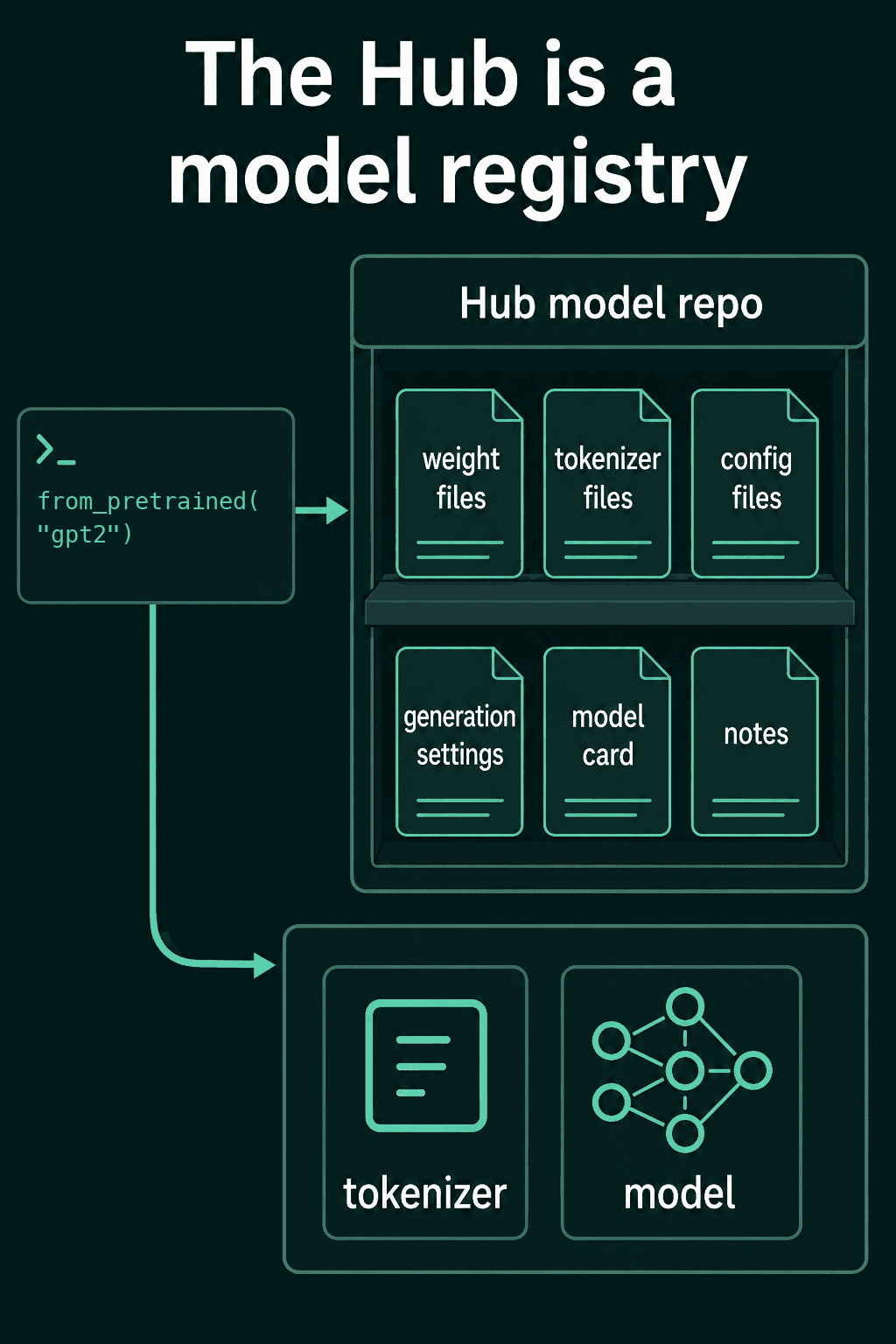
The Hugging Face Hub is a website that hosts model repositories. A model repo can hold:
- weight files, the trained numbers
- tokenizer files, the rules that split text into tokens and map them to ids
- config files, which list the model's sizes
- generation settings
- a model card, a page that describes the model
- sometimes training or evaluation notes
from_pretrained("gpt2") uses the repo name gpt2 to fetch those files and build local Python objects from them. The name points to a bundle of files, not to a single file.
The tokenizer and the model go together
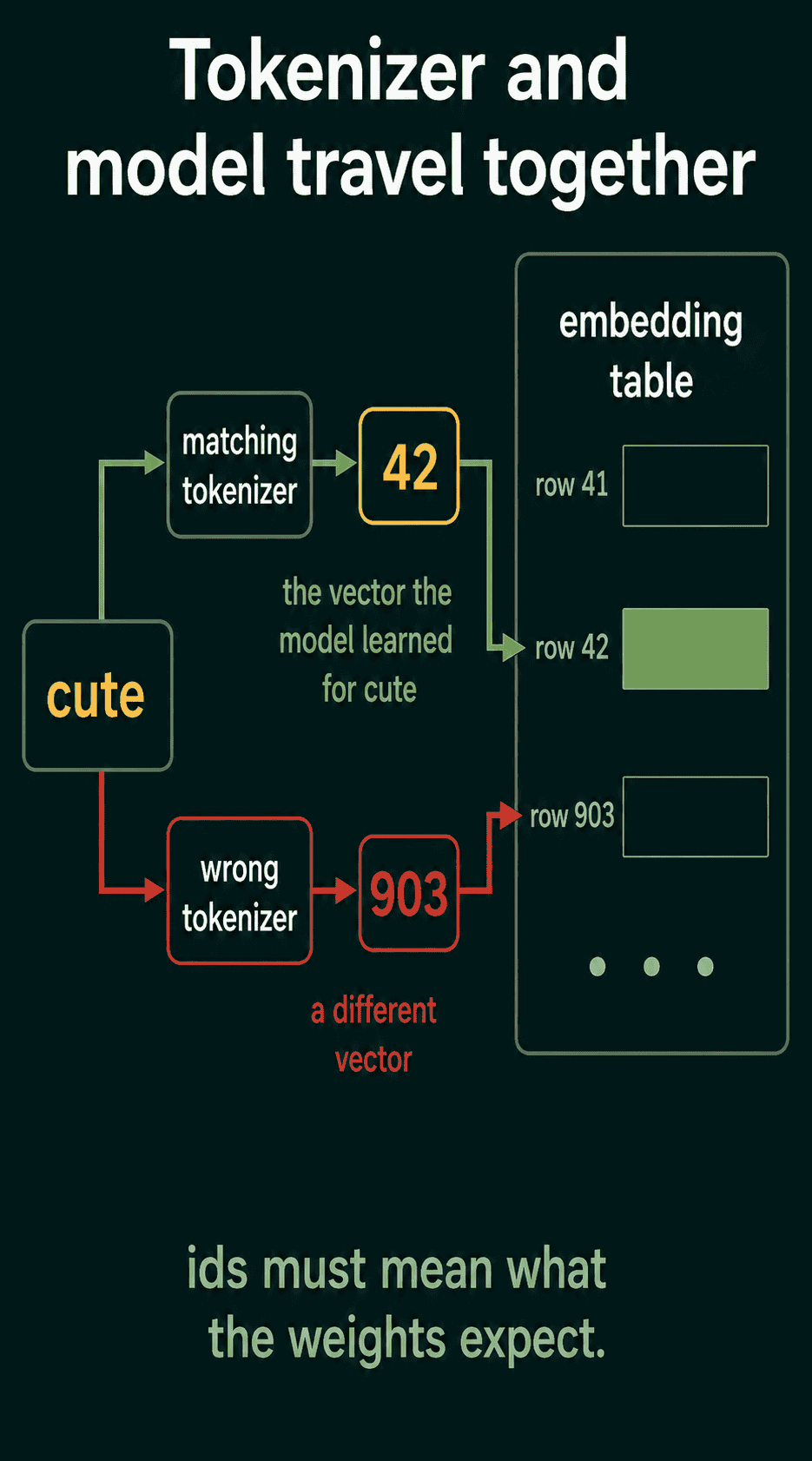
A model's first layer is an embedding table, a matrix with one row of numbers for each token id. The tokenizer decides which id each piece of text gets. If the tokenizer maps cute to id 42, row 42 is the vector the model learned for that token during training.
Load a tokenizer from a different model and the ids point to the wrong rows. The code may still run, but the text no longer means what the weights expect. This is why the loading code below always passes the same name to the tokenizer and the model.
Auto classes pick the Python class
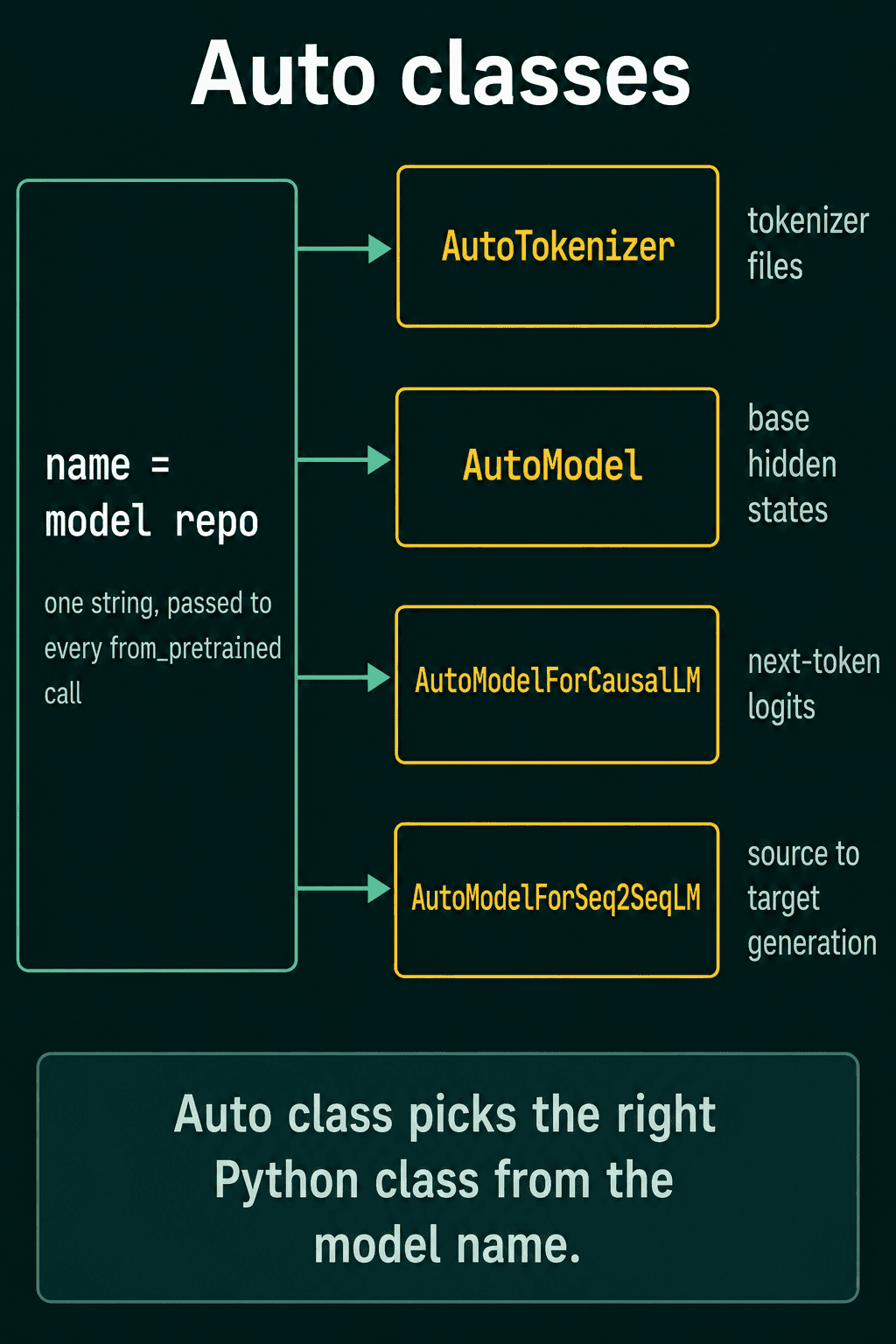
Each model family has its own Python classes, such as BertModel or GPT2LMHeadModel. Auto classes read the repo's config and pick the right class for you:
1from transformers import AutoTokenizer, AutoModel
2
3name = "bert-base-uncased"
4tokenizer = AutoTokenizer.from_pretrained(name)
5model = AutoModel.from_pretrained(name)
AutoTokenizer loads the tokenizer files. AutoModel loads the base transformer body, which turns tokens into one vector per token. Task-specific Auto classes load the same body plus a head, a small extra layer that turns those vectors into what a task needs. A classification head gives one score per class, and a language-modeling head gives one score per vocabulary token.
Check the model card first
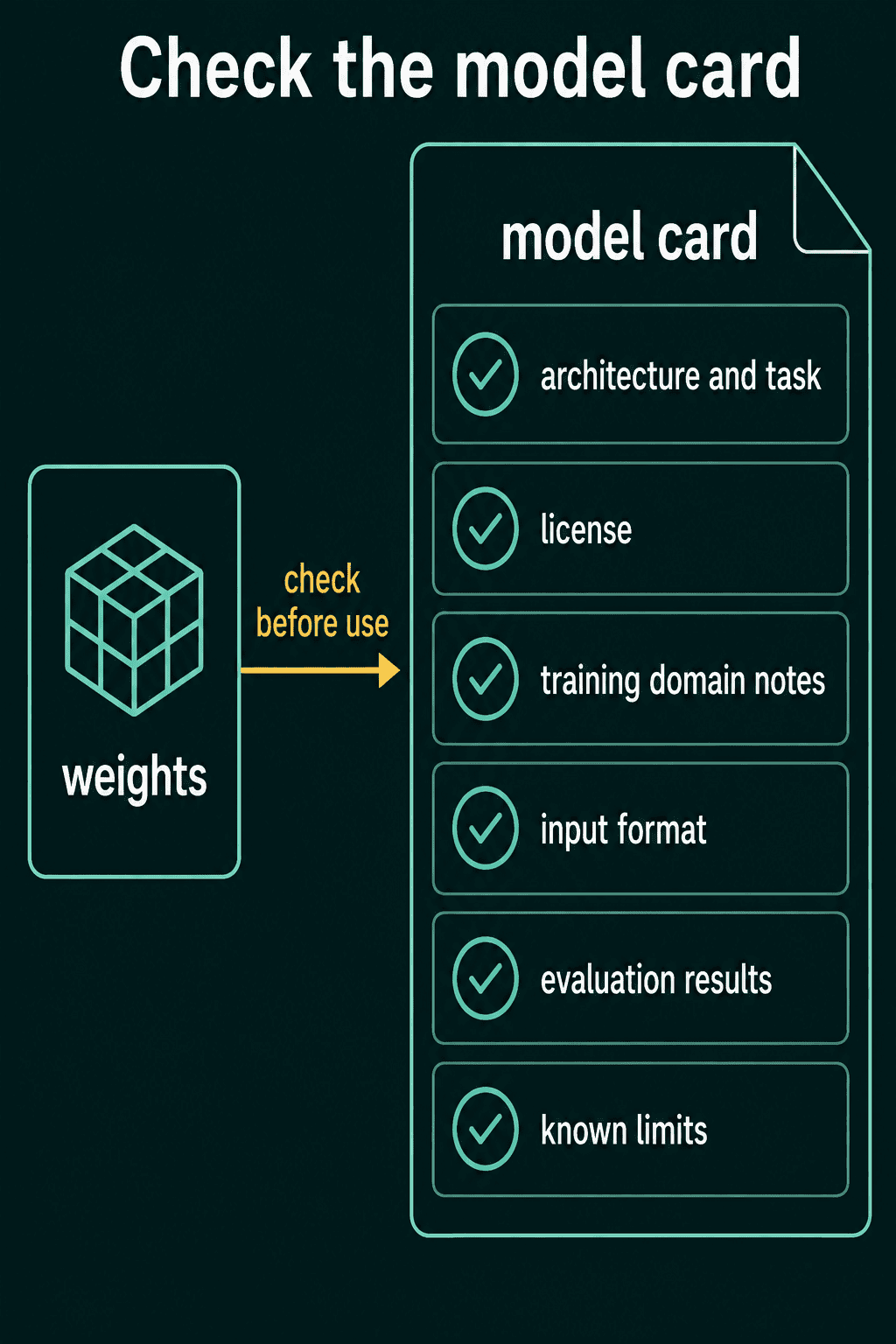
The model card is part of the repo, and it says whether this particular checkpoint (one saved set of trained weights) fits your use. Before using the weights, check:
- the architecture and the task it was trained for
- the license
- notes on the training data or domain
- the input format it expects
- evaluation results
- known limits and safety notes
The architecture tells you what the model can compute. The card tells you whether this checkpoint was trained for something close to your task.
Loading an encoder for vectors
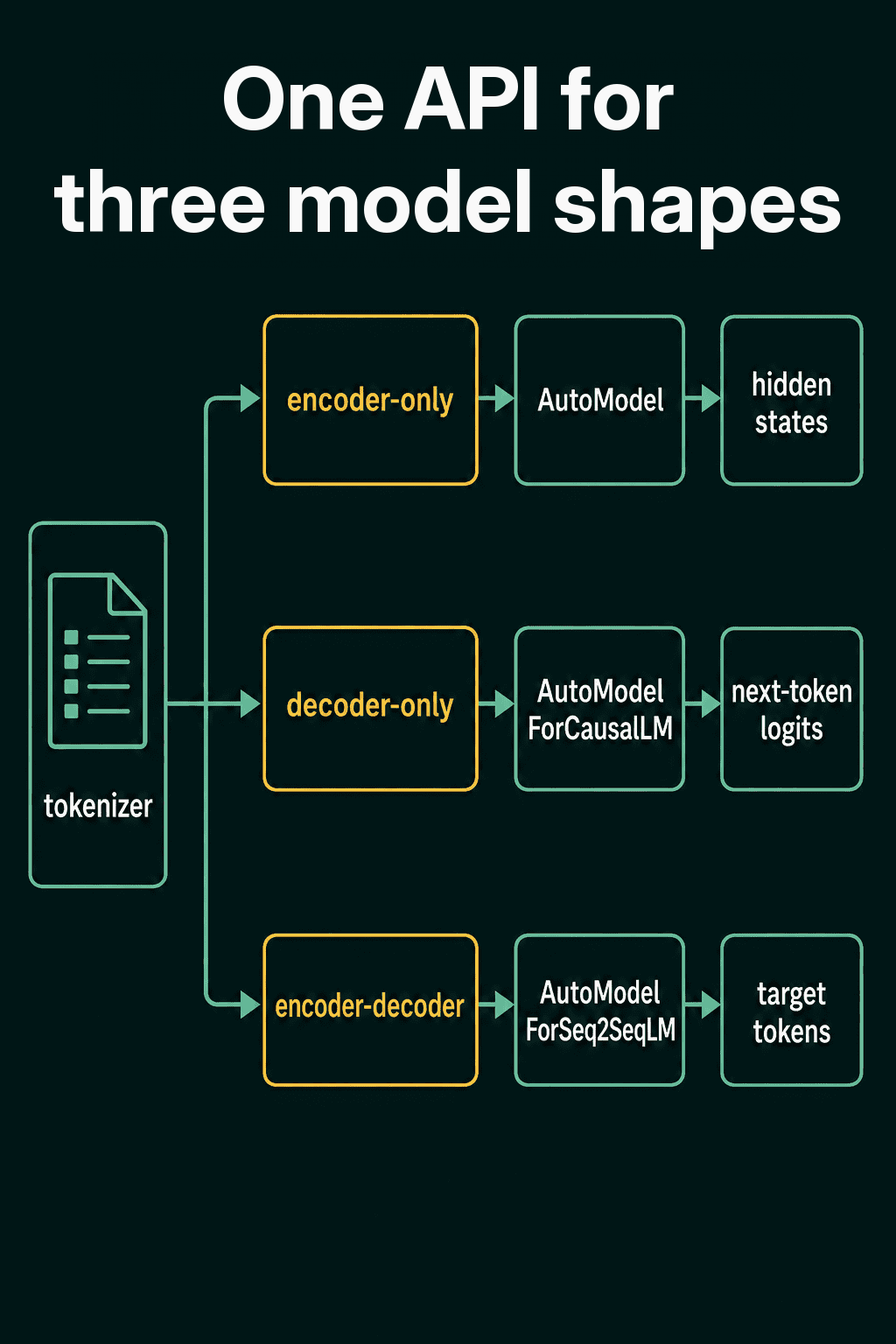
Transformers come in three shapes, and the shape decides which Auto class to load. An encoder-only model such as BERT reads the whole input at once and gives back one vector per token. Load it with AutoModel:
1import torch
2from transformers import AutoTokenizer, AutoModel
3
4name = "bert-base-uncased"
5tok = AutoTokenizer.from_pretrained(name)
6model = AutoModel.from_pretrained(name)
7model.eval()
8
9batch = tok("the cute axolotl", return_tensors="pt")
10print(batch["input_ids"])
11print(tok.convert_ids_to_tokens(batch["input_ids"][0]))
12
13with torch.no_grad():
14    out = model(**batch)
15H = out.last_hidden_state
16print(H.shape)
It prints:
1tensor([[  101,  1996, 10140, 22260, 12898, 19646,   102]])
2['[CLS]', 'the', 'cute', 'ax', '##olo', '##tl', '[SEP]']
3torch.Size([1, 7, 768])
The tokenizer adds two special tokens, [CLS] at the start and [SEP] at the end, and splits axolotl into three pieces (## marks a piece that continues the previous one). return_tensors="pt" asks for PyTorch tensors. model(**batch) passes each entry of batch, such as input_ids and attention_mask, to the model as a named argument. model.eval() and torch.no_grad() switch off training-only work, which gets its own section below.
H holds one vector per token position. Its shape is $B \times T \times d_{model}$, where $B$ is the number of texts in the batch, $T$ is the number of tokens and $d_{model}$ is the length of each vector. Here that is $1 \times 7 \times 768$.
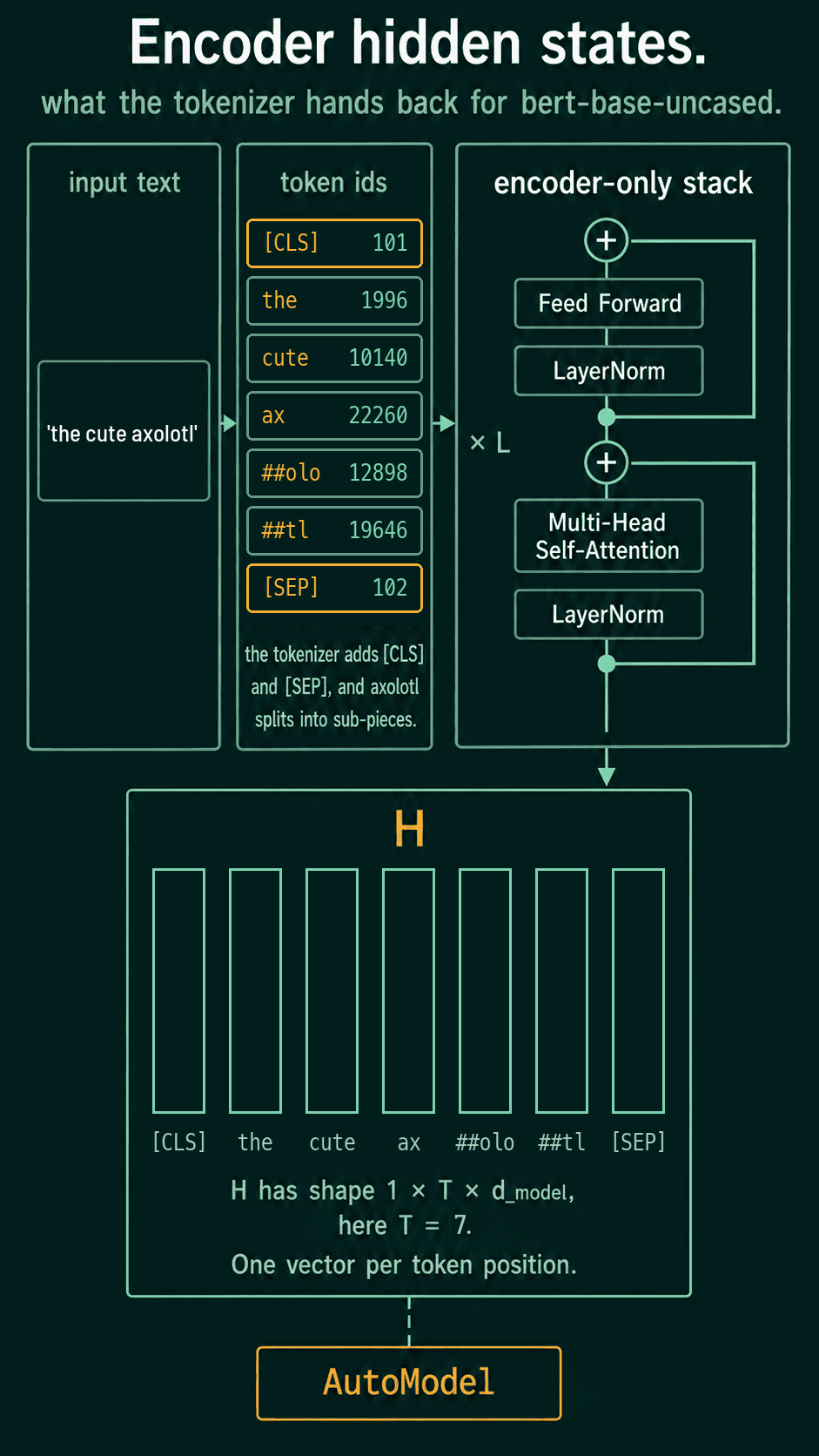
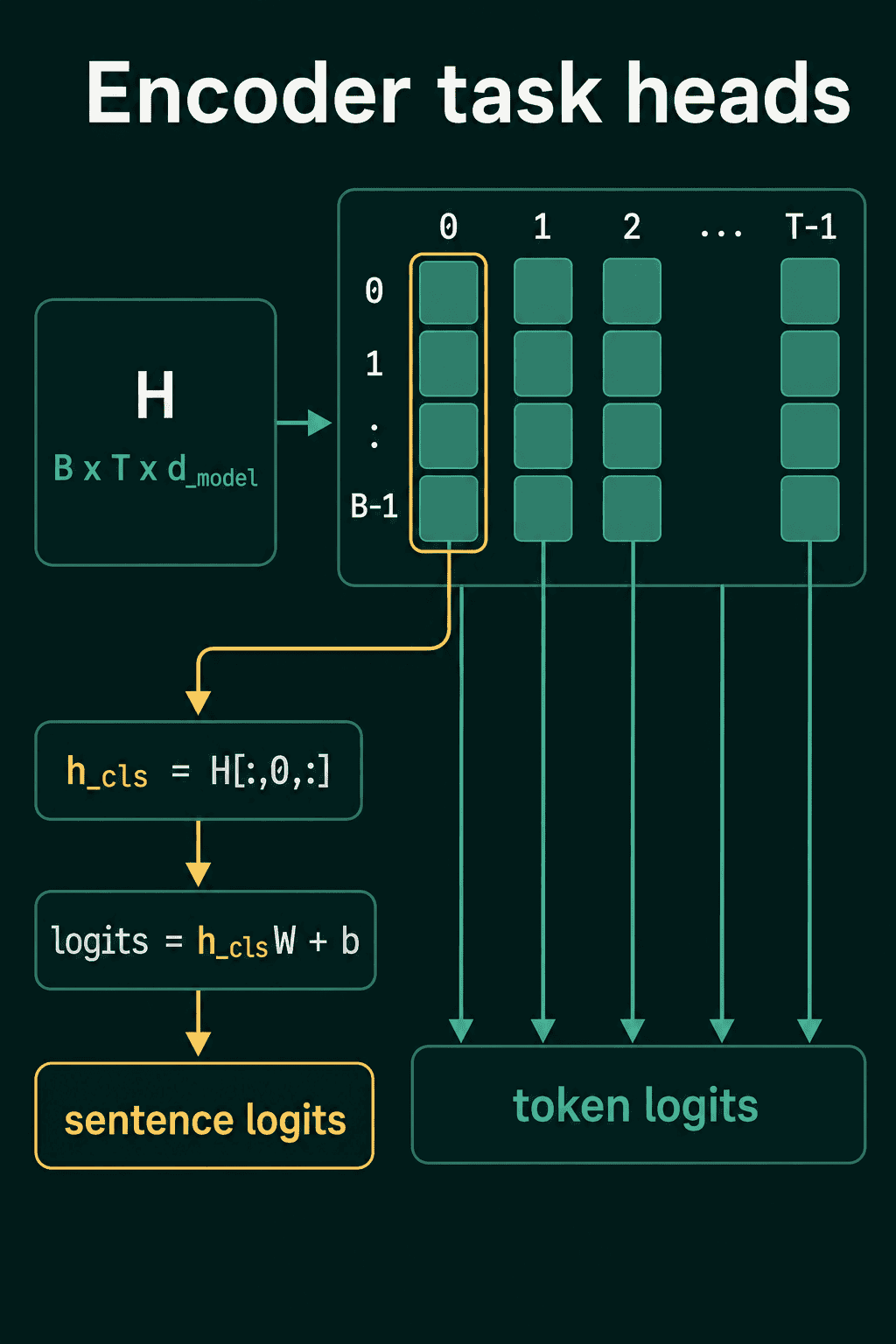
These vectors are usually an input to something else. For classifying a whole text, a common pattern feeds the vector at position 0 (the [CLS] position) to a small linear layer:
$$h_{cls} = H[:, 0, :]$$
$$\text{logits} = h_{cls} W + b$$
H[:, 0, :] keeps every text in the batch, position 0 only and the whole vector, so $h_{cls}$ has shape $B \times d_{model}$. $W$ is a weight matrix with one column per class and $b$ is a bias, so the logits (raw scores before they become probabilities) have one score per class. For tasks that label every token, such as finding names in a sentence, the same kind of layer runs at every position:
$$\text{logits}_{token} = H W + b$$
The encoder gives the vectors, and the head decides which task they answer.
Using a model that already has a classification head
Some repos already include a trained head. Then a task-specific Auto class loads the body and the head together. This checkpoint is a small BERT-style encoder trained to label movie-review sentences as negative or positive:
1import torch
2from transformers import AutoTokenizer, AutoModelForSequenceClassification
3
4name = "distilbert-base-uncased-finetuned-sst-2-english"
5tok = AutoTokenizer.from_pretrained(name)
6model = AutoModelForSequenceClassification.from_pretrained(name)
7model.eval()
8
9batch = tok("the cute axolotl is calm", return_tensors="pt")
10with torch.no_grad():
11    logits = model(**batch).logits
12print(logits)
13print(logits.softmax(dim=-1))
14print(model.config.id2label)
It prints:
1tensor([[-2.2319,  2.3190]])
2tensor([[0.0104, 0.9896]])
3{0: 'NEGATIVE', 1: 'POSITIVE'}
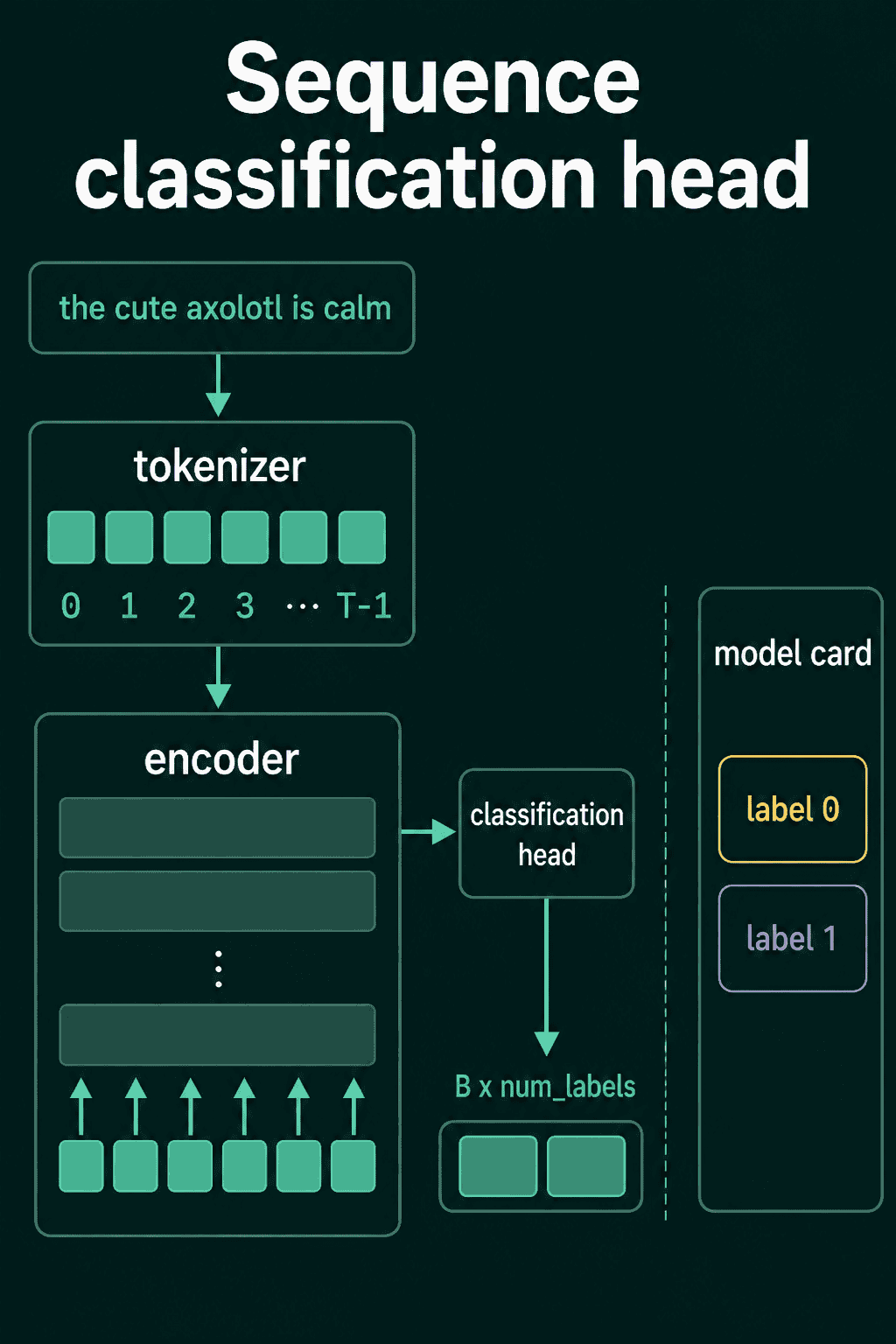
The output has shape $B \times \text{num\_labels}$, here $1 \times 2$. Softmax turns the two scores into probabilities that add up to 1, so the model gives the sentence a 99% chance of being positive. The model itself only knows class 0 and class 1, and the model card and id2label say what those mean.
Generating text with a decoder
A decoder-only model such as GPT-2 predicts the next token from the tokens before it. Load it with AutoModelForCausalLM, where "causal LM" means a language model that only looks at earlier tokens:
1import torch
2from transformers import AutoTokenizer, AutoModelForCausalLM
3
4name = "gpt2"
5tok = AutoTokenizer.from_pretrained(name)
6model = AutoModelForCausalLM.from_pretrained(name)
7model.eval()
8
9inputs = tok("the cute axolotl", return_tensors="pt")
10with torch.no_grad():
11    ids = model.generate(**inputs, max_new_tokens=20)
12text = tok.decode(ids[0], skip_special_tokens=True)
13print(text)
It prints:
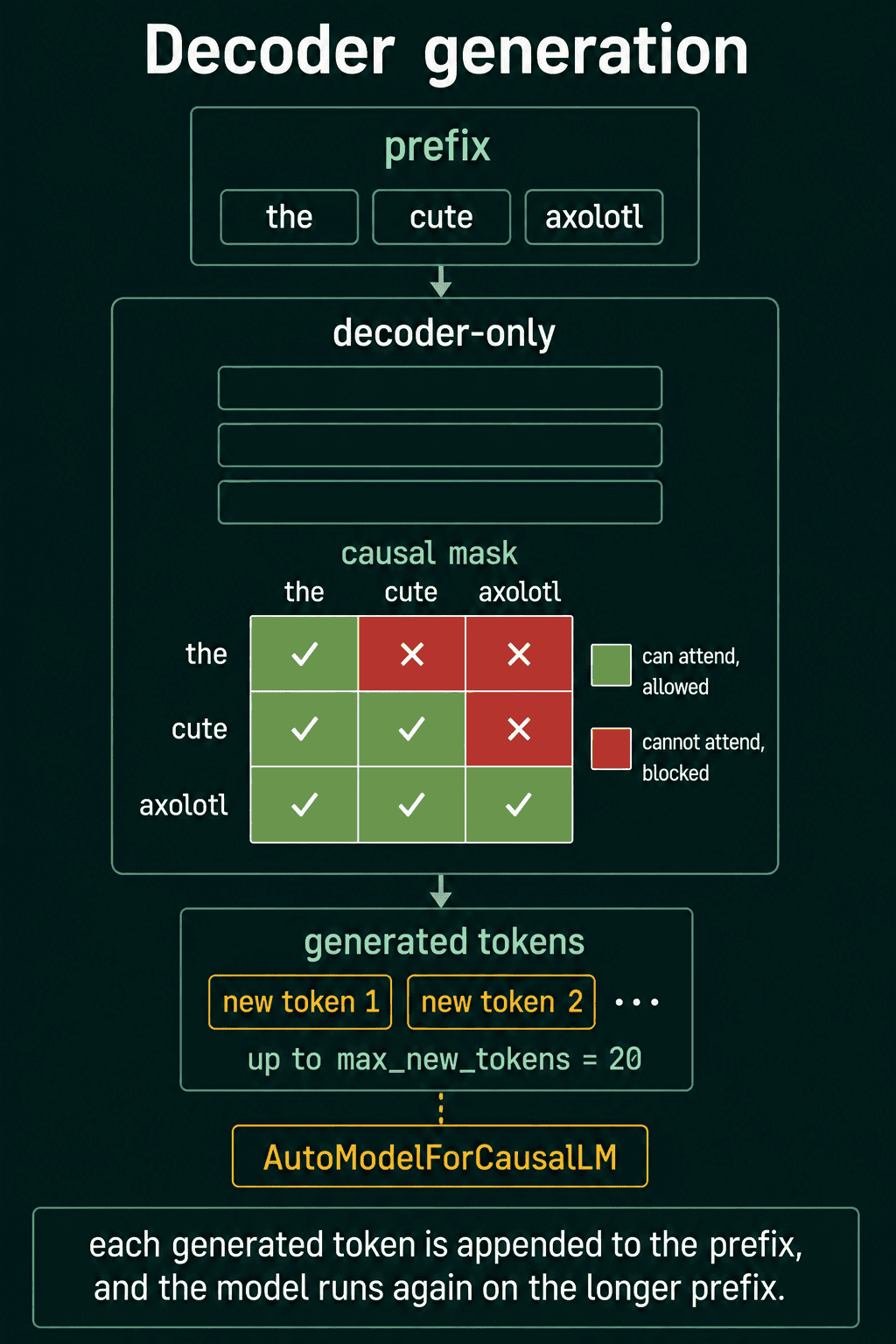
1the cute axolotl, which is a very good thing, but it's not a good thing for the dog.The library may also print a note about pad_token_id, which is safe to ignore for a single prompt. generate runs the model, picks a next token and appends it to the prefix. It then runs the model again on the longer prefix, up to 20 new tokens. By default GPT-2 takes the highest-scoring token each time, so this output is the same on every run. decode turns the ids back into text.
Inside the model, a causal mask lets each position attend only to itself and earlier positions, so the prediction for a position never uses tokens that come after it.
Generation settings
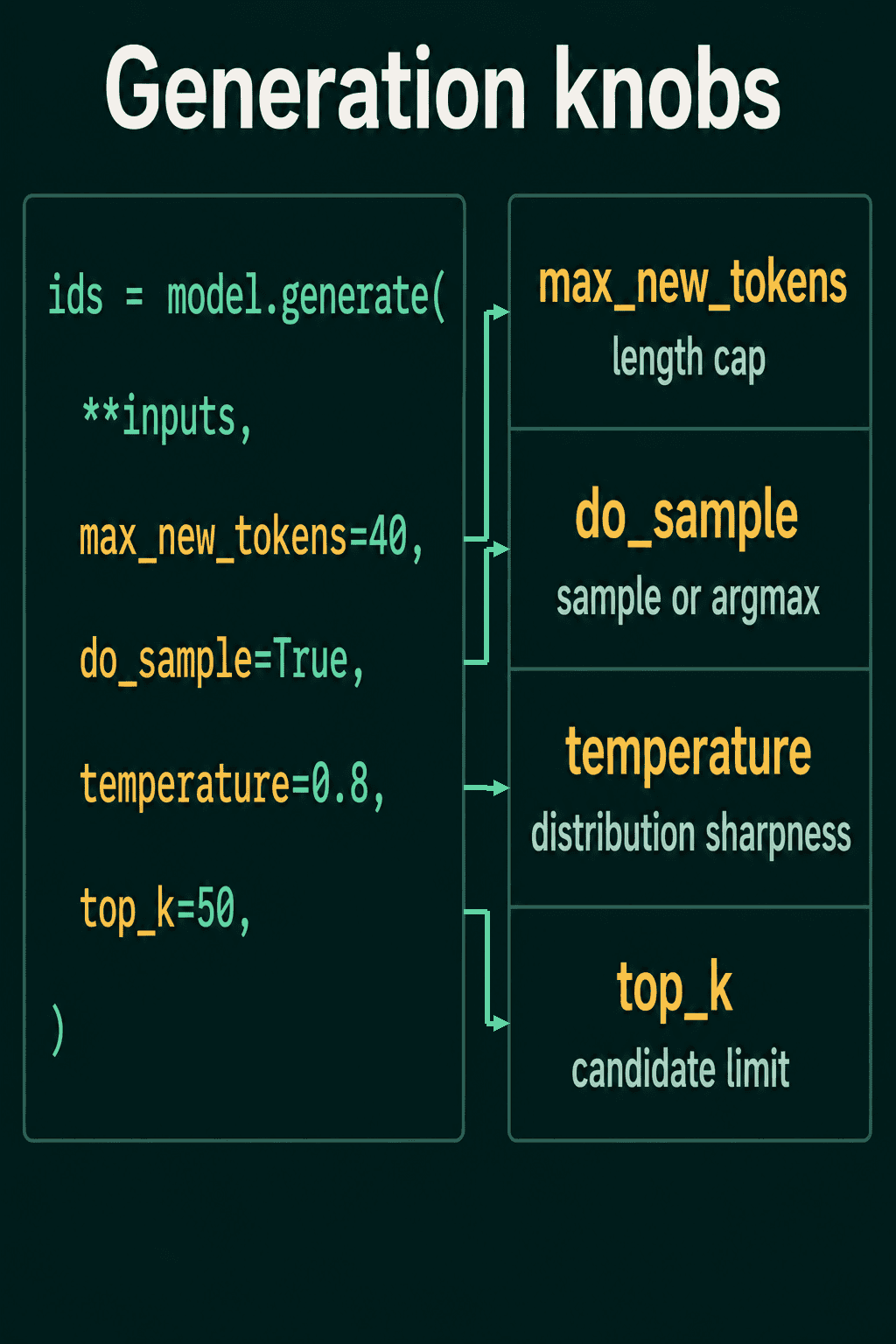
generate() takes arguments that change how many tokens come out and how each one is picked:
1import torch
2from transformers import AutoTokenizer, AutoModelForCausalLM
3
4tok = AutoTokenizer.from_pretrained("gpt2")
5model = AutoModelForCausalLM.from_pretrained("gpt2")
6model.eval()
7inputs = tok("the cute axolotl", return_tensors="pt")
8
9torch.manual_seed(0)
10with torch.no_grad():
11    ids = model.generate(
12        **inputs,
13        max_new_tokens=40,
14        do_sample=True,
15        temperature=0.8,
16        top_k=50,
17    )
18print(tok.decode(ids[0], skip_special_tokens=True))
On one run it printed:
1the cute axolotl or zebra finches, the birds of northern Africa seem to have been quite successful in spreading their wings to reach the continent. I'm hoping that this will lead to more of these birds moving upYour output can differ, because sampling draws tokens at random. max_new_tokens caps how many tokens are generated. do_sample=True draws the next token from the model's probabilities instead of always taking the top one. temperature changes how sharp those probabilities are: below 1 the likely tokens get more likely, and above 1 the probabilities get flatter. top_k=50 lets sampling choose only among the 50 highest-scoring tokens.
Encoder-decoder models
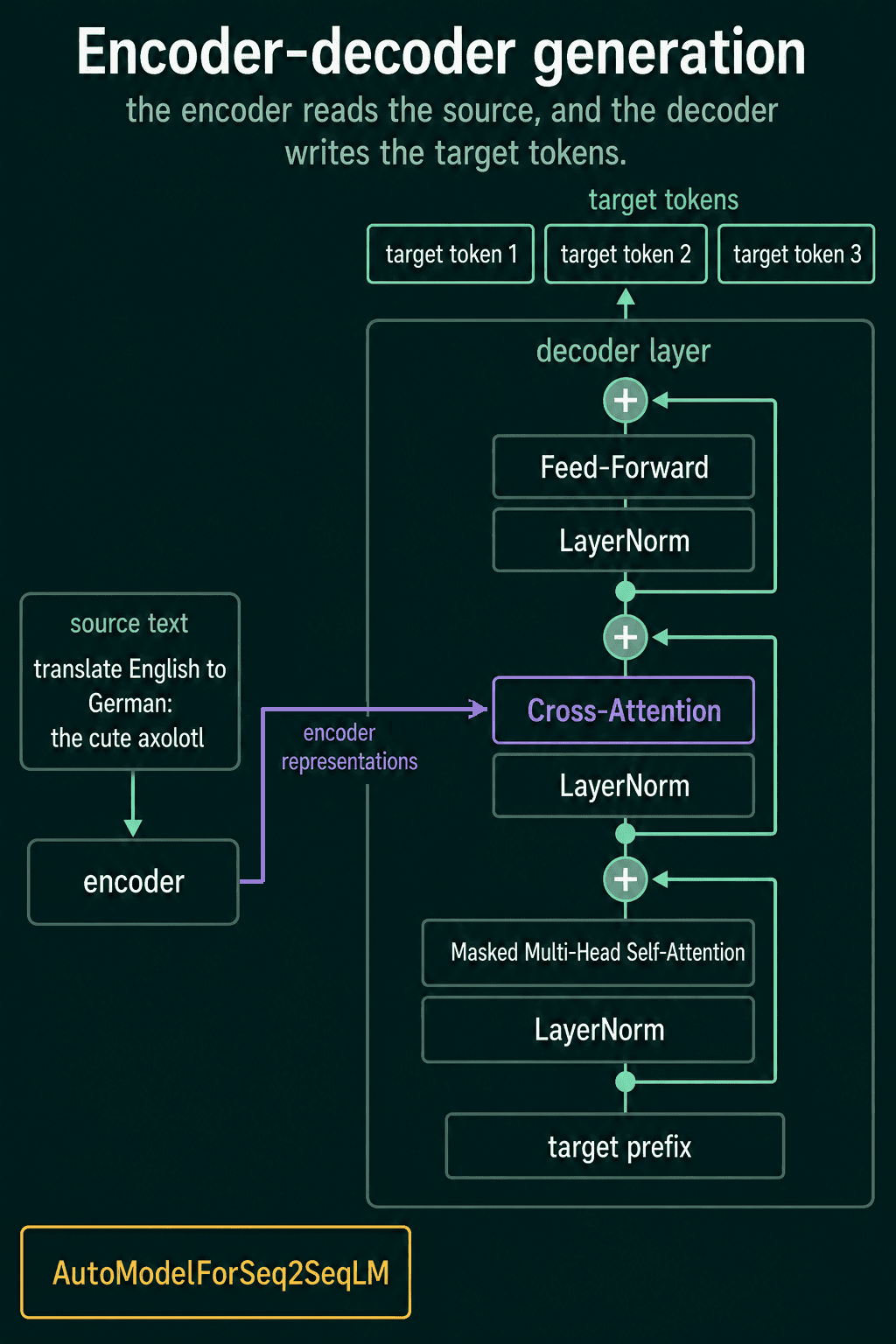
An encoder-decoder model such as T5 reads a source text with its encoder and writes a target text with its decoder, as in translation or summarization. Load it with AutoModelForSeq2SeqLM, where "seq2seq" stands for sequence to sequence:
1import torch
2from transformers import AutoTokenizer, AutoModelForSeq2SeqLM
3
4name = "t5-small"
5tok = AutoTokenizer.from_pretrained(name)
6model = AutoModelForSeq2SeqLM.from_pretrained(name)
7model.eval()
8
9source = "translate English to German: the cute axolotl is calm"
10inputs = tok(source, return_tensors="pt")
11with torch.no_grad():
12    ids = model.generate(**inputs, max_new_tokens=30)
13print(tok.decode(ids[0], skip_special_tokens=True))
It prints:
1es ist ruhig, wenn es um die süße Axolotl geht.That German reads as "it is calm when it comes to the cute axolotl", a loose translation from a small model. T5 was trained with a short task name at the start of the input, so translate English to German: tells it which task to do. The encoder processes the source, and the decoder generates the target tokens one at a time while reading the encoder's vectors.
attention_mask marks the real tokens
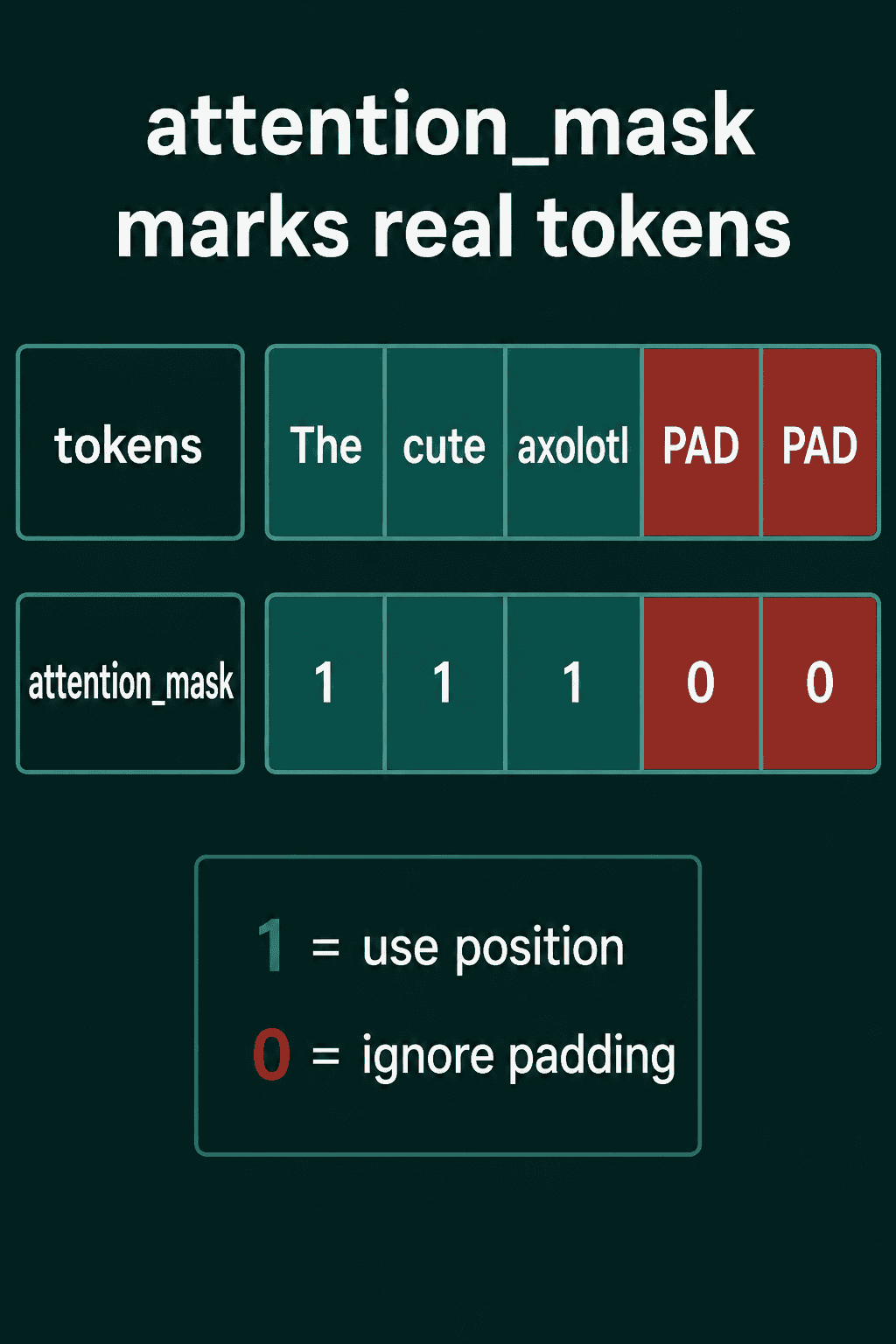
To run several texts at once they have to be the same length, so the tokenizer pads the shorter ones with a padding token. attention_mask tells the model which positions are real (1) and which are padding to ignore (0):
1from transformers import AutoTokenizer
2
3tok = AutoTokenizer.from_pretrained("bert-base-uncased")
4batch = tok(["the cute axolotl is calm", "the axolotl"], padding=True, return_tensors="pt")
5print(batch["input_ids"])
6print(batch["attention_mask"])
It prints:
1tensor([[  101,  1996, 10140, 22260, 12898, 19646,  2003,  5475,   102],
2        [  101,  1996, 22260, 12898, 19646,   102,     0,     0,     0]])
3tensor([[1, 1, 1, 1, 1, 1, 1, 1, 1],
4        [1, 1, 1, 1, 1, 1, 0, 0, 0]])
The second text has 6 real tokens, so it gets three padding ids (0 for this tokenizer) and three zeros in its mask. The picture below shows the same idea with whole words. Passing **batch to the model sends the mask along with the ids. A decoder-only model can combine this mask with its causal mask.
Inference mode
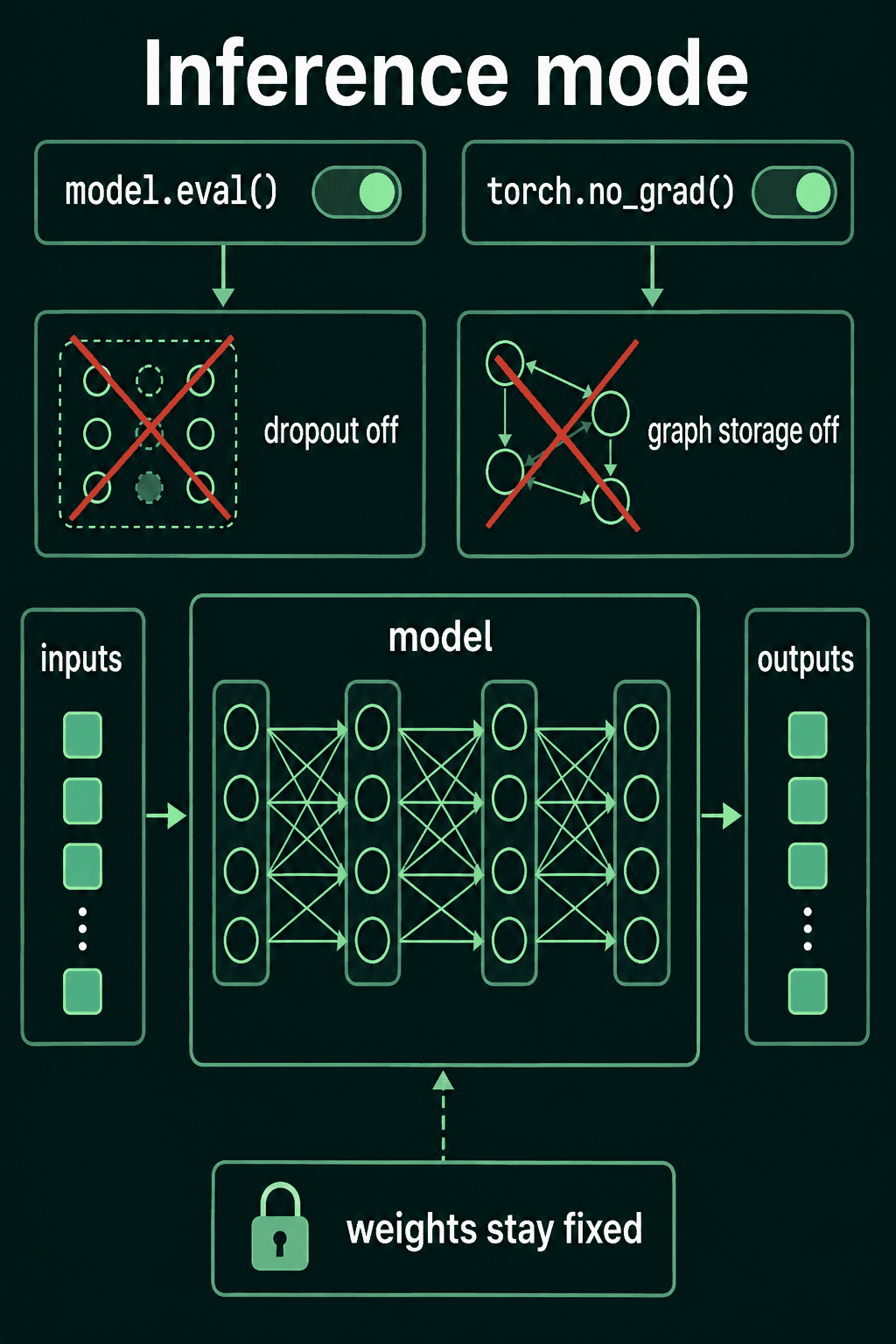
Every example above calls model.eval() and runs the model inside with torch.no_grad():. model.eval() switches off behavior that only belongs in training, such as dropout, which randomly zeroes some values. torch.no_grad() tells PyTorch not to store the record of operations it needs for computing gradients, which saves memory and time. The weights do not change during inference. You send inputs through the model and read the outputs. from_pretrained already returns the model in eval mode, and calling model.eval() keeps the code correct after any training step switched it back.
Reading the output object
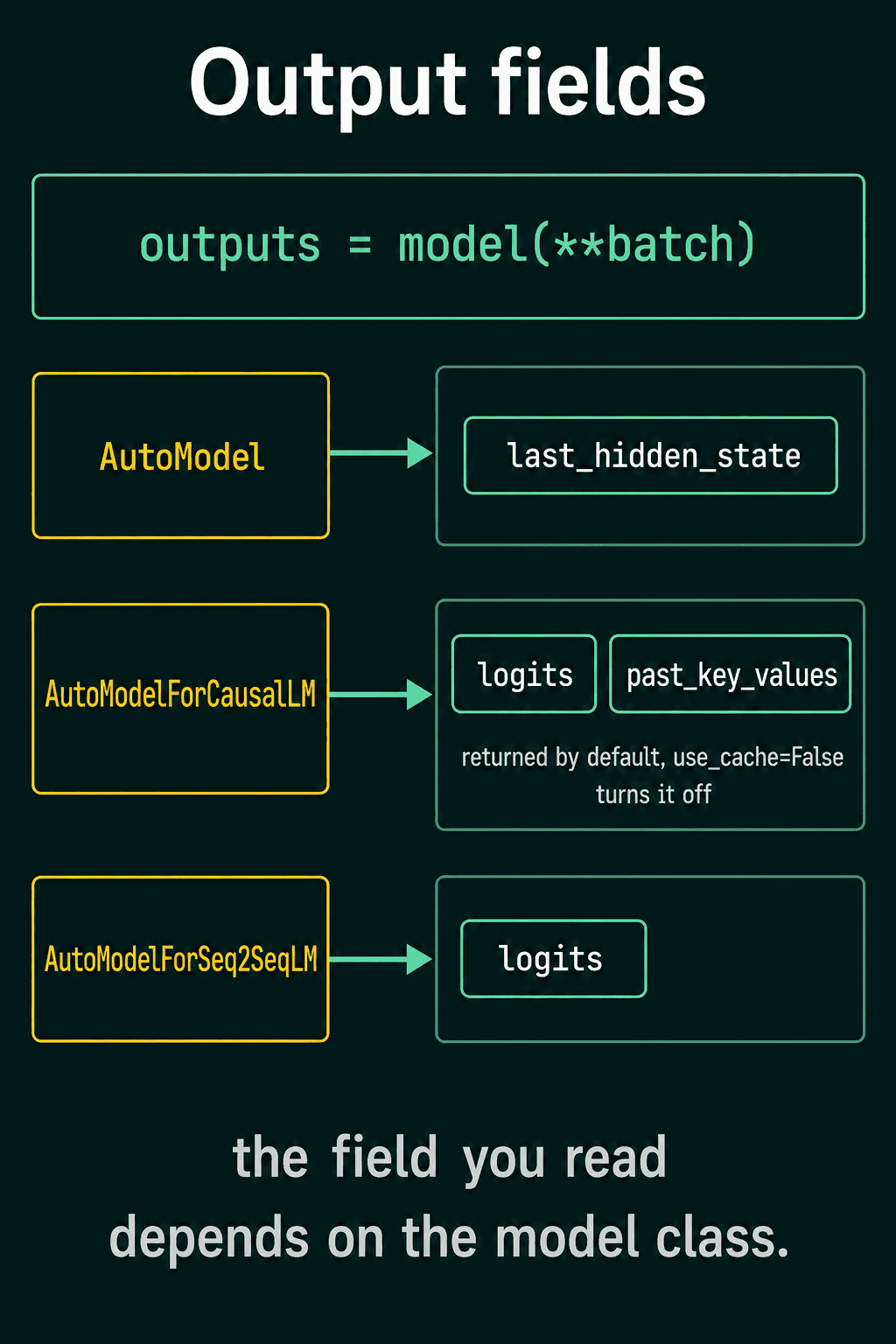
A model call returns an object with named fields, and which fields it has depends on the class. This loads GPT-2 twice, once as a bare body and once with its language-modeling head:
1import torch
2from transformers import AutoTokenizer, AutoModel, AutoModelForCausalLM
3
4tok = AutoTokenizer.from_pretrained("gpt2")
5batch = tok("the cute axolotl", return_tensors="pt")
6
7body = AutoModel.from_pretrained("gpt2").eval()
8lm = AutoModelForCausalLM.from_pretrained("gpt2").eval()
9with torch.no_grad():
10    body_out = body(**batch)
11    lm_out = lm(**batch)
12
13print(list(body_out.keys()), body_out.last_hidden_state.shape)
14print(list(lm_out.keys()), lm_out.logits.shape)
It prints:
1['last_hidden_state', 'past_key_values'] torch.Size([1, 6, 768])
2['logits', 'past_key_values'] torch.Size([1, 6, 50257])
GPT-2's tokenizer splits the text into 6 tokens. The body returns last_hidden_state, one 768-number vector per token. The model with the head returns logits, one score for each of the 50,257 tokens in the vocabulary at every position. past_key_values is a cache of the keys and values computed inside attention, which generate reuses so it does not recompute them for earlier tokens. Causal-LM classes return it by default, and use_cache=False turns it off.
One helper for all three shapes
The loading pattern is the same for every shape, and only the model class changes with the output you want. One helper can pick the class from a task name:
1from transformers import AutoTokenizer, AutoModel, AutoModelForCausalLM, AutoModelForSeq2SeqLM
2
3def load_open_model(name, task):
4    tokenizer = AutoTokenizer.from_pretrained(name)
5    if task == "encoder":
6        model = AutoModel.from_pretrained(name)
7    elif task == "causal_lm":
8        model = AutoModelForCausalLM.from_pretrained(name)
9    elif task == "seq2seq_lm":
10        model = AutoModelForSeq2SeqLM.from_pretrained(name)
11    else:
12        raise ValueError("unknown task")
13    model.eval()
14    return tokenizer, model
15
16tok, model = load_open_model("t5-small", "seq2seq_lm")
17print(type(model).__name__)
18tok, model = load_open_model("bert-base-uncased", "encoder")
19print(type(model).__name__)
It prints T5ForConditionalGeneration and then BertModel, the classes the Auto classes picked. raise ValueError("unknown task") stops the function with an error when task is none of the three names.
Common mistakes
- Loading the tokenizer and the model from different names. The ids then point to the wrong embedding rows, and the code can run without an error.
- Using
AutoModelwhen you want text or class scores. It loads the body only, so the output haslast_hidden_stateand nologits. UseAutoModelForCausalLM,AutoModelForSeq2SeqLMor a task class such asAutoModelForSequenceClassification. - Running inference right after training without
model.eval().model.train()turns dropout back on, so the same input can give different outputs untilmodel.eval()is called. - Reading a class id as a label. Class 1 means whatever the checkpoint was trained on, so check the model card or
model.config.id2label. - Dropping
attention_maskon padded batches. Pass the wholebatchwith**batchso the padding positions are ignored.
Related concepts
How to use a Hugging Face tokenizer covers special tokens, ids and batching in more depth. Open-weight vs closed LLMs explains when downloading a model makes sense over calling one through an API. Encoder vs decoder vs encoder-decoder explains the three shapes behind the three Auto classes, and KV cache and grouped-query attention explains the cache inside past_key_values. To keep training a loaded model on your own data, see fine-tuning vs transfer learning explained.
QuiddityML teaches loading models with Hugging Face as its own concept in the Intro to NLP track. The exercises include filling in the load_open_model helper, putting its lines in order, tracing the shapes from encoder hidden states to class logits and then typing the helper from scratch.