By Sagi Shaier · 21 October 2026 · 5 min read
Floating-point numbers explained: float32, float64, and rounding errors
Why 0.1 + 0.2 is not 0.3, how float32 and float64 differ, when a small number vanishes or a subtraction goes wrong, and how to compare floats safely in Python and PyTorch.
A floating-point number, or float, is the usual way a computer stores a number with a fractional part, like a price, a measurement or a model weight. A real number can have infinitely many digits and a float holds only a fixed number of them, so most numbers get rounded the moment they are stored, and that rounding can change results without any error message.
Why a float is an approximation
Every number a program works with is stored in a fixed amount of memory. There are infinitely many real numbers between 0 and 1 alone, and a fixed number of bits can only spell out a fixed number of values, so most real numbers have no exact float. They get rounded to the nearest value a float can hold.
A float has three parts: a sign, a mantissa holding the significant digits, and an exponent saying how far to shift the point. Scientific notation works the same way. $1.23 \times 10^4$ has a sign (+), significant digits (1.23) and an exponent (4). A float stores those three parts in binary instead of decimal.
float32 and float64
Floats come in different sizes. The two you will meet most often are:
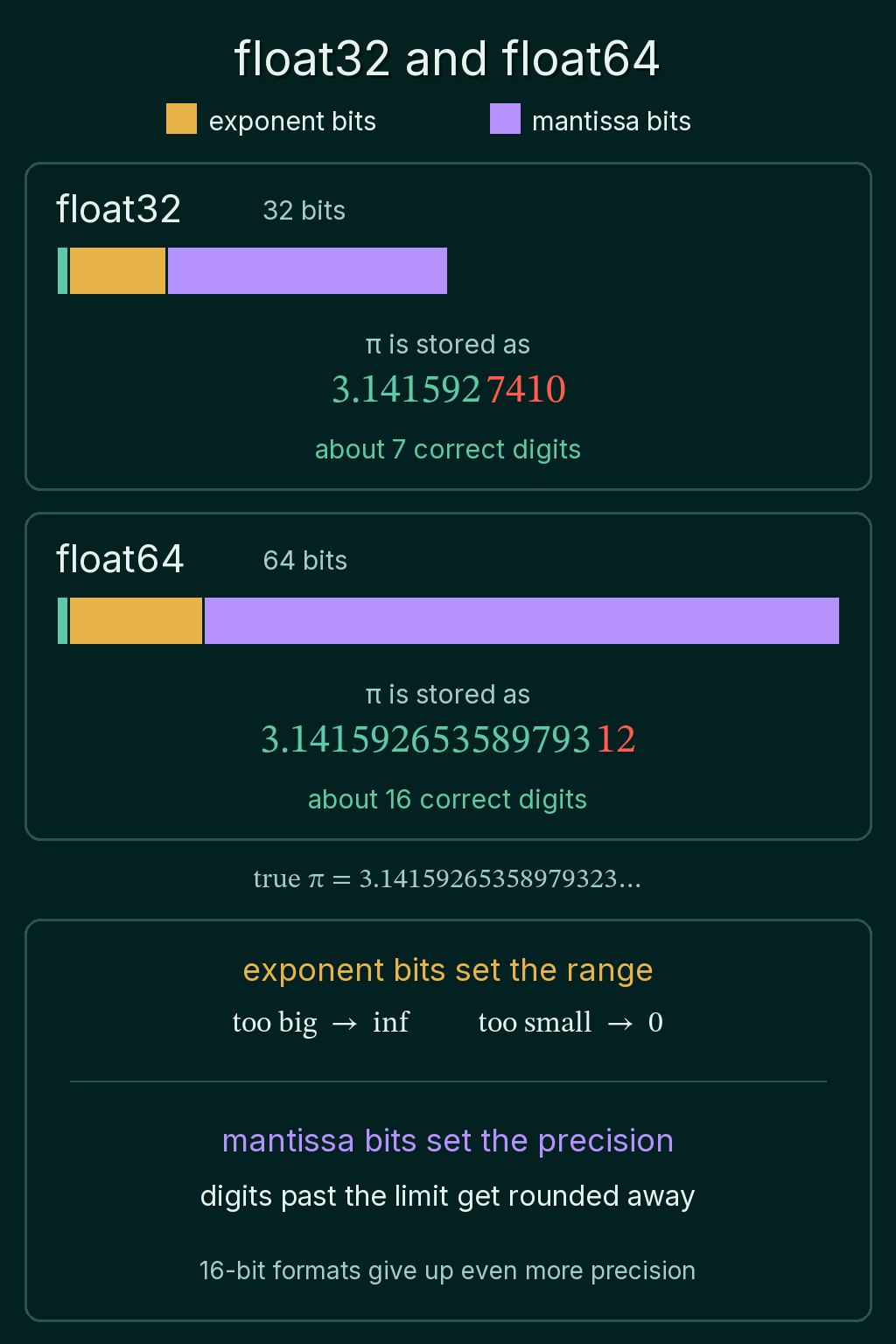
- float32: 32 bits, about 7 correct decimal digits
- float64: 64 bits, about 16 correct decimal digits
Python's own float is a float64. PyTorch tensors default to float32, which uses half the memory. Storing $\pi$ in each format shows the difference in digits:
1import math
2import torch
3
4print(f"{torch.tensor(math.pi, dtype=torch.float32).item():.10f}")
5print(f"{math.pi:.17f}")
6# 3.1415927410
7# 3.14159265358979312
The true $\pi$ starts 3.14159265358979323. The float32 value is right for about 7 digits and the float64 value for about 16.
Each format spends some of its bits on the exponent and the rest on the mantissa. The exponent bits set the range: how big or small a number can get before it stops fitting. The mantissa bits set the precision: how many digits survive. Running out of precision rounds digits away, and running out of range turns a number into inf or 0. Smaller 16-bit formats also exist, and they give up even more precision to save memory.
Why 0.1 + 0.2 is not 0.3
1print(0.1 + 0.2)
2print(0.1 + 0.2 == 0.3)
3# 0.30000000000000004
4# False
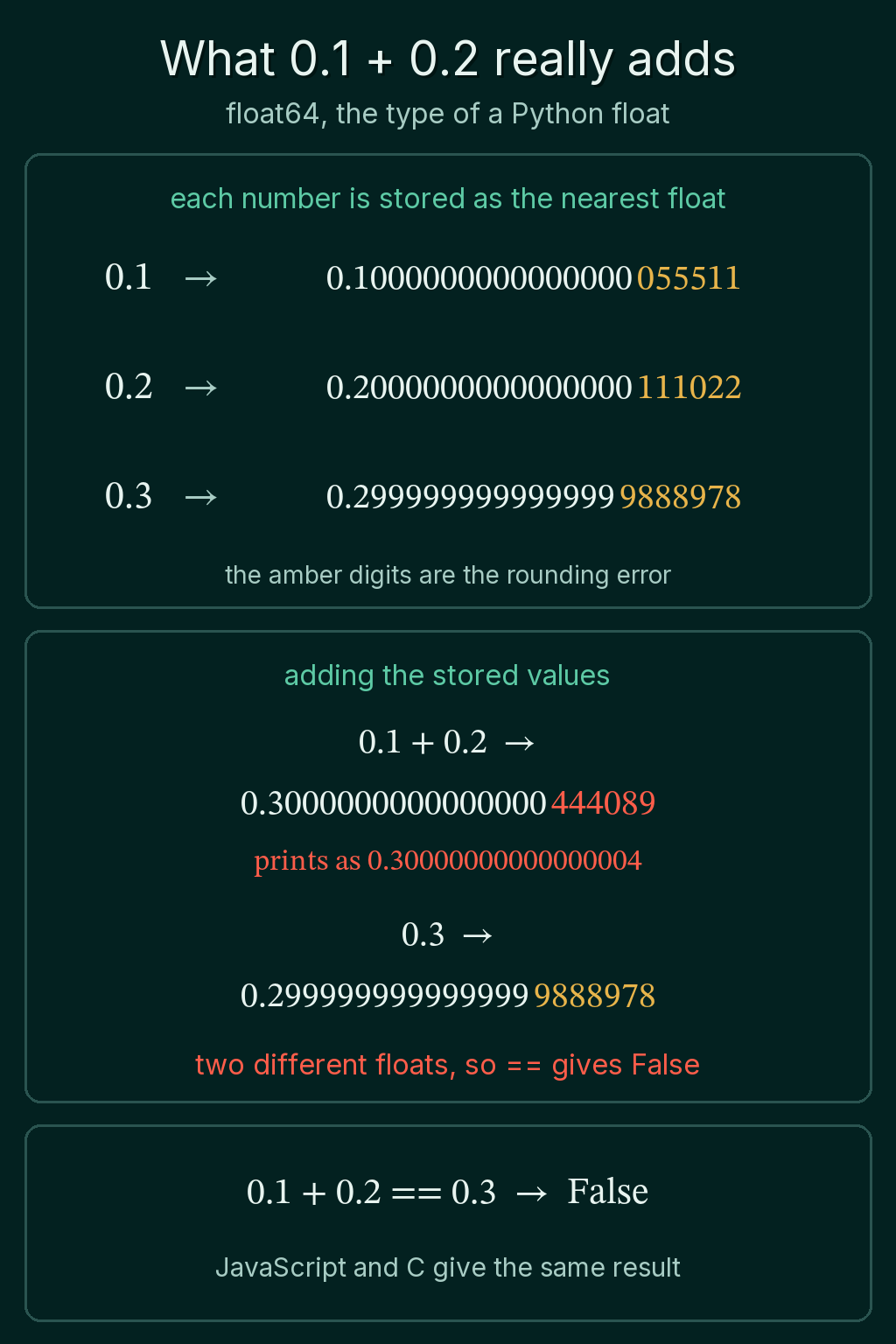
0.1 and 0.2 have no exact binary form, so each one is stored as the nearest float64: 0.1000000000000000055511 and 0.2000000000000000111022. The two small errors add up, and the sum lands on a different float64 than the one stored for 0.3, which is 0.2999999999999999888978.
This is not a bug in Python. JavaScript, C and most other languages store decimals as the same binary floats and print the same result.
Adding a small number to a large one
Add a tiny number to a huge one and the tiny number can vanish entirely:
1print(1e16 + 1.0 == 1e16)
2# True
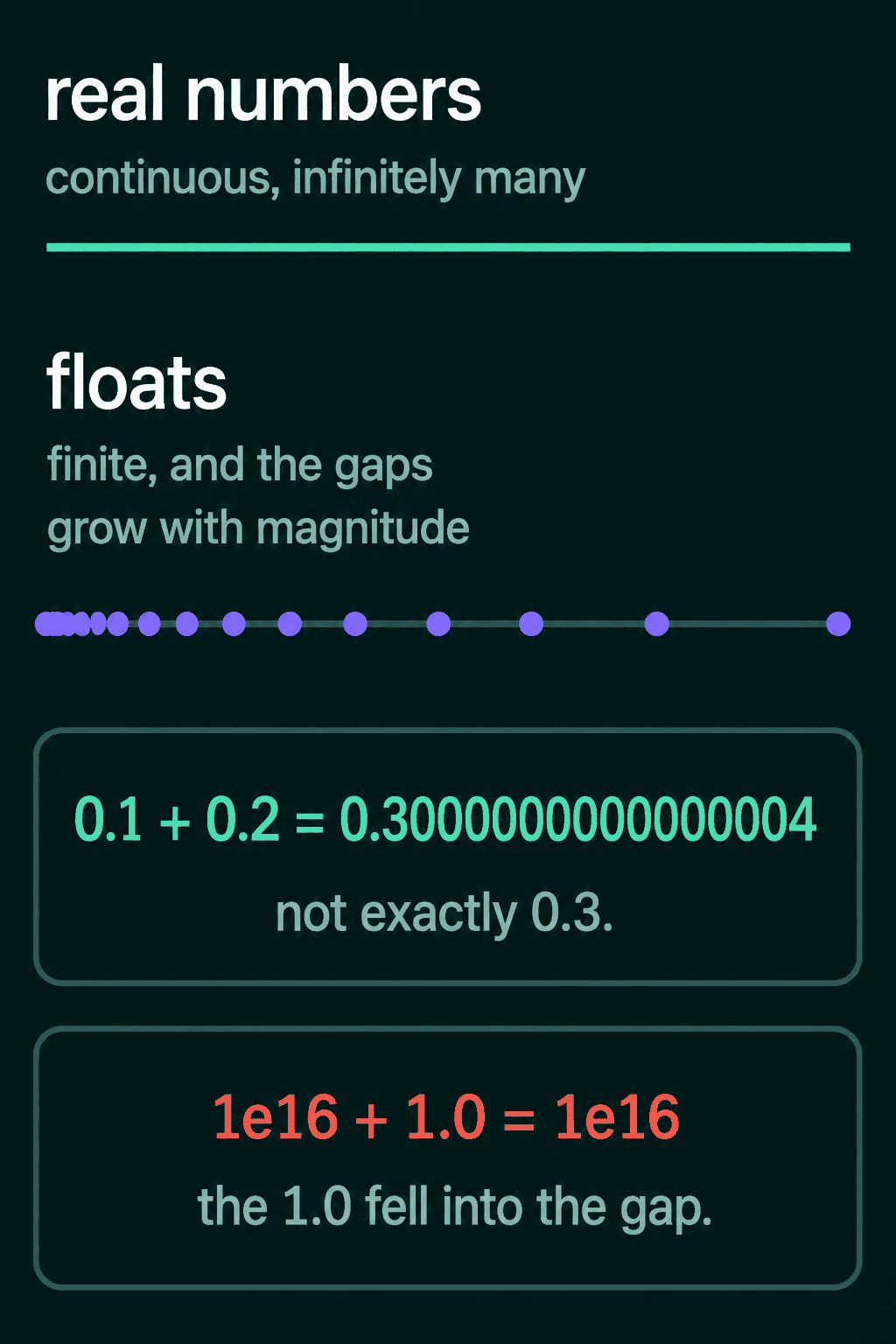
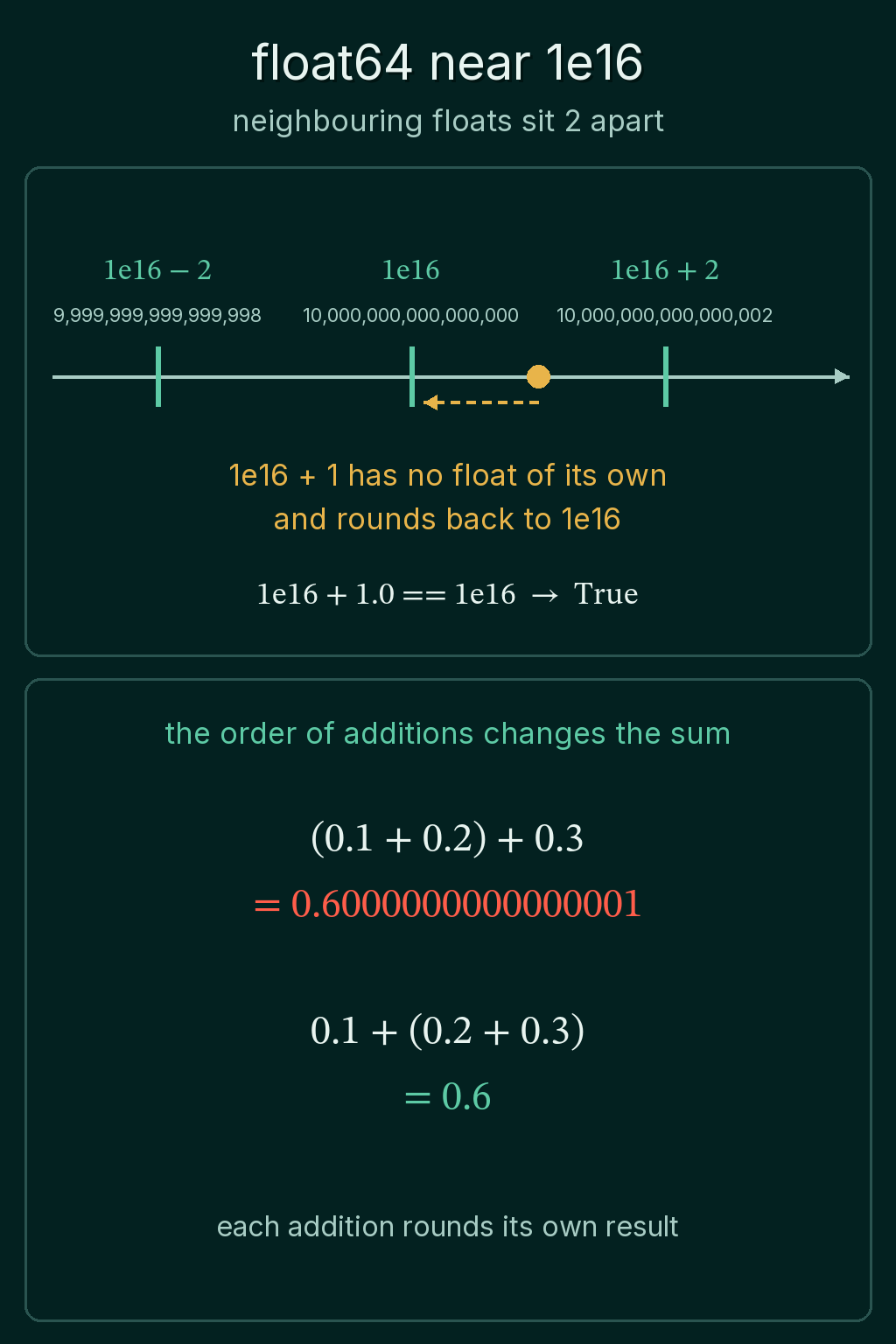
The gaps between neighbouring floats grow with the size of the number. Floats near 1 sit very close together, while near $10^{16}$ they sit 2 apart. $10^{16} + 1$ has no float of its own, so it rounds back to $10^{16}$. The addition did nothing, and no error was raised.
The same rounding means the order of additions can change a sum:
1print((0.1 + 0.2) + 0.3)
2print(0.1 + (0.2 + 0.3))
3# 0.6000000000000001
4# 0.6
Each addition rounds its own result, so adding the same numbers in a different order can give a different total. In math terms, float addition is not associative.
Subtracting two close numbers
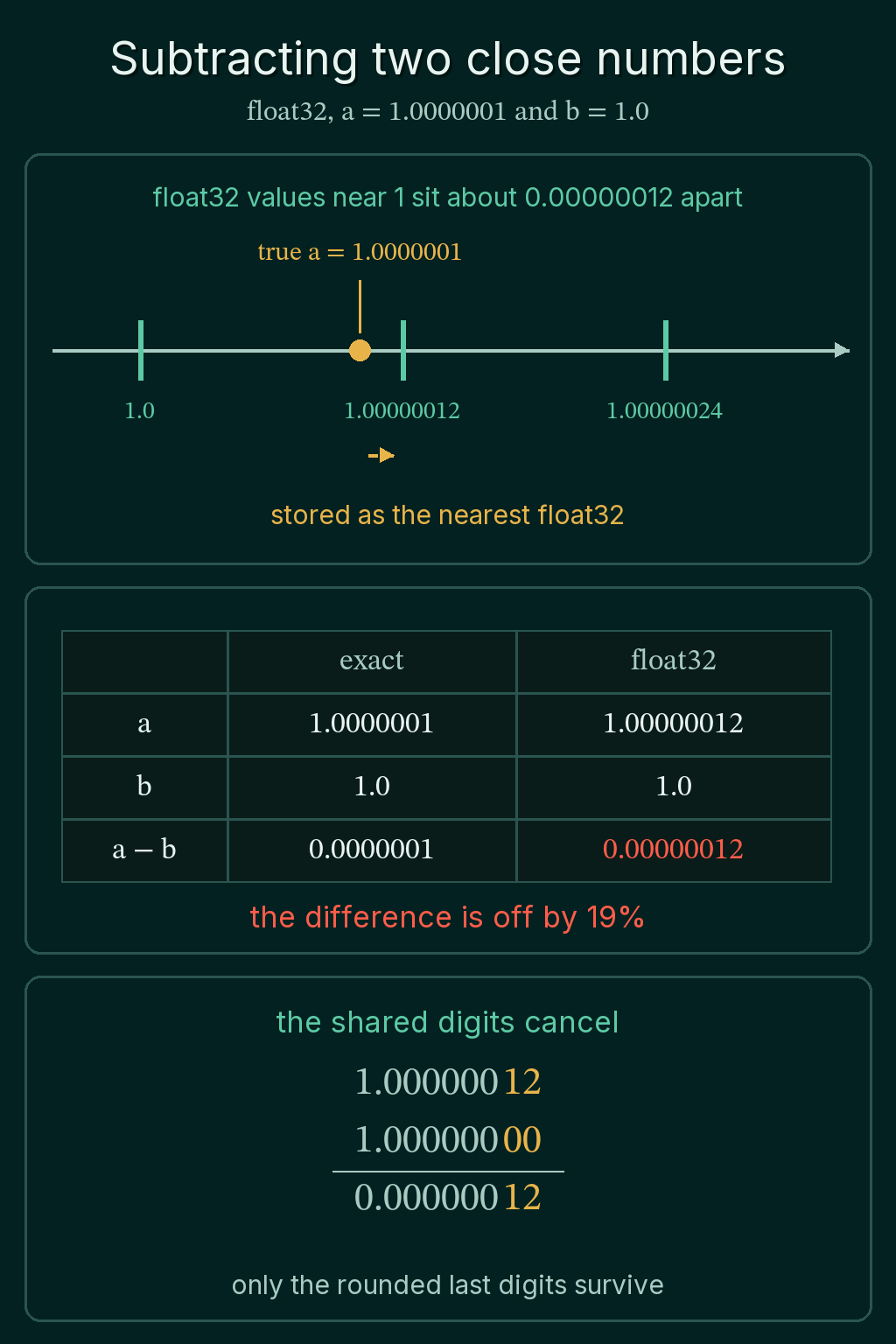
Subtracting two numbers that are close in value causes a different problem. Each number was already rounded when it was stored. When the two numbers agree in most of their digits, the subtraction removes those shared digits, and what is left is mostly rounding error. This is called catastrophic cancellation.
For example, in float32 the answer to $1.0000001 - 1.0$ should be $0.0000001$. Float32 has no value at exactly 1.0000001, so it stores the nearest one:
1a = torch.tensor(1.0000001)   # float32 by default
2print(f"{a.item():.8f}")
3print((a - torch.tensor(1.0)).item())
4# 1.00000012
5# 1.1920928955078125e-07
The subtraction returns about $0.00000012$ instead of $0.0000001$. The stored input was off by less than 0.00001 percent, and the answer is off by about 19 percent.
Comparing floats with a tolerance
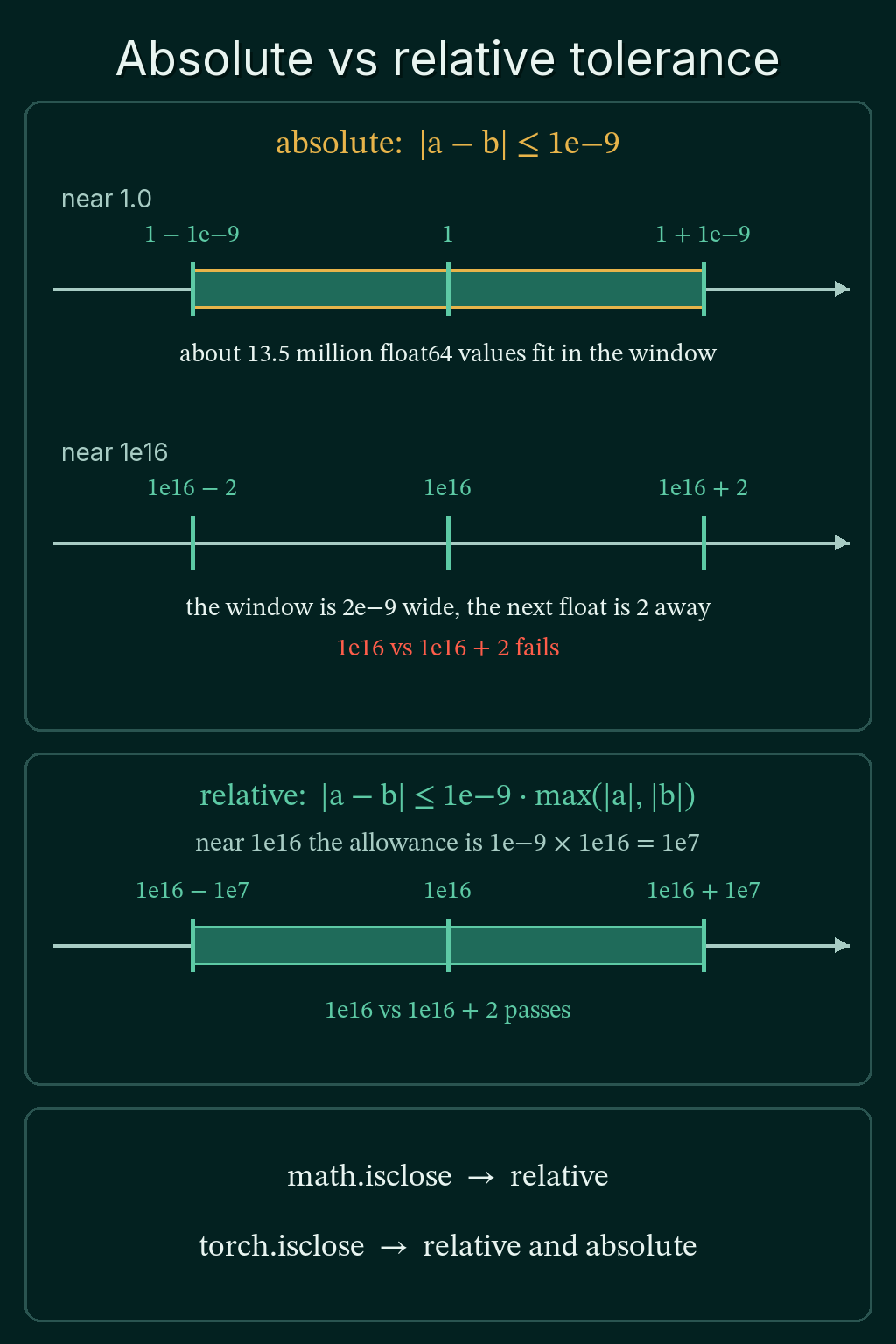
Because two calculations of the same number can differ in the last digits, comparing floats with == is usually the wrong test. Check whether they are close enough within a tolerance instead. There are two kinds:
- An absolute tolerance asks whether $|a - b|$ is under some fixed number, like $10^{-9}$.
- A relative tolerance scales that allowance by how big the values are: $|a - b| \le \text{tol} \cdot \max(|a|, |b|)$.
The gap between floats grows with magnitude, so an absolute tolerance that works near 1.0 fails near $10^{16}$, where neighbouring floats are already 2 apart:
1print(abs(1e16 - (1e16 + 2)) <= 1e-9)            # absolute
2print(math.isclose(1e16, 1e16 + 2))               # relative
3print(math.isclose(0.1 + 0.2, 0.3))
4print(torch.isclose(torch.tensor(0.1 + 0.2), torch.tensor(0.3)))
5# False
6# True
7# True
8# tensor(True)
Python's math.isclose(a, b) uses a relative tolerance by default. PyTorch's torch.isclose and torch.allclose check both kinds at once.
The eps guard
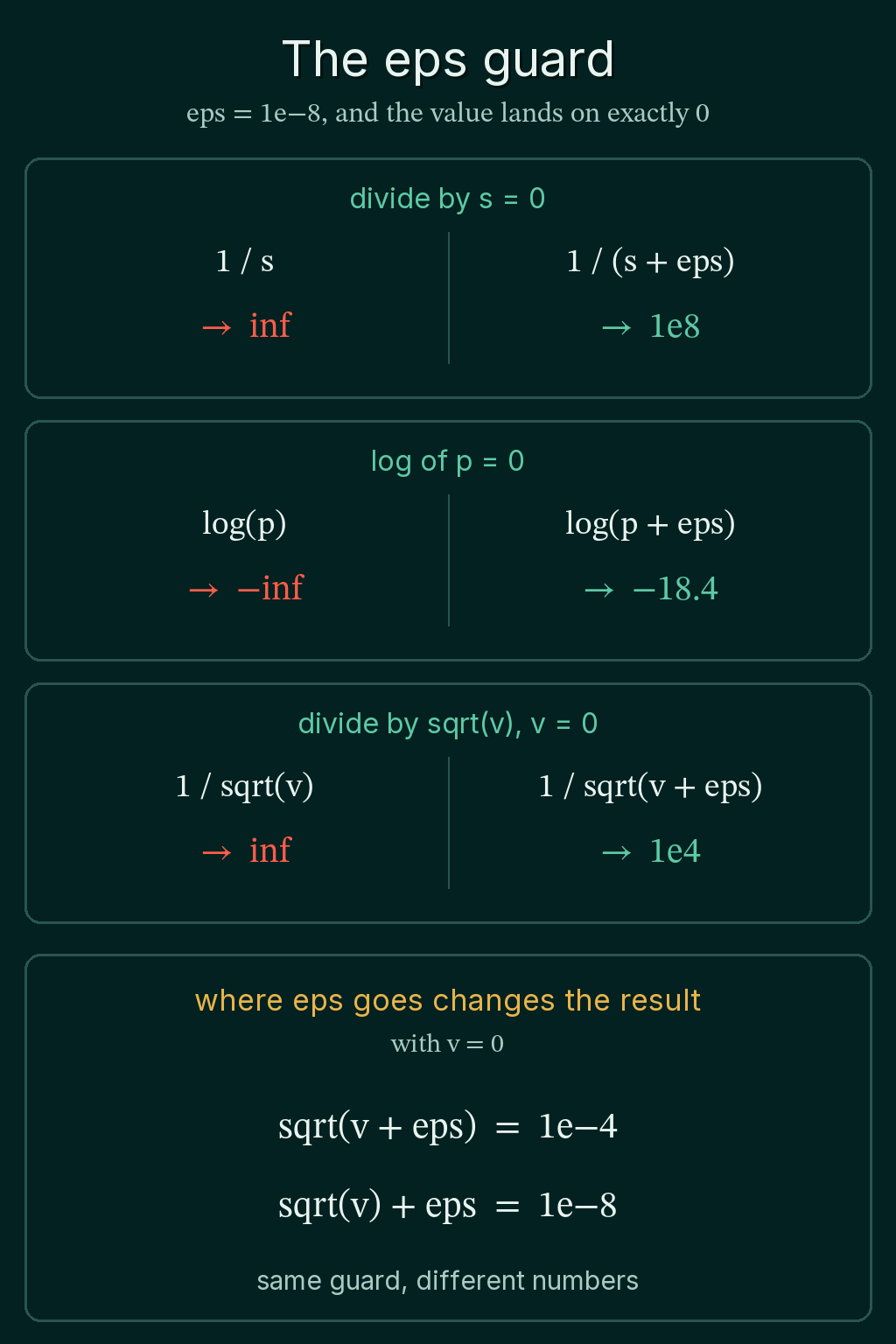
Some operations break at exactly zero. In PyTorch, dividing by 0 gives inf, $0/0$ gives nan ("not a number"), and $\log(0)$ is $-\infty$. When a value can land on 0, code often adds a small constant called eps (short for epsilon) to keep it away from zero:
x / (s + eps)whenscan be 0log(p + eps)whenpcan be 0sqrt(v + eps)whenvcan be 0 and the next step divides by the square root
The usual values are tiny, such as 1e-8 or 1e-5, so they barely change the result when the value is not near 0.
1v = torch.tensor(0.0)
2eps = 1e-8
3print(1 / v, torch.log(v), torch.log(v + eps))
4print(torch.sqrt(v + eps), torch.sqrt(v) + eps)
5# tensor(inf) tensor(-inf) tensor(-18.4207)
6# tensor(1.0000e-04) tensor(1.0000e-08)
Where eps goes changes the result. sqrt(v + eps) and sqrt(v) + eps guard the same division with different numbers: with eps = 1e-8 and v = 0, the first gives $10^{-4}$ and the second gives $10^{-8}$.
Common floating-point mistakes
Many floating-point bugs give no error message, only a slightly wrong number. The common ones:
- Comparing floats with
==. Usemath.iscloseortorch.allclose, with a tolerance that fits the size of the values. - Expecting a small addition to register on a huge value. Near $10^{16}$, adding 1 does nothing.
- Trusting every digit of a difference between close numbers. Catastrophic cancellation leaves mostly rounding error.
- Expecting float64 precision from a float32 tensor. float32 keeps about 7 correct digits.
- Moving eps without checking the result.
sqrt(v + eps)andsqrt(v) + epsgive different numbers.
Related concepts
The log-sum-exp trick covers what happens when a float overflows to inf or underflows to 0, and how to avoid it when working with logs. The exponential moving average is another everyday numerical tool, a running average kept in a single number.
QuiddityML teaches floating-point representation as the first concept of the Math track's numerical computation unit. The exercises on it include ordering the lines of a relative-tolerance safe_equal function and predicting what a float comparison prints.