By Sagi Shaier · 24 October 2026 · 7 min read
How to build your own NLP dataset: selecting data, extracting text, documenting it
How to choose the text for a custom dataset and pull clean text out of web pages, PDFs and scans, plus what to write down so the next person can trust it.
Building your own NLP dataset means collecting the text for a task yourself, labeling it, and writing down how it was made. You do this when no public dataset matches your task, for example a classifier for the support tickets of your own product or for radiology reports from one hospital. It takes more effort than reusing a public dataset, and each step has its own ways to go wrong.
The steps, in order
Building a dataset runs through six steps:
- Choose the text to collect.
- Extract clean text from messy sources such as web pages and PDFs.
- Define the labels, the exact set of allowed labels and what each one means.
- Annotate, which means attaching those labels to each example, yourself or with other people.
- Measure agreement, whether different people give the same example the same label.
- Document it, so the next person knows what they are holding.
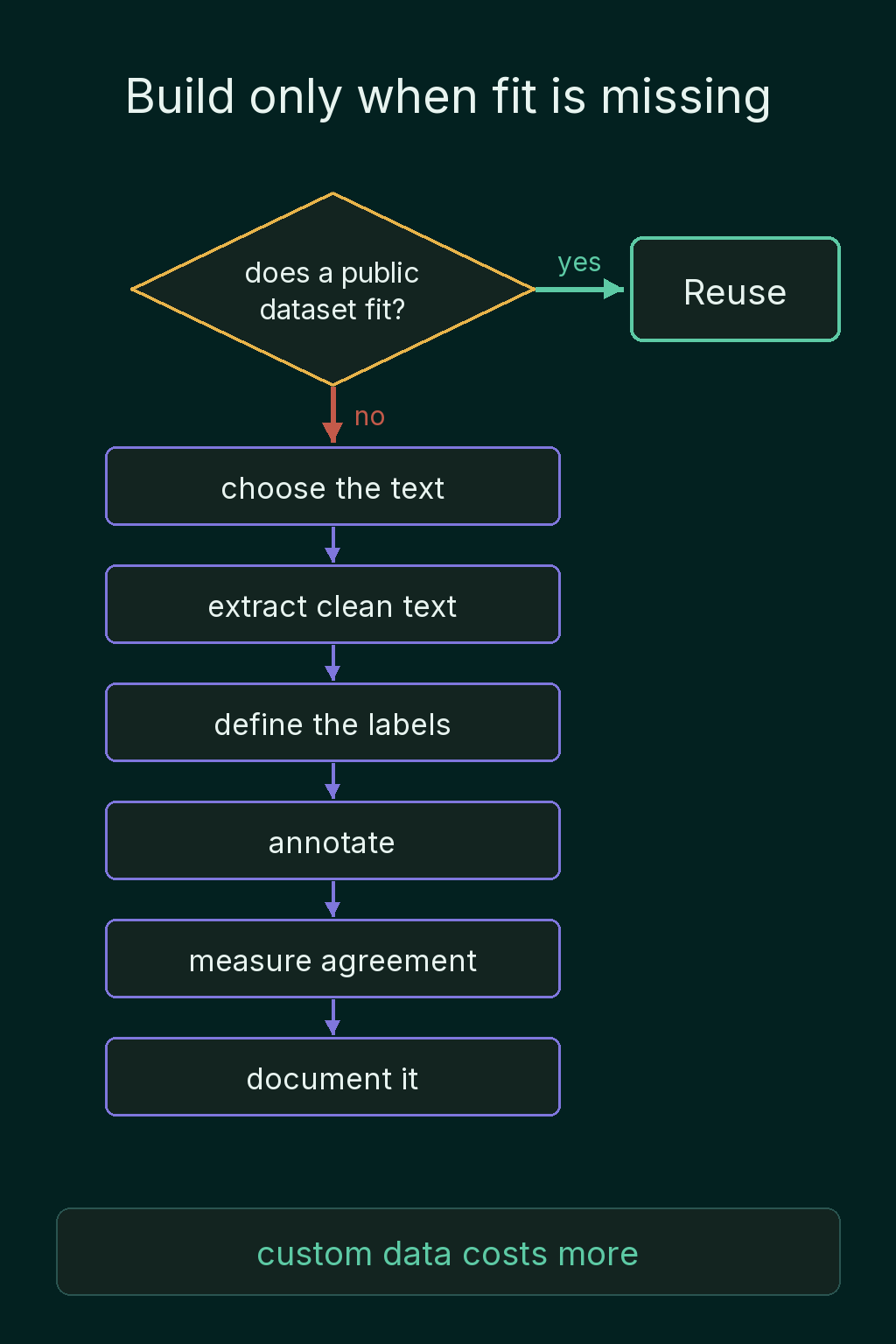
Done well, these steps give a dataset that teaches a model the task. Skipped, they give one that teaches it the wrong thing. This post covers choosing the text, extracting it and documenting it. Labels and agreement get a post of their own.
Selecting data: the task decides the text
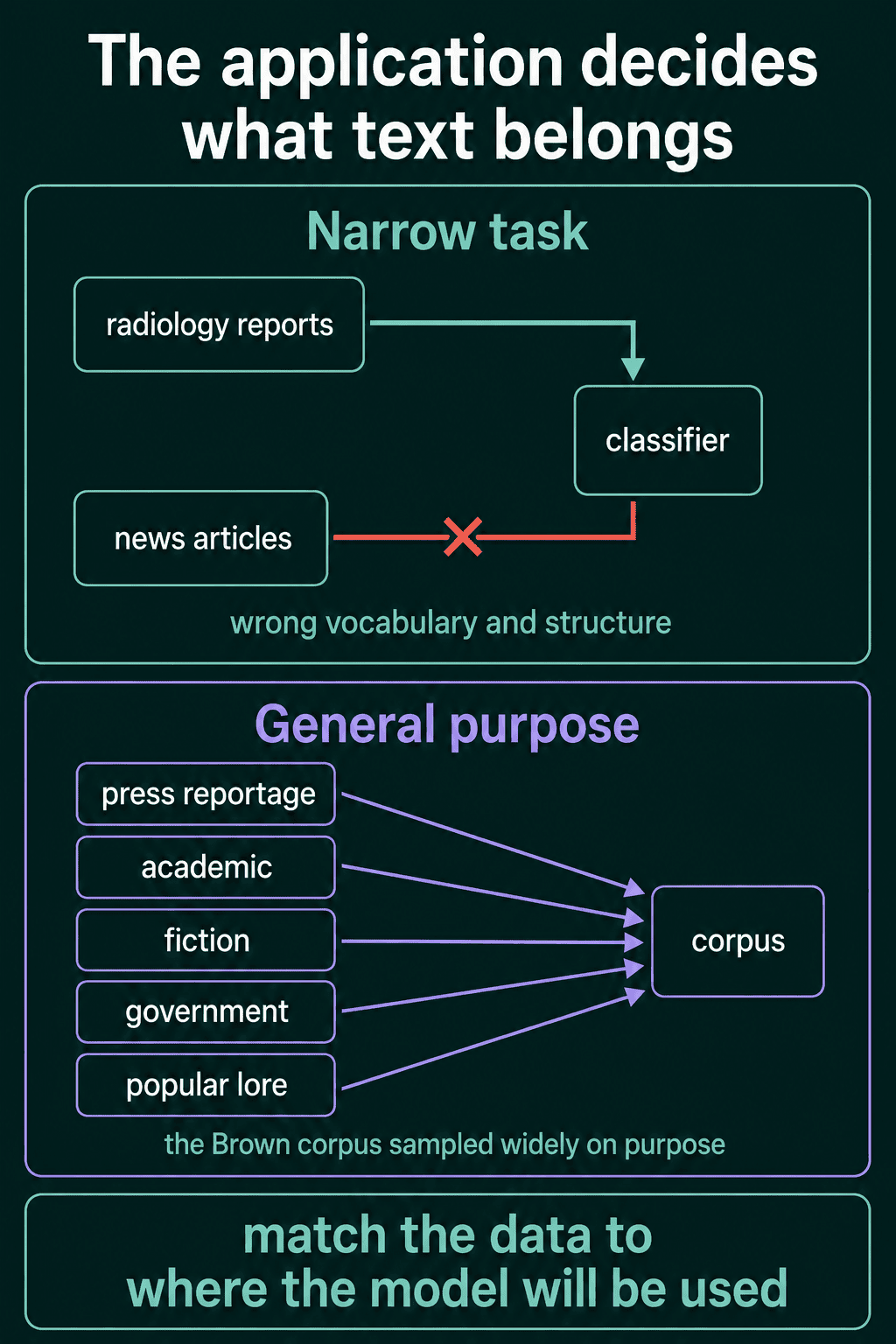
The application decides what text belongs in the dataset. A classifier that reads radiology reports has to be built from radiology reports. Train it on news articles and it will not know the vocabulary, the abbreviations or the structure of the reports it meets once deployed.
A general-purpose system is the opposite case. So that it does not get tuned to one narrow kind of language, it learns from a corpus spread across many genres and styles on purpose. A corpus is a body of text gathered for training or study. The Brown corpus is a classic example of a wide one. It was built from newspaper reporting, academic prose, fiction and more. The narrower your task, the narrower your data can be, and a broad task needs a wide sample.
Sample the target population
The target population is all the text your model will see once it is deployed. Every dataset is a sample from that population, and a model trained on it works well only if the sample looks like the text it will see.
A common mistake is to sample whatever text is easiest to grab. Say you are building a classifier that sorts customer-support messages by intent, and you train it on movie reviews because that dataset was handy. Support messages are short, full of product terms and often frustrated, and movie reviews are none of those things. The model learns patterns from reviews and fails on real support messages.
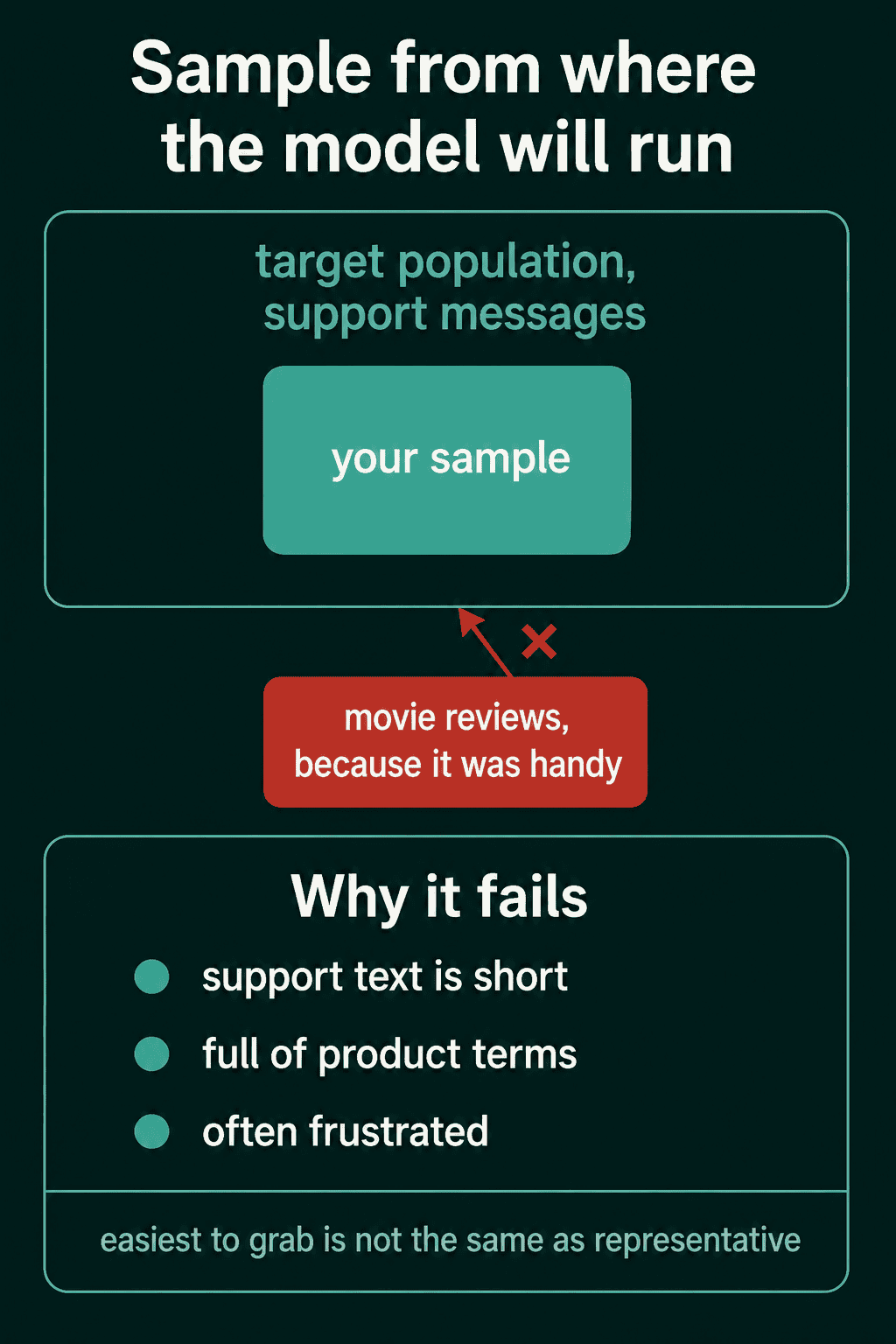
The time range, the mix of sources and any filtering you apply all shape what the model can learn. For the support classifier, that means messages from recent months and from every channel customers use. It also means no filter that drops the angry ones. Make each of these choices on purpose rather than by convenience.
Extracting text from web pages
Raw sources rarely hand you clean text. A web page wraps the words you want in HTML tags, scripts and styling. Getting the text out takes two steps.
First you parse the HTML and strip the tags. BeautifulSoup (pip install beautifulsoup4) does this with get_text:
1from bs4 import BeautifulSoup
2
3html = """
4<div class="page">
5  <nav id="menu">
6    <ul>
7      <li><a href="/">Home</a></li>
8      <li><a href="/about">About</a></li>
9      <li><a href="/contact">Contact</a></li>
10    </ul>
11  </nav>
12  <div class="content">
13    <h1>Ten ways to speed up your code</h1>
14    <p>Writing fast code is not just about clever algorithms.</p>
15  </div>
16  <div class="sidebar">
17    <div class="ad"><script src="ads.js"></script>Buy now</div>
18  </div>
19  <footer>© 2024 Example Inc.</footer>
20  <script src="analytics.js"></script>
21</div>
22"""
23
24soup = BeautifulSoup(html, "html.parser")
25print(soup.get_text(" ", strip=True))1Home About Contact Ten ways to speed up your code Writing fast code is not just about clever algorithms. Buy now © 2024 Example Inc.The tags are gone, and the menu, the ad and the copyright line are still there. The second step is boilerplate removal: dropping navigation menus, ads, cookie banners and footers so only the main content is left.
1for tag in soup(["nav", "footer", "script"]):
2    tag.decompose()
3for tag in soup.select(".sidebar"):
4    tag.decompose()
5print(soup.get_text(" ", strip=True))1Ten ways to speed up your code Writing fast code is not just about clever algorithms.Skip this step on a scrape of a whole site and every page adds the same menu and footer text. The model then learns the site's page template instead of what the pages say.
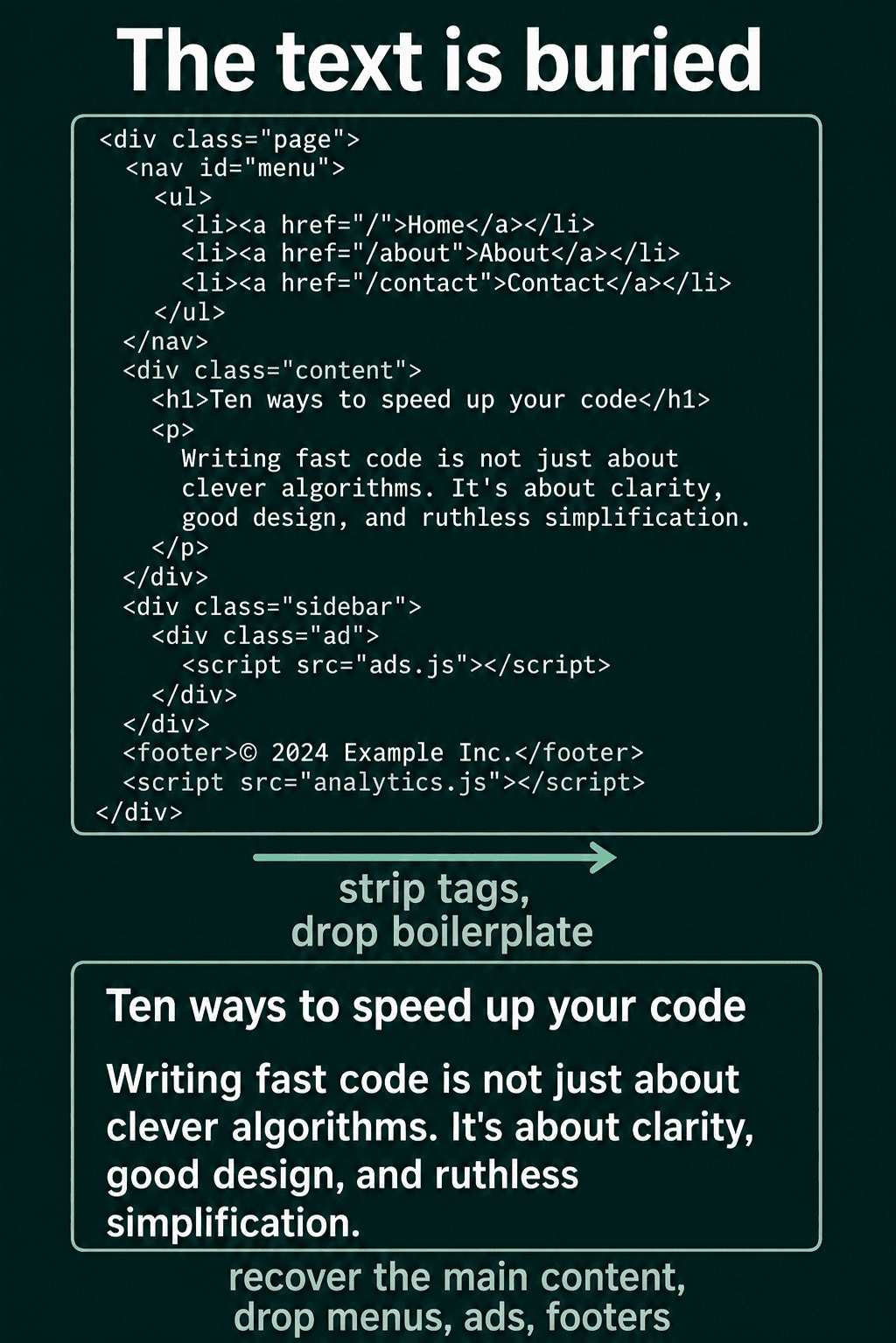
Real sites name their menus and sidebars differently, so the tags and class names to drop change from site to site. Print a few extracted pages and read them before you extract thousands.
PDFs, scans and encodings
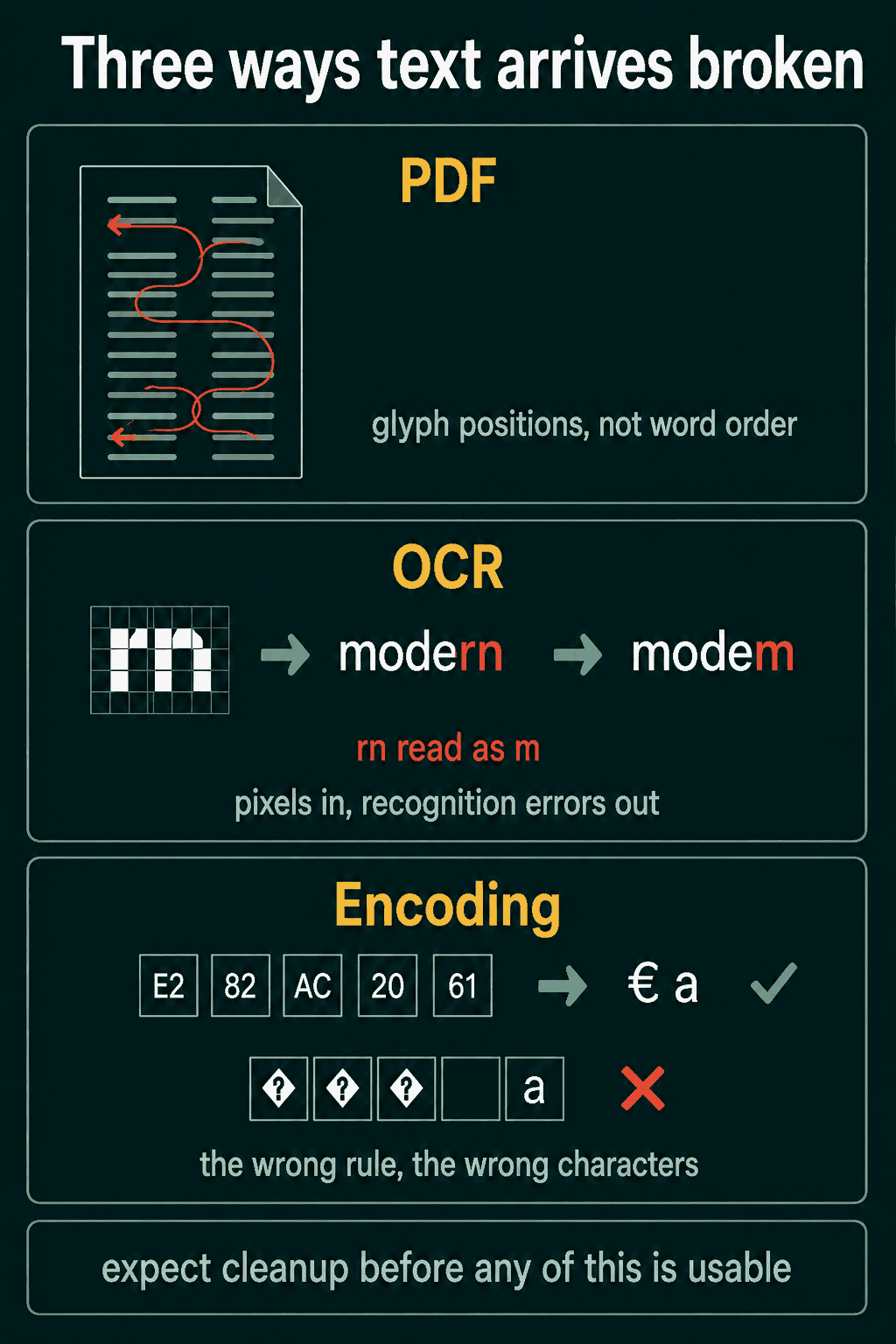
PDFs are harder than web pages. A PDF stores where each glyph (each drawn character) sits on the page, not the order of the words. Pulling text out can scramble the reading order, merge two columns into one, or split words across lines. Extraction tools help, and the output usually still needs cleanup.
Scanned documents and photos hold no text at all, only pixels. Optical character recognition (OCR) reads characters from those pixels. It makes recognition errors, so "rn" can come out as "m" and a smudge can turn into a random character.
The last problem is the character encoding. Text is stored as bytes, and an encoding such as UTF-8 is the rule that turns those bytes back into characters. Read the bytes with the wrong rule and accented or non-Latin characters come out as garbage:
1raw = "€ a".encode("utf-8")
2print(raw.hex(" "))
3
4print(raw.decode("utf-8"))
5print(raw.decode("cp1252"))
6print(raw.decode("ascii", errors="replace"))1e2 82 ac 20 61
2€ a
3€ a
4��� aThe euro sign takes three bytes in UTF-8. Decoded as cp1252, a common Windows encoding, those three bytes become three wrong characters. Decoded as ASCII, they become replacement marks. Detecting the encoding before you decode keeps those characters intact.
Documenting the dataset
A dataset used without knowing where it came from leads to failures that are hard to debug. Nobody can judge whether a corpus fits their task without knowing how it was built. Three kinds of documentation answer that.
Datasheets for datasets
A datasheet is a standard set of questions that travels with a dataset and answers what a future user would otherwise have to guess. The answers fall into two groups:
- Provenance: who built the dataset, who paid for it and why. Funding and motivation shape which kinds of text end up over- or under-represented.
- Process: how examples were selected, whether the people in the text consented, and what preprocessing was applied before release.
For the support-ticket dataset, the datasheet would say that the company's own team built it to route tickets. It would also say that it holds messages from three months on every support channel, with names and emails removed before release.
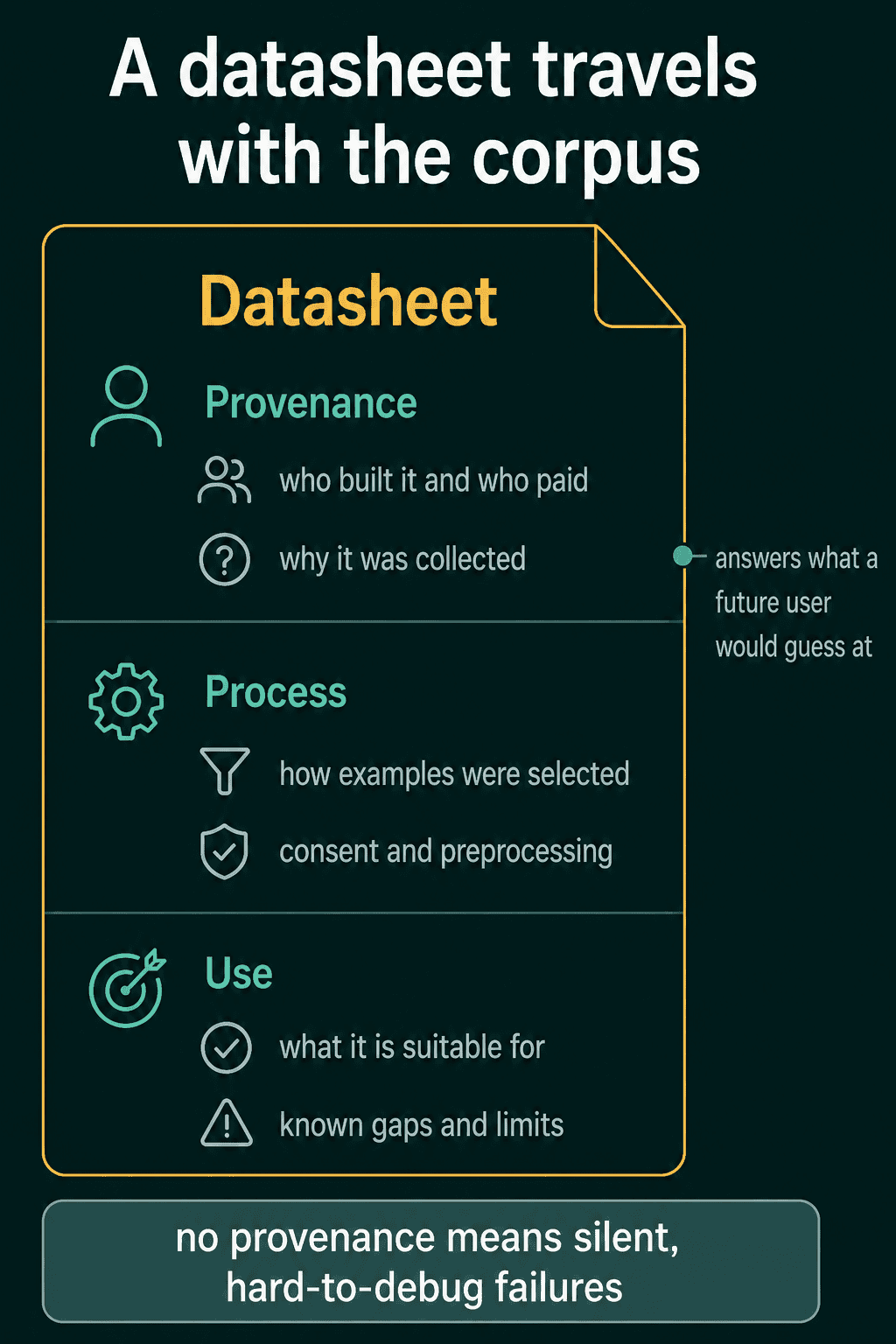
The goal is that someone can decide whether the dataset fits their task by reading it, without reverse-engineering the corpus.
Data statements and model cards
A data statement is documentation written for a text corpus in particular, and it focuses on the people behind the text:
- People: which languages appear and who the speakers are, including demographics, so a reader can see whose language is in the corpus. It also says who the annotators were and how they were trained, since labelers bring their own biases.
- Legal: the copyright and license terms, stated as real fields and not as fine print.
- Known gaps: the gaps and biases the builders already know about, so the next person can judge fit before running into them.
A model card documents the model trained on the data instead. It says what the model was trained on and what it is meant for. It also shows how its performance breaks down across different groups of users or inputs, rather than one headline number.
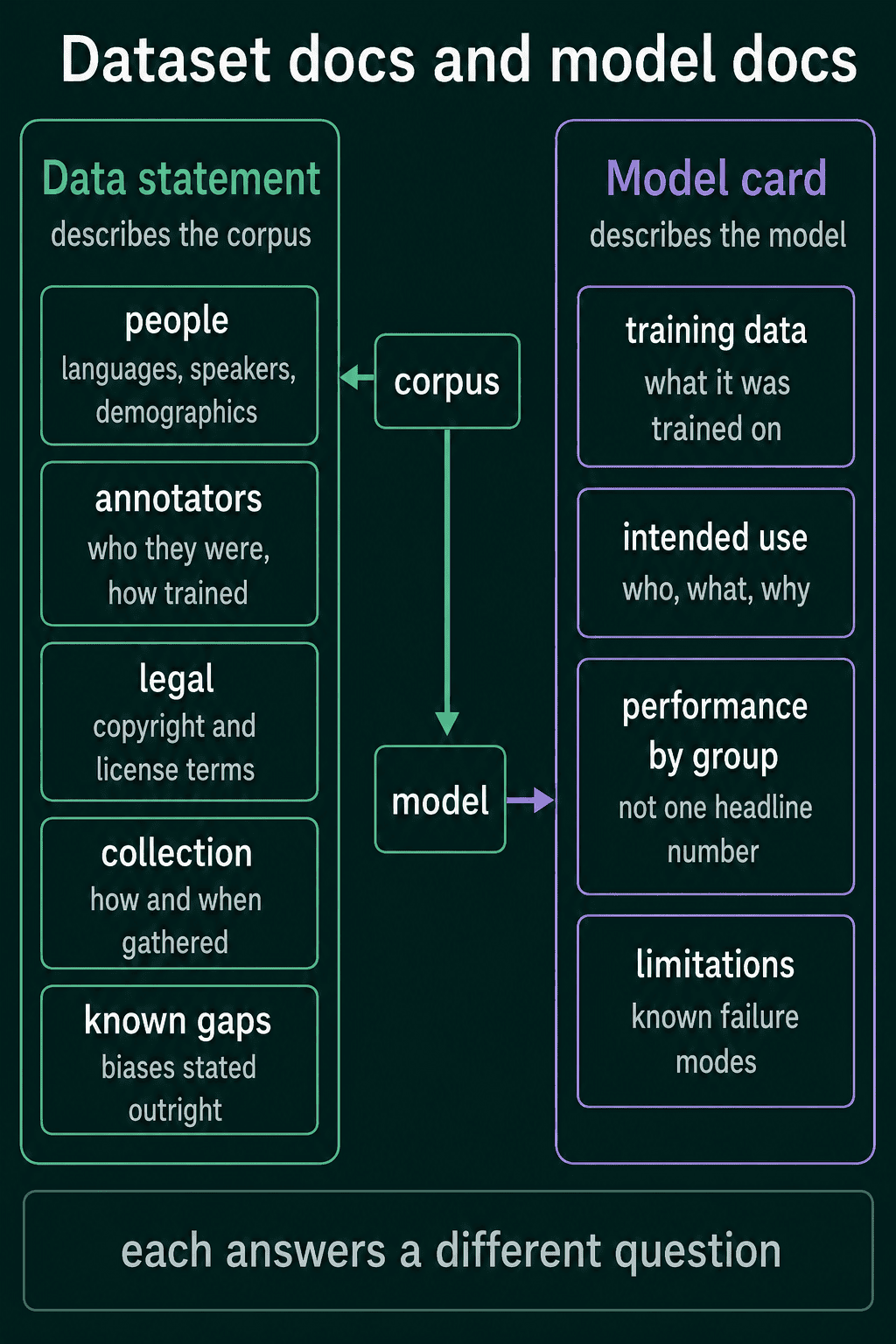
Dataset documentation and model documentation answer different questions. Both let the next person reuse the work without guessing what happened.
Common mistakes
- Collecting what is easy instead of what the model will see. Write down where the deployed model gets its text before you collect anything, and sample from there.
- Extracting text without reading the output. Menus, cookie banners, scrambled PDF columns and garbled characters all pass through code without an error.
- Writing the documentation at the end. Details such as the date range or the filter you applied are easy to forget. Note them while you collect.
- Building a dataset when a public one fits. Check the Hugging Face Hub and Kaggle first.
Related concepts
Labeling is the step this post skipped. It covers labeling guidelines for hard cases, crowd workers versus domain experts, and Cohen's kappa for measuring whether two labelers agree. Before any of that, it is worth checking the public catalogs on the Hugging Face Hub, Kaggle and academic repositories. After the dataset is built, text preprocessing reshapes the raw text into a consistent form for training.
QuiddityML teaches selecting data, extracting text and documenting datasets as separate concepts in the NLP track's data unit, with exercises such as picking the dataset that matches a support-email classifier's target population and saying what goes wrong when a scrape keeps the boilerplate (QuiddityML).