By Sagi Shaier · 24 October 2026 · 7 min read
Where to find NLP datasets: Hugging Face Hub, Kaggle, and more
Which places to search for a text dataset, how to load one in Python, and what to check before you train anything on it.
An NLP dataset is a collection of text examples, often with a label attached to each one, that a model learns from or gets tested on. Most NLP projects start from a public dataset someone else already collected and labeled, so knowing where those datasets live saves days or weeks of collection. The main places are the Hugging Face Hub, Kaggle, and academic and government repositories.
Why the dataset comes first
A model has no separate source of truth. It copies the patterns in its training data, mistakes included. If half the labels in a sentiment dataset are wrong, the model learns the wrong mapping between text and label. Tested against those same wrong labels, it can still report high accuracy.
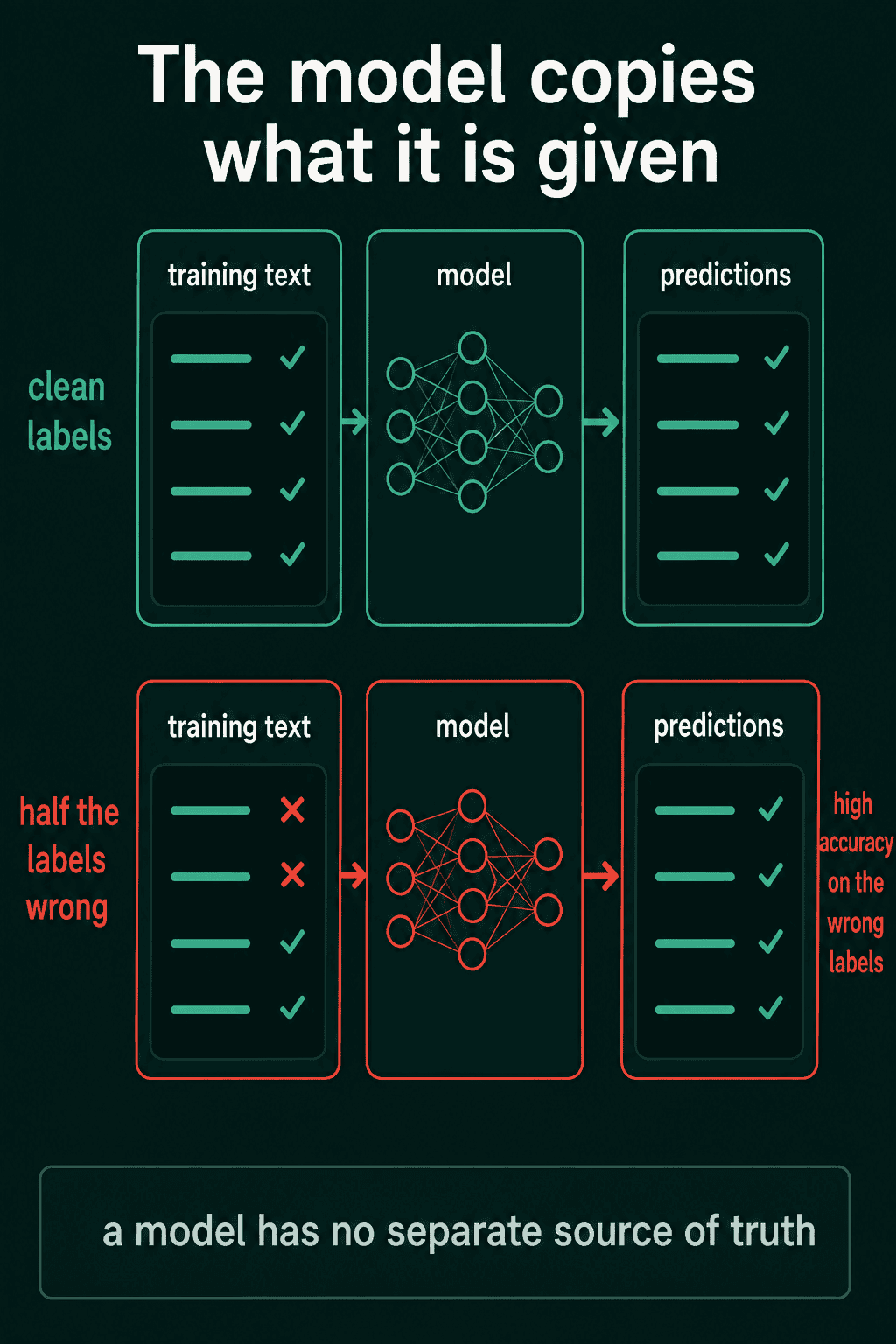
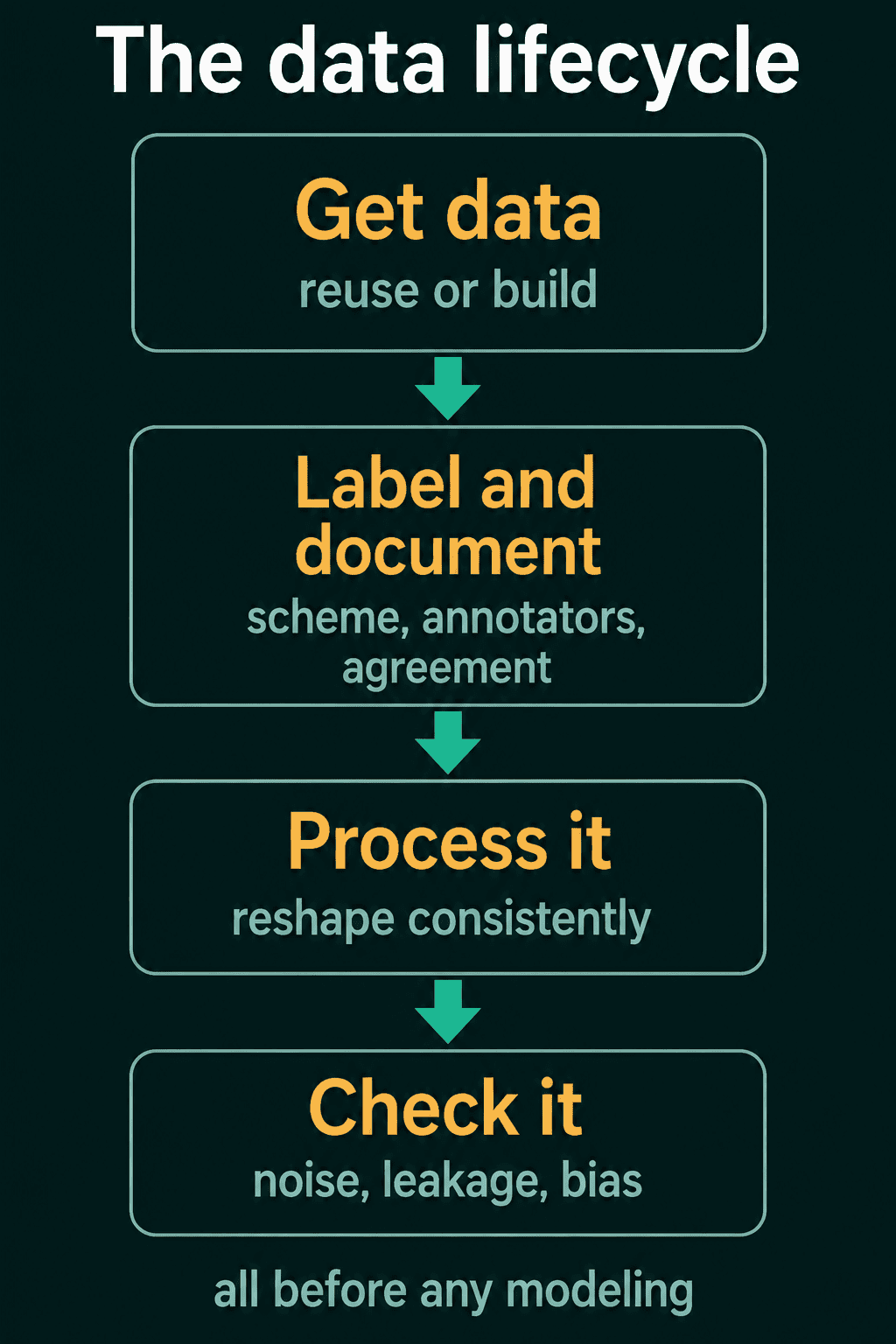
So the data sets a ceiling on the result, and a lot of an NLP project happens before any model is involved. That work follows a rough order, called the data lifecycle:
- Get a dataset. Reuse a public one, or build your own when the task is too specific.
- Label and document it. Decide what each label means and who applies it. Measure whether the people labeling agree, and write down what a future user needs to know.
- Process it. Raw text rarely arrives clean, so you reshape it into a consistent form.
- Check it. Look for wrong labels, test examples that leaked into the training data, and bias before you trust a single result.
Reuse a dataset or build one?
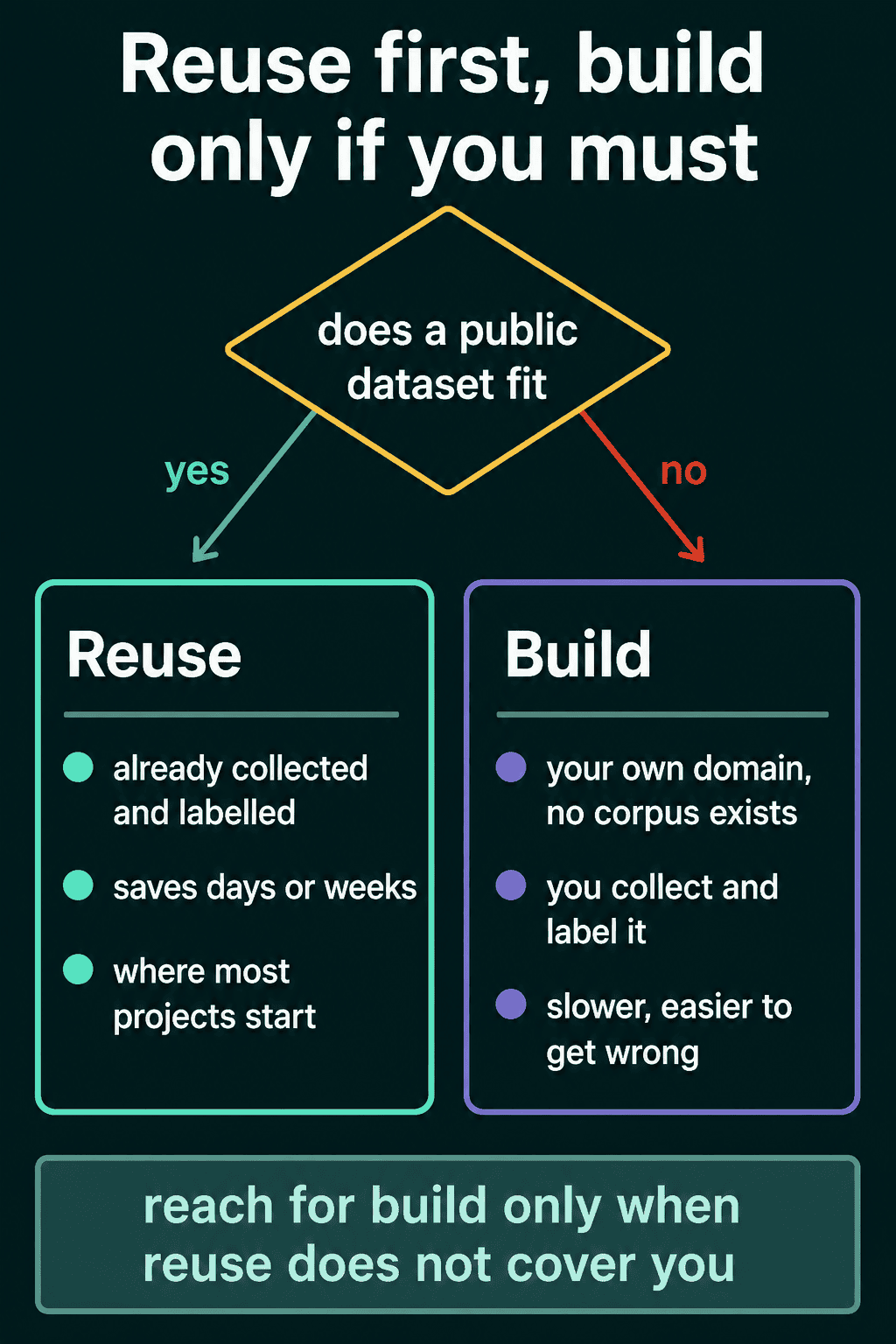
The first real decision is whether to reuse or build. If a public dataset already fits your task, start from it. Someone has already collected, cleaned and labeled the text.
Build your own only when the task or domain is too specific for anything public. A classifier for the support tickets of your own product has no ready-made corpus (a corpus is a body of text gathered for training or study). Building is slower and easier to get wrong, so it is usually the second option.
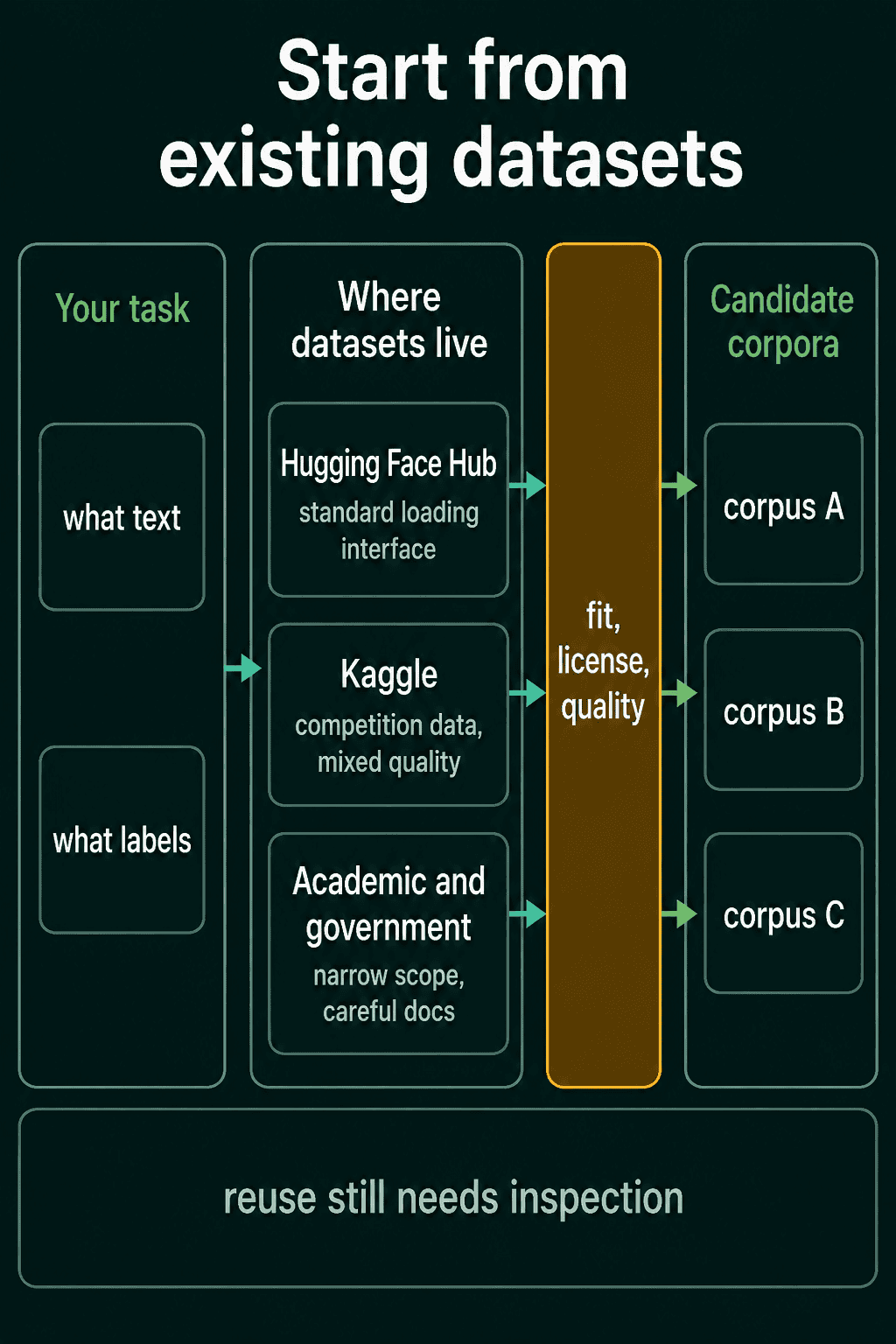
Public text datasets live in three main places. Each has a different mix of quality, licensing and documentation.
The Hugging Face Hub
The Hugging Face Hub is a website that hosts thousands of ready-made text datasets, along with models and demos. For most people learning NLP it is the first place to look. It has datasets for sentiment and news topics, translation pairs and question answering, among many others. You can filter the catalog by task, language, size and license.
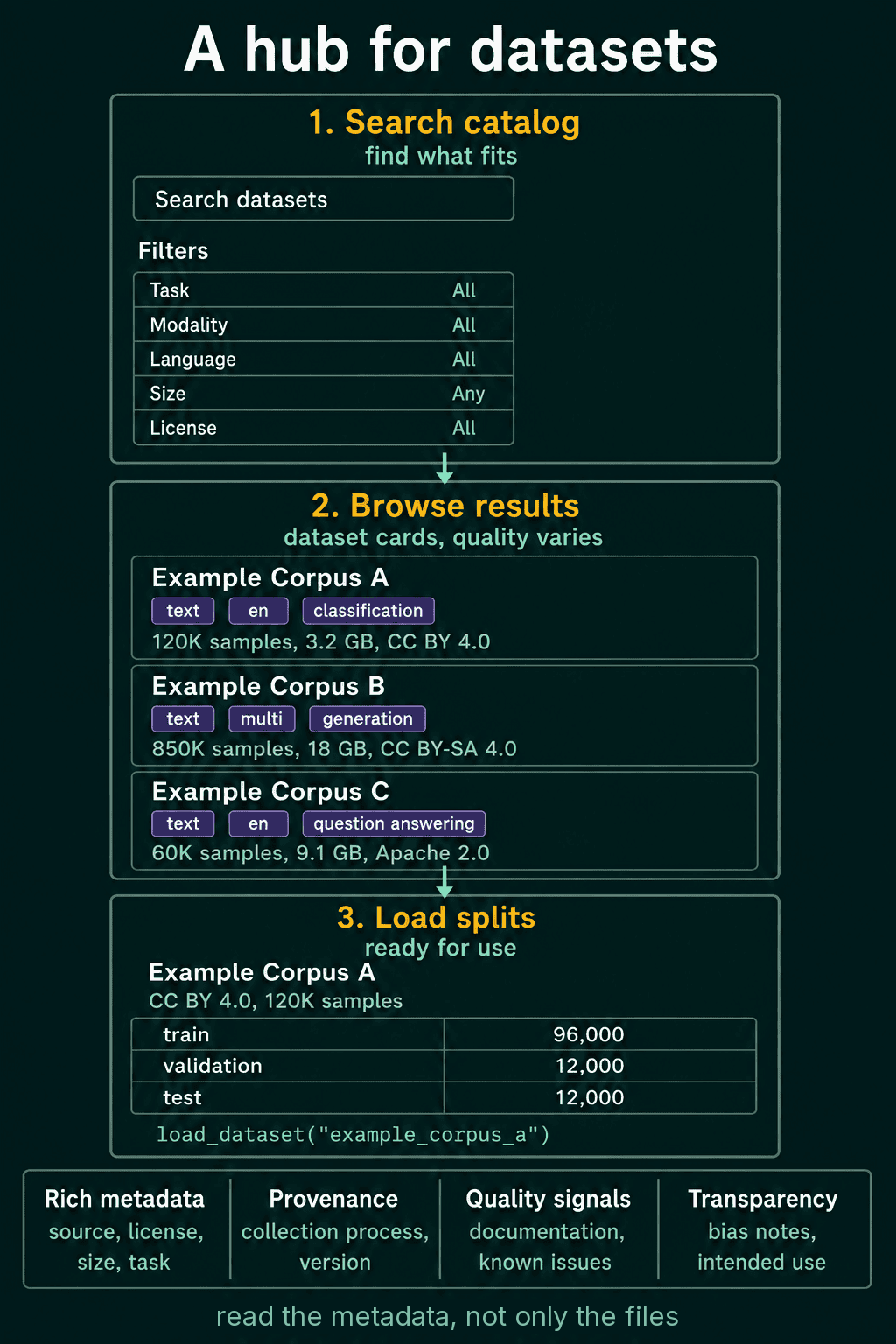
Every dataset on the Hub loads through the same interface, the datasets Python library (pip install datasets). So a dataset with a thousand rows and one with a hundred million load the same way, and you do not write a one-off parser for each new file format.
Loading a dataset in one line
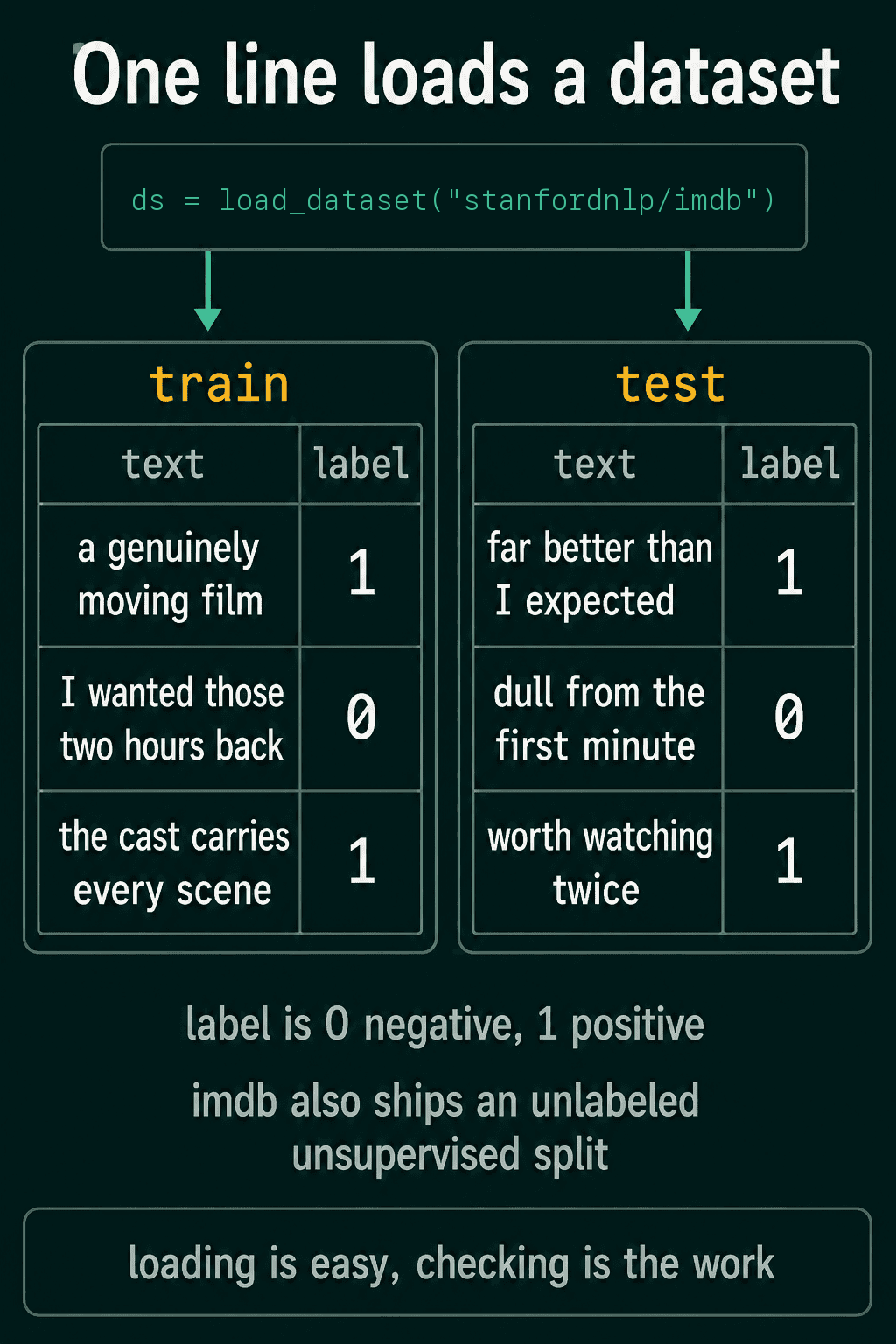
load_dataset takes the dataset's name on the Hub and returns its splits. The IMDB dataset holds movie reviews labeled negative or positive:
1from datasets import load_dataset
2
3ds = load_dataset("stanfordnlp/imdb")
4print(ds)
5
6example = ds["train"][0]
7print(example["text"][:70])
8print(example["label"])1DatasetDict({
2 train: Dataset({
3 features: ['text', 'label'],
4 num_rows: 25000
5 })
6 test: Dataset({
7 features: ['text', 'label'],
8 num_rows: 25000
9 })
10 unsupervised: Dataset({
11 features: ['text', 'label'],
12 num_rows: 50000
13 })
14})
15I rented I AM CURIOUS-YELLOW from my video store because of all the co
160A loaded dataset behaves like a table. Each row is one example, and the columns are its fields. Here every row has a text field holding a review and a label field holding 0 for negative or 1 for positive. The unsupervised split holds 50,000 extra reviews with no label, stored as -1.
Older tutorials write load_dataset("imdb"). Recent versions of the library ask for the full name, the account and the dataset joined by a slash, so "stanfordnlp/imdb" is the safe spelling.
Train, validation and test splits
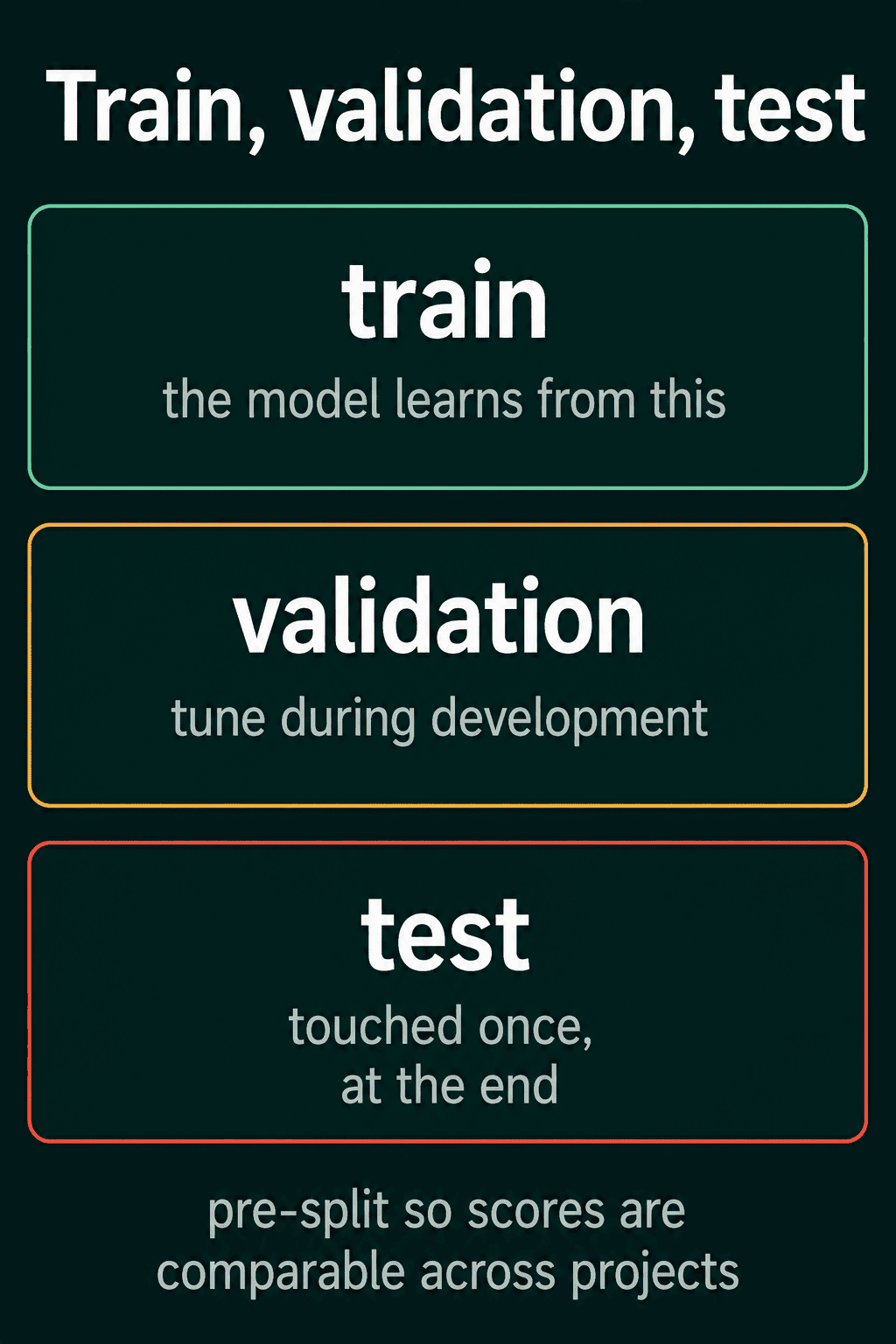
Most datasets ship already split into parts:
- Train: the examples the model learns from.
- Validation (also called dev): the examples you check during development while you tune settings.
- Test: held back for the final measurement and used once.
The splits are fixed so that scores can be compared. When the papers that report a score on IMDB all use the same test split, the numbers mean the same thing. Reshuffle the data into your own test split and your accuracy can no longer be compared with anyone else's.
IMDB ships no validation split. A common fix is to cut one out of the training data and leave the test split untouched:
1parts = ds["train"].train_test_split(test_size=0.1, seed=0)
2train, validation = parts["train"], parts["test"]
3print(len(train), len(validation), len(ds["test"]))122500 2500 25000Streaming a dataset that is too big to download
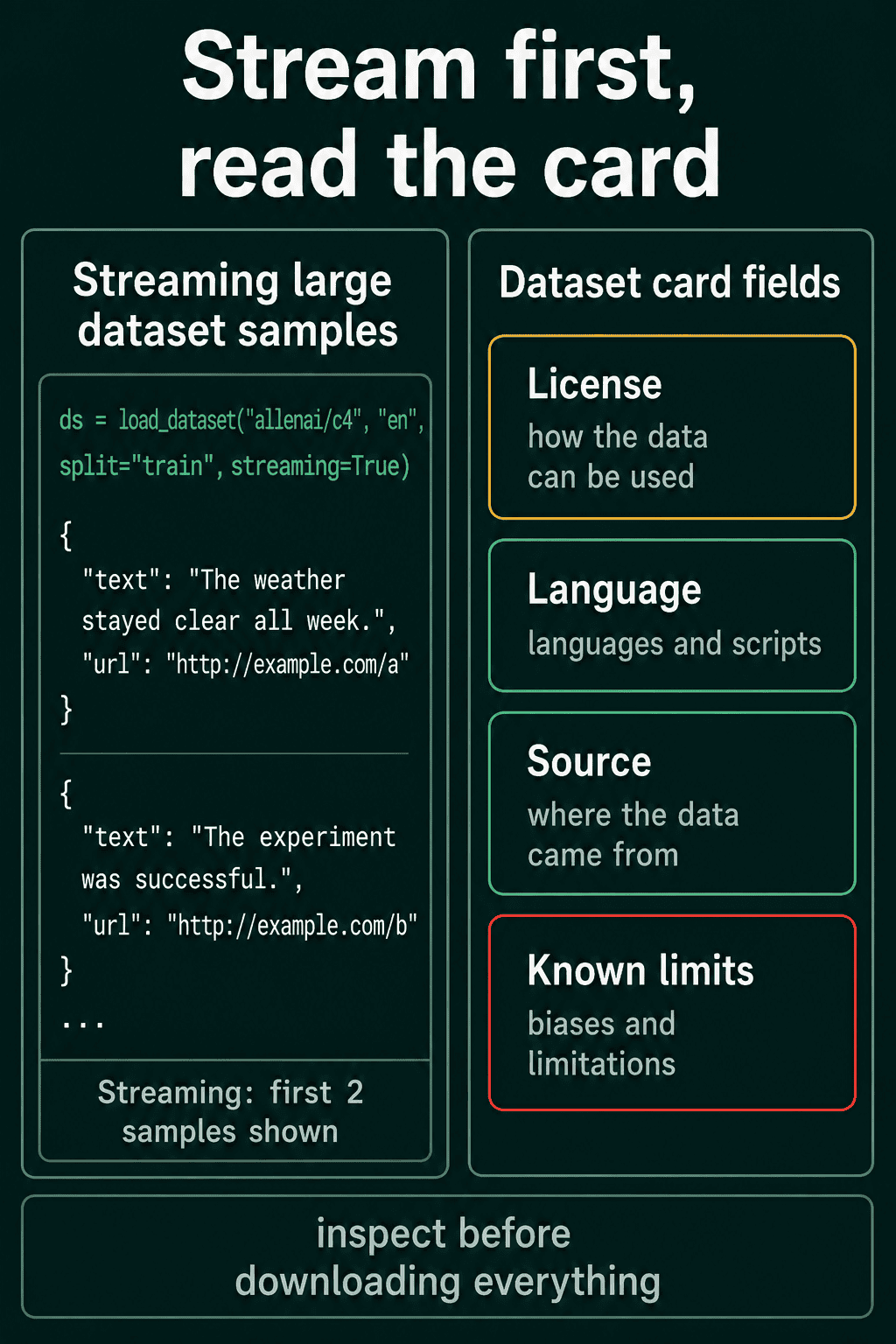
Some corpora are too large to pull onto your machine, such as C4, a large collection of English web text. With streaming=True the library hands you examples one at a time as it reads them, so you can start processing without downloading the whole thing:
1ds = load_dataset("allenai/c4", "en", split="train", streaming=True)
2for i, example in enumerate(ds):
3    print(example["text"][:60])
4    if i == 1:
5 break1Beginners BBQ Class Taking Place in Missoula!
2Do you want to
3Discussion in 'Mac OS X Lion (10.7)' started by axboi87, JanRead the dataset card
Many Hub datasets come with a dataset card, a short page that describes the contents, the license and the intended use. Read it before you use the data. The card is where you learn how the text was collected and what the labels mean. It also says whether you are allowed to use the data for what you have in mind.
Kaggle
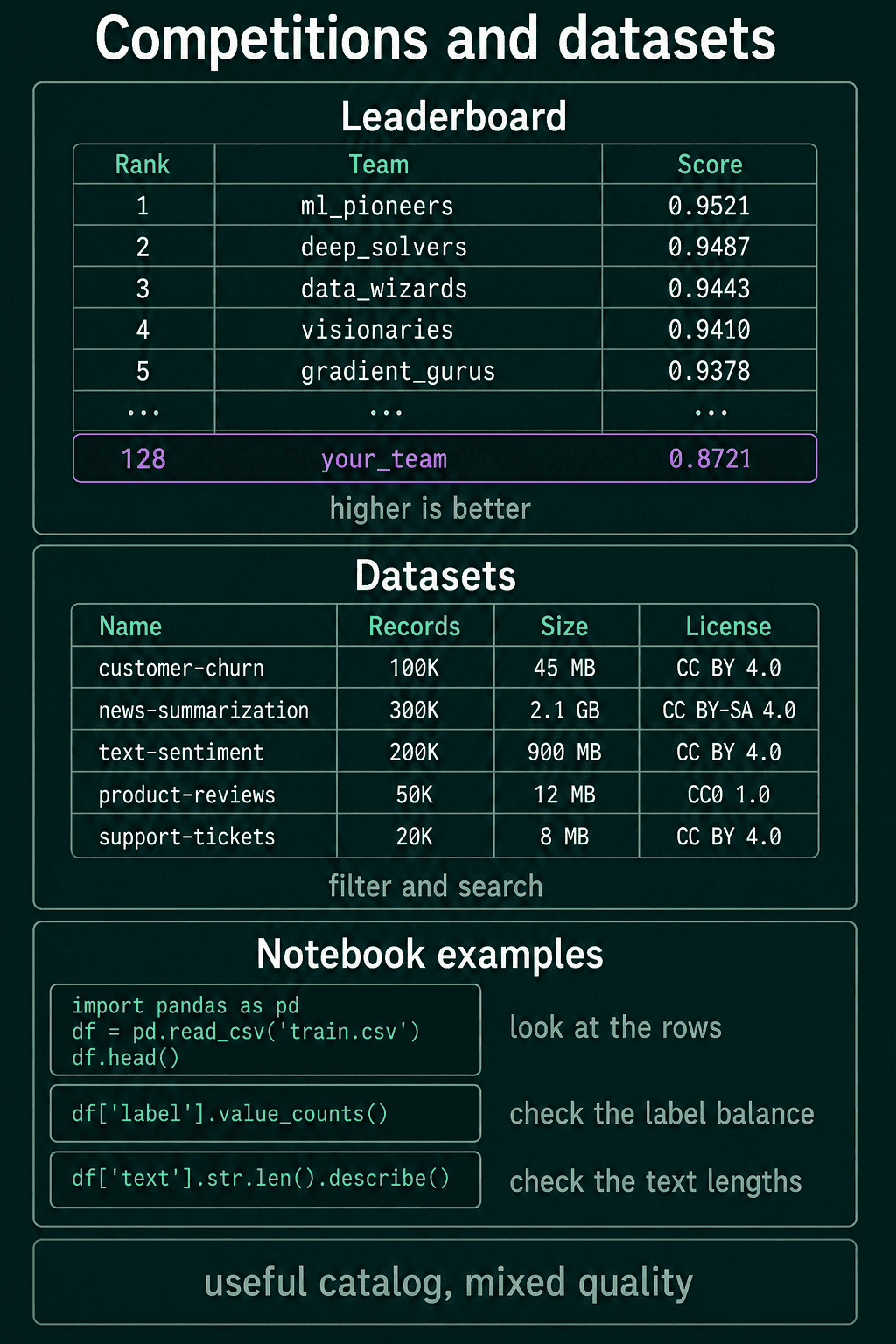
Kaggle is a platform for machine learning competitions. It also hosts a large public catalog of datasets uploaded by its users.
Competition datasets are good practice for building a model from start to finish. Each competition comes with a fixed task and a scoring metric. The test labels stay hidden, so you submit predictions and get a score back without seeing the answers. A deployed model is judged the same way, on text whose labels you do not see in advance.
Kaggle Notebooks let you look through a dataset in the browser. You can also read the notebooks other people published on the same competition, which shows how strong entrants approached the problem.
Inspect a dataset before you trust it
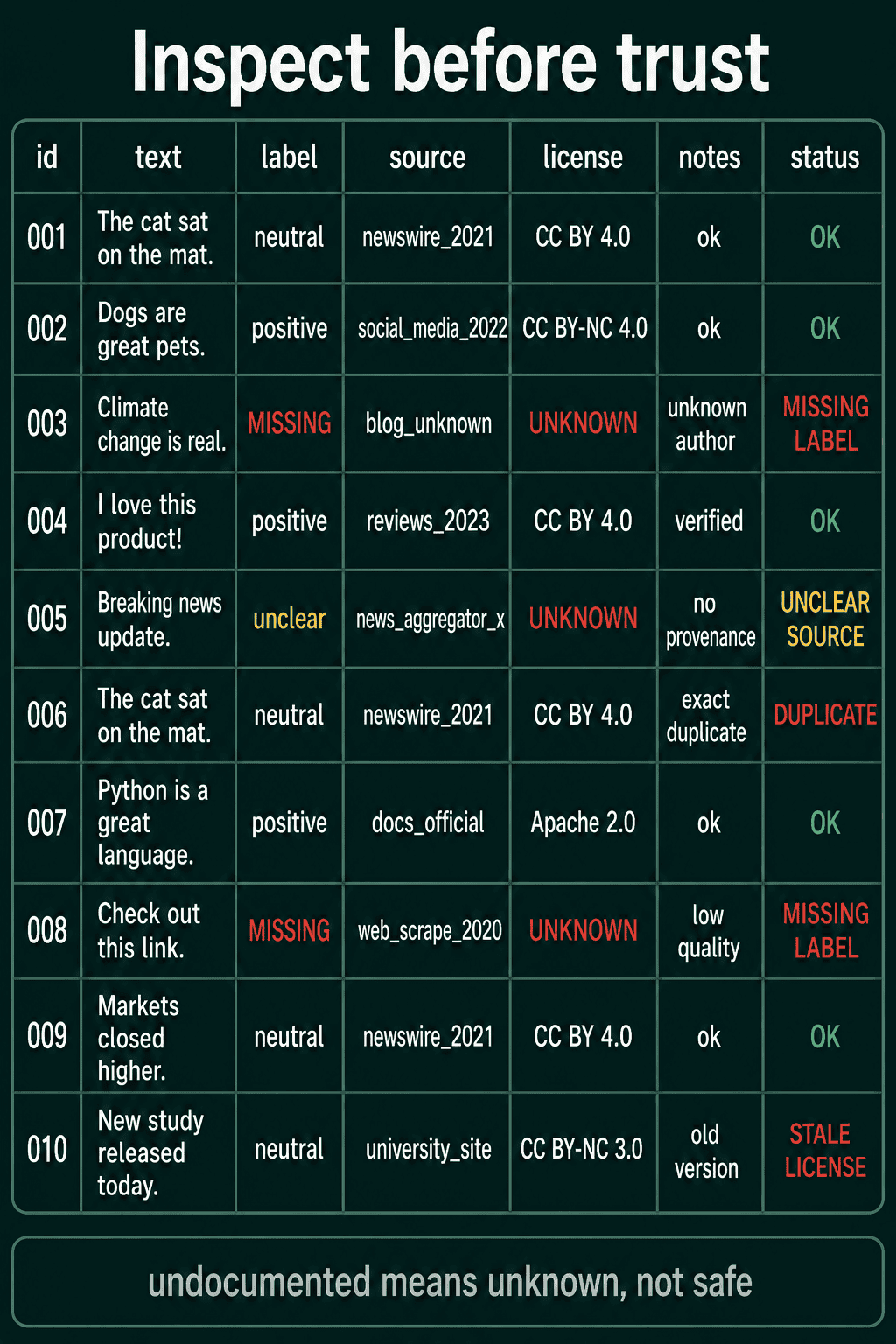
Anyone can upload a dataset to the community catalogs, so quality and documentation vary a lot. A curated academic corpus has been checked and described. A random upload may say nothing about where its text came from, and it may hold duplicate rows or wrong labels.
That holds for any source, Hugging Face included. Before building on a dataset, look at a sample of rows and check how the labels are spread. Check the text lengths too, and read the card or documentation. For IMDB:
1from collections import Counter
2
3train = load_dataset("stanfordnlp/imdb", split="train")
4print(train.features["label"])
5print(Counter(train["label"]))
6
7lengths = [len(text.split()) for text in train["text"]]
8print(min(lengths), max(lengths), sum(lengths) // len(lengths))1ClassLabel(names=['neg', 'pos'])
2Counter({0: 12500, 1: 12500})
310 2470 233The labels are split evenly, 12,500 of each. Reviews run from 10 words to 2,470, with an average of 233. An undocumented dataset deserves the same checks, and until you have run them it is an unknown.
Other dataset repositories
Plenty of corpora live outside Hugging Face and Kaggle:
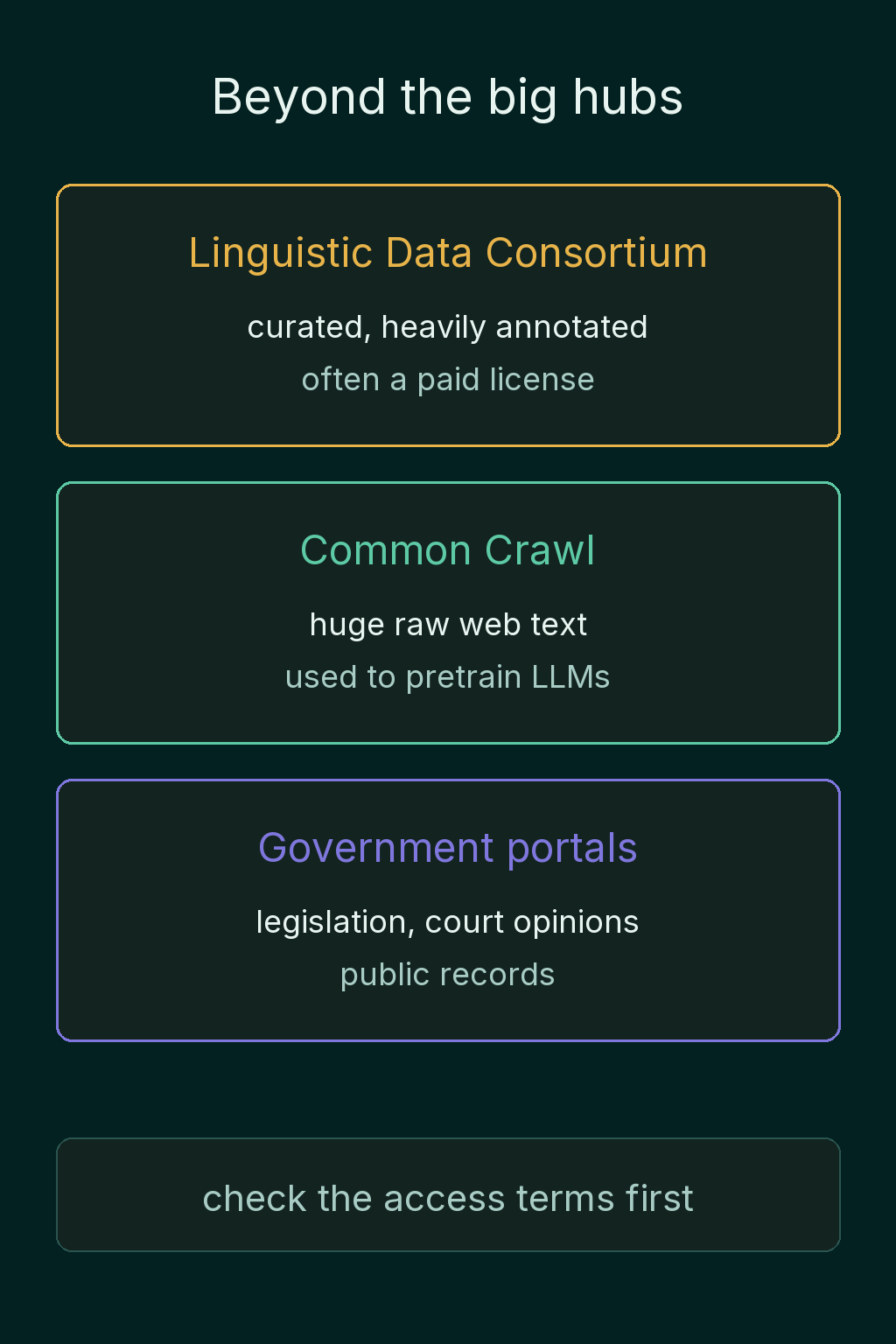
- The Linguistic Data Consortium (LDC) distributes professionally curated language corpora. Many are heavily annotated, and many need a paid license or a membership.
- Common Crawl is a huge collection of raw web text that is refreshed over time. Corpora of this kind are used to pretrain large language models.
- Government and institutional open-data portals publish domain text such as legislation, court opinions and public records.
Each source has its own terms. Some are free, some need registration and some need a signed license, so check the access terms before you build anything on the data.
Common mistakes
- Training on a dataset you have not looked at. Print a few rows and count the labels first. A few lines of checks can catch a missing label column or a split where one class has almost every example.
- Making your own test split on a benchmark. Your score then measures something different from the published scores. Cut validation data out of the training split instead.
- Skipping the license. A dataset that is easy to download is not always allowed in a commercial product.
- Downloading a huge corpus to read ten examples. Stream it.
Related concepts
When nothing public fits, you build your own dataset. You choose the text, extract it from web pages or PDFs, then label and document it. Labeling raises its own questions, including who does it and how to measure whether two labelers agree, which is what Cohen's kappa is for. After that, text preprocessing reshapes the raw text into a consistent form before training.
QuiddityML covers this in the NLP track's data unit, where the exercises include filling in the blanks of a load_dataset call and predicting what a line of loading code does when it runs (QuiddityML).