By Sagi Shaier · 26 October 2026 · 9 min read
Text preprocessing in NLP: normalization, stemming vs lemmatization, and stopwords
What each classic cleanup step does to a sentence, with runnable NLTK code, where each one erases something a model could use, and how much of it to apply for a count-based model versus a transformer.
Text preprocessing is reshaping raw text into a consistent form before a model reads it. Raw text arrives with mixed casing, stray punctuation and odd whitespace. It also spells one word in many ways, and a program that compares strings treats "Running" and "runs" as unrelated. Cleaning that up can help a model learn from less data, and it can also delete information the model needed, which is why each step is a choice to test rather than a default.
The four classic steps
The usual toolkit has four parts:
- Normalization puts text into one consistent format, for example by lowercasing it and collapsing extra spaces.
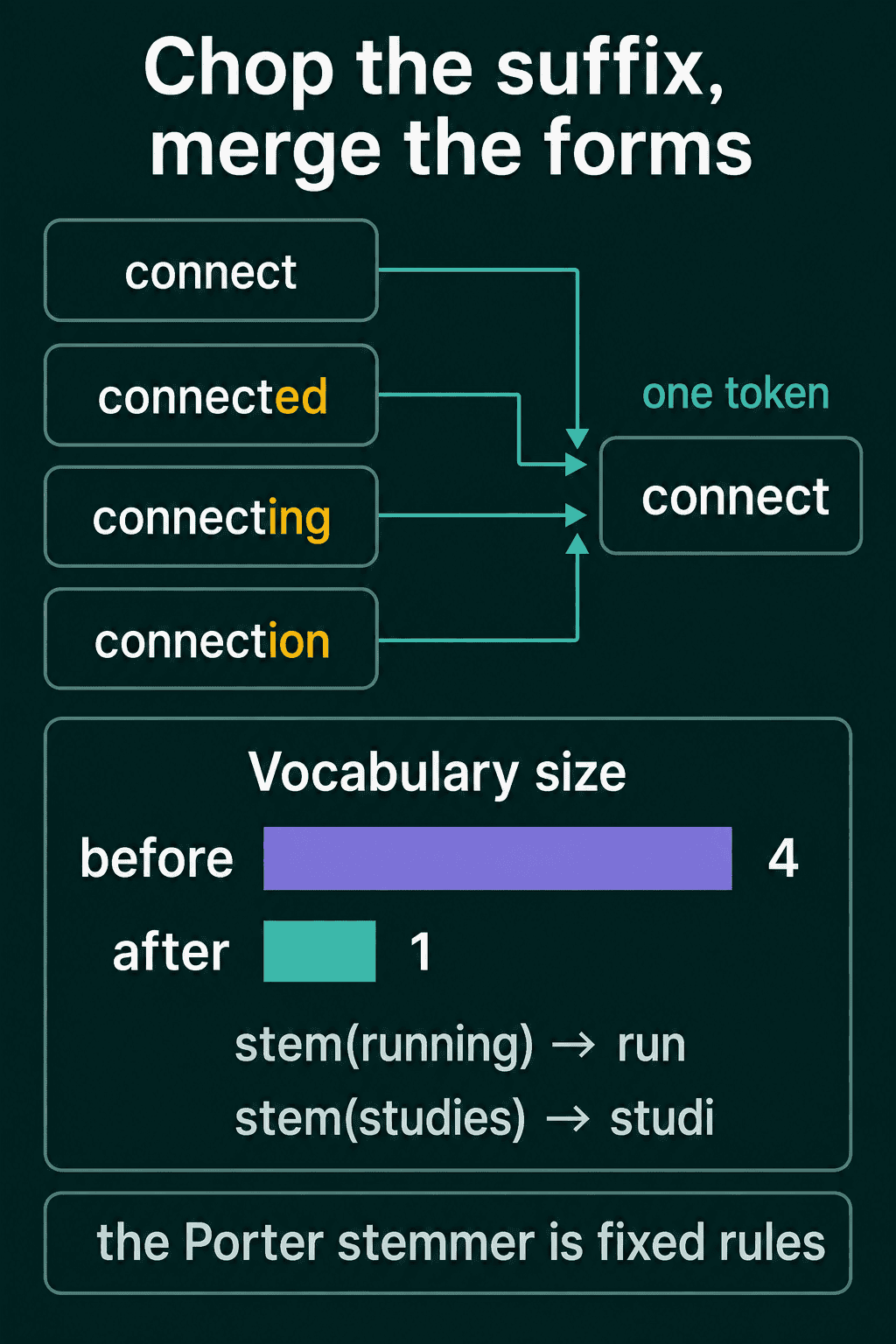
- Stemming cuts words down to a rough root by chopping off endings, so "connected" and "connecting" both become "connect".
- Lemmatization maps each word to its dictionary form, so "studies" becomes "study" and "went" becomes "go".
- Stopword removal drops very common words such as "the", "is" and "of".
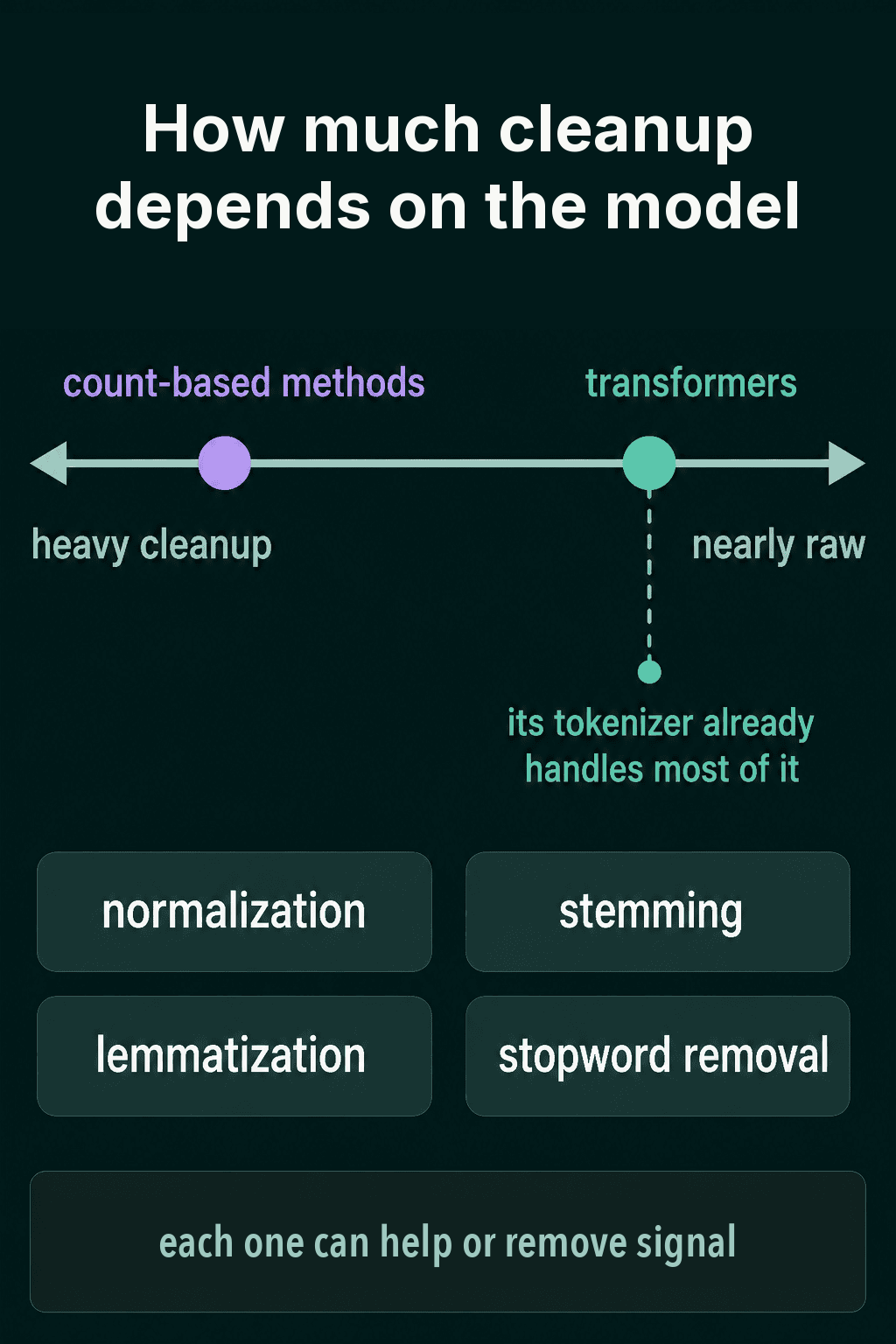
How much of this to apply depends on what reads the text next. A count-based method works from how often each word appears in a document. It treats "connect" and "connected" as two unrelated columns, so merging them helps it. A transformer is the kind of neural network behind most current language models. It was trained on text close to its original form, so it can use the word endings, capital letters and small words that cleanup removes.
Text normalization
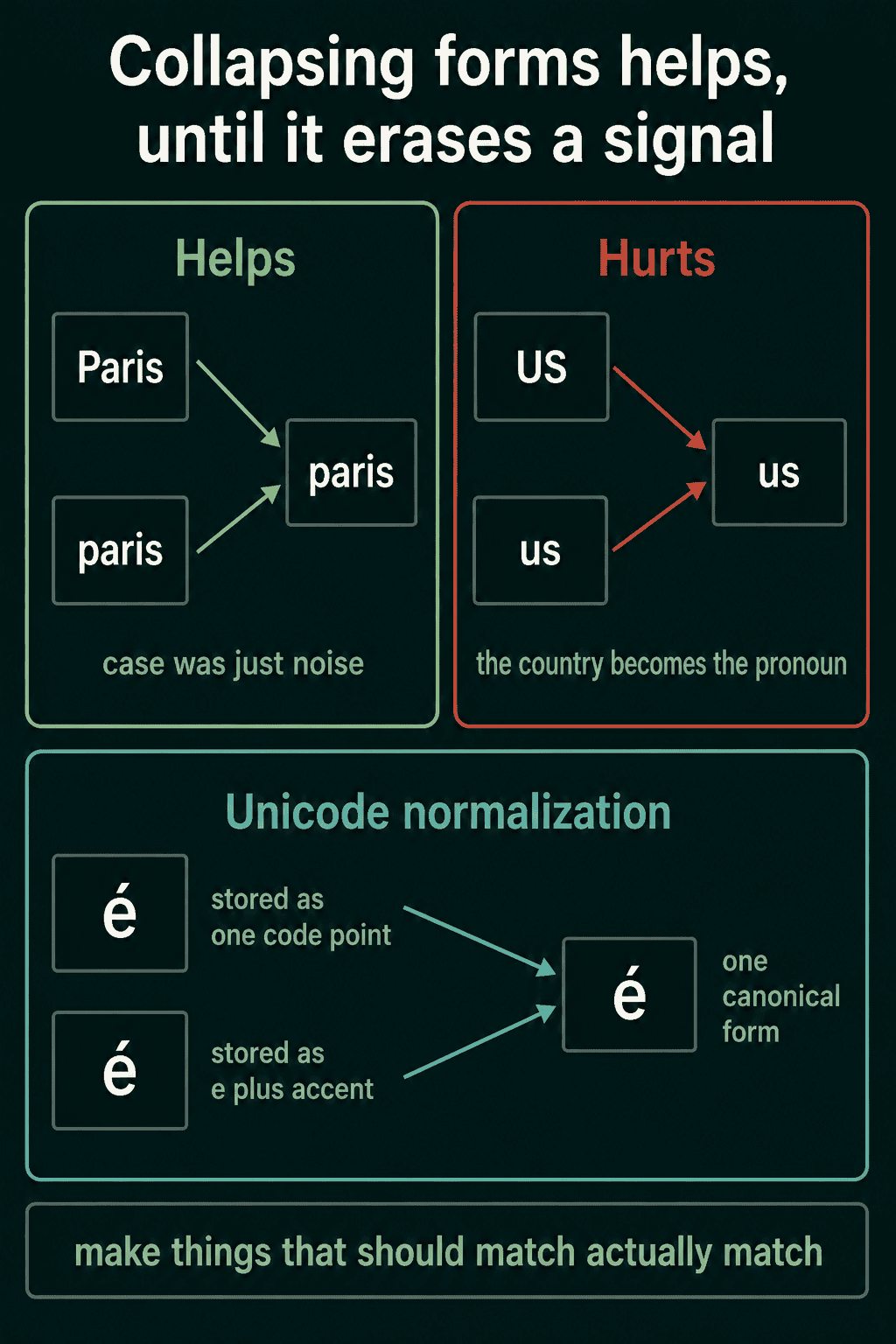
Normalization makes things that should be the same match, without erasing distinctions the task needs.
Lowercasing is the classic step. It turns "Paris" and "paris" into one token, which helps when the capital letter carries no meaning. It can also merge two different words: "US" the country and "us" the pronoun become the same string once lowercased.
Unicode normalization is a narrower fix. The same visible character can be stored in more than one way. The letter é can be one code point, or the letter e followed by a separate combining accent. The two strings look identical on screen and still compare as different:
1import unicodedata
2
3a = "café"   # é stored as one code point
4b = "café"  # e followed by a combining accent
5
6print(a == b)                                                      # False
7print(unicodedata.normalize("NFC", a) == unicodedata.normalize("NFC", b))  # True
NFC is the normal form that composes the accent back into one code point, and NFD is the one that splits it apart. Applying either form to every string makes the comparison work. The post on Unicode and UTF-8 explains code points in more detail.
A few more steps are common:
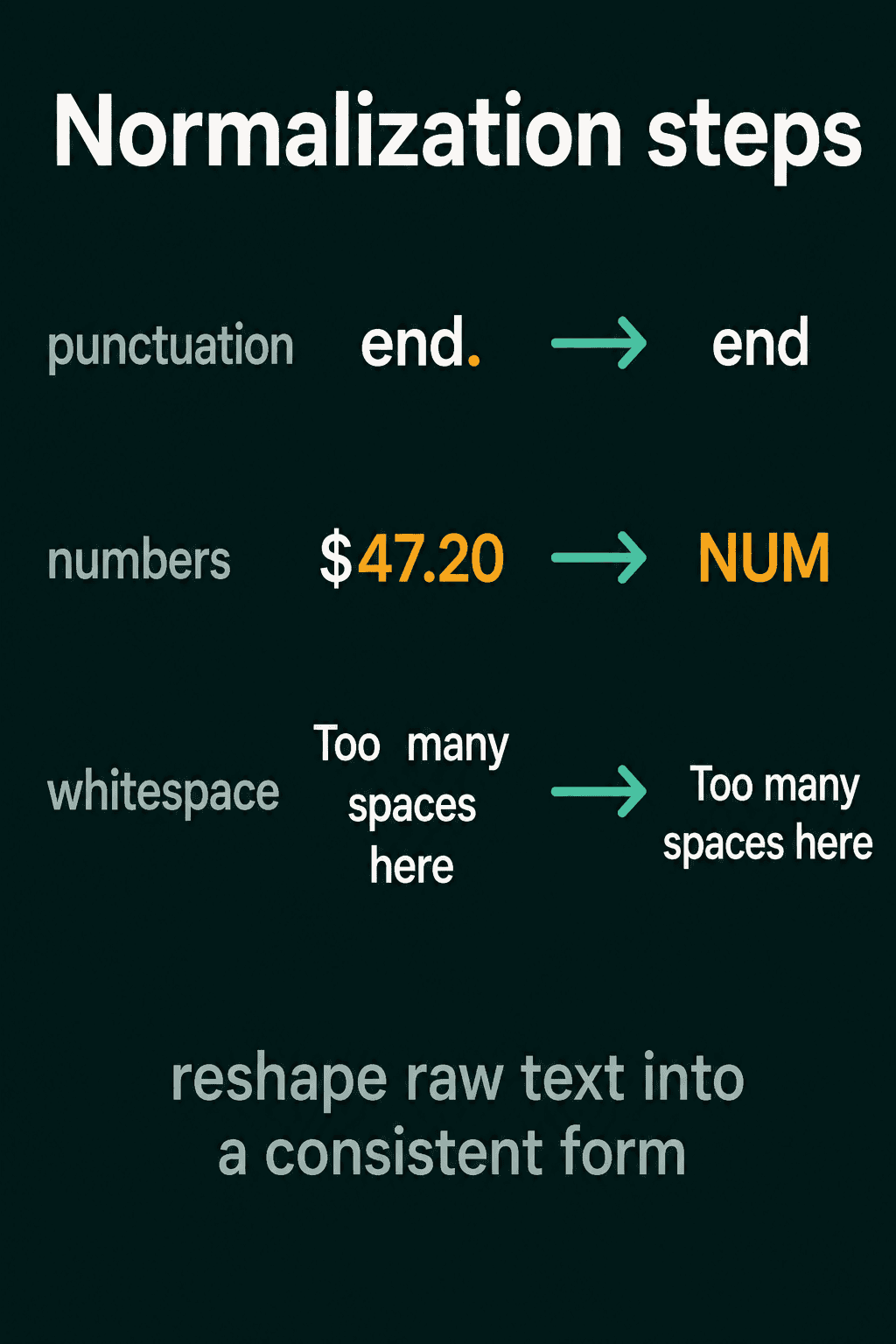
- Punctuation. Strip it, keep it or split it off, so "end." and "end" do not count as two different tokens.
- Numbers. When the exact value does not help the task, replace numbers with a placeholder such as
NUM, so$47.20and$1,993.00become one common token instead of two rare ones. - Whitespace. Collapse tabs, newlines and repeated spaces into single spaces.
Here are all of them in one function:
1import re
2import unicodedata
3
4def normalize(text):
5    text = unicodedata.normalize("NFC", text)
6    text = text.lower()
7    text = re.sub(r"\$?\d[\d,]*(\.\d+)?", "NUM", text)
8    text = re.sub(r"\s+", " ", text).strip()
9    return text
10
11print(normalize("  The Café charged  $47.20\n\nfor TWO coffees "))
12# the café charged NUM for two coffees
The pattern \s+ matches a run of one or more whitespace characters, and re.sub replaces each run with a single space. .strip() then removes the spaces left at both ends. The number pattern matches an optional dollar sign, digits with optional commas, and an optional decimal part.
Stemming
Stemming cuts a word down to a rough root by removing suffixes. The point is to merge related forms, so a model sees one token where it would otherwise see four.
The classic English stemmer is the Porter stemmer, a fixed list of rules. Each rule is a pattern and a replacement for the end of a word, such as SSES -> SS, IES -> I and S -> (nothing). "studies" matches IES -> I and becomes "studi". "was" matches S -> (nothing) and becomes "wa".
1from nltk.stem import PorterStemmer
2
3porter = PorterStemmer()
4for word in ["connected", "connecting", "connection", "studies", "was"]:
5    print(word, porter.stem(word))
6# connected connect
7# connecting connect
8# connection connect
9# studies studi
10# was wa
What you gain is a smaller vocabulary, meaning fewer distinct tokens for the model to keep track of. A count-based model then sees more examples of each token, which can help even when some stems are not real words.
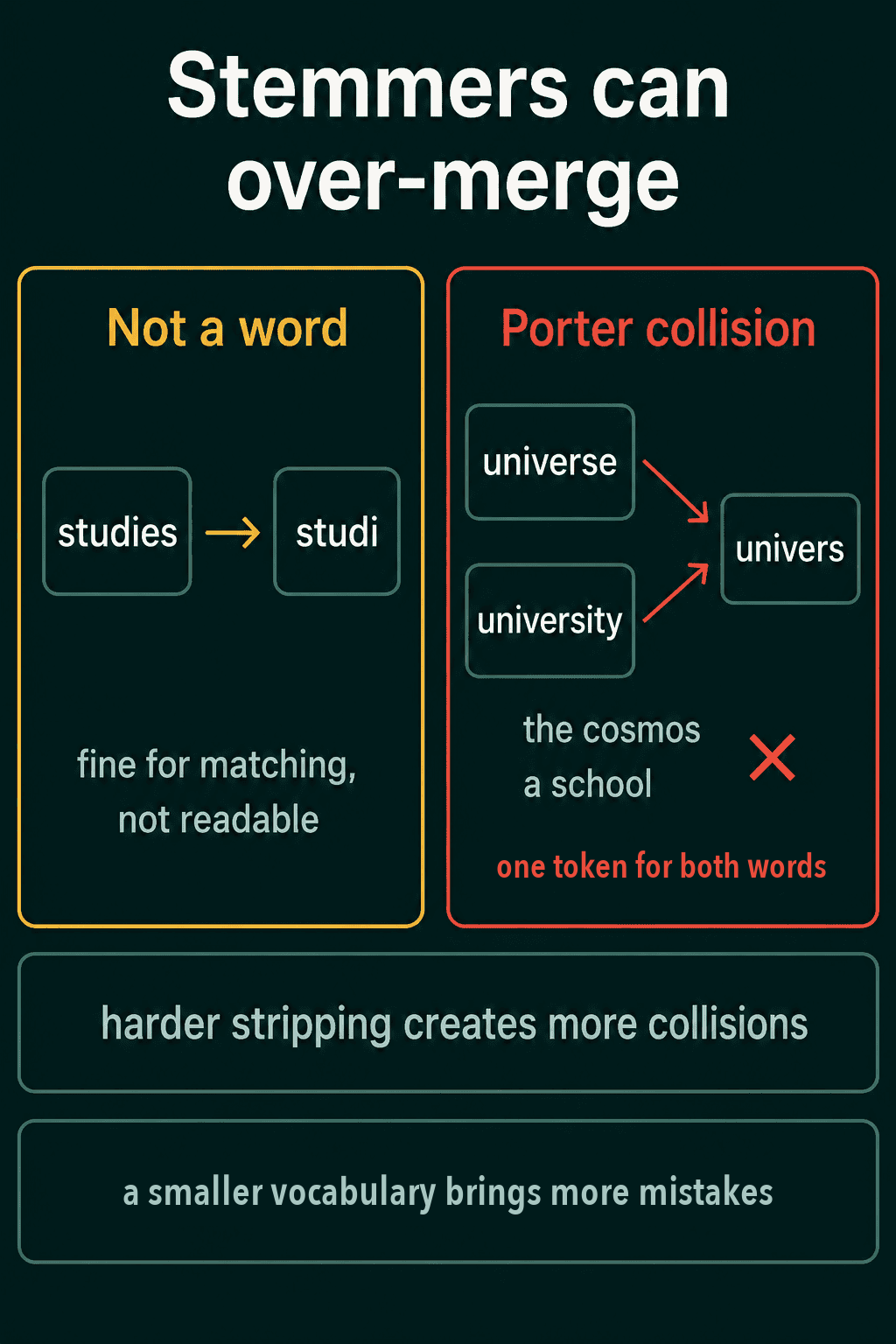
Stemming never checks whether its output is a real word, and that causes two kinds of mistakes. The first is non-words like "studi", which still match each other and are hard to read. The second is merging unrelated words. Porter turns both "universe" and "university" into "univers", even though one is the cosmos and the other is a school.
Stemmers that strip harder make the second mistake more often. The Lancaster stemmer removes more of each word than Porter does:
1from nltk.stem import LancasterStemmer, PorterStemmer
2
3porter = PorterStemmer()
4lancaster = LancasterStemmer()
5for word in ["universe", "university", "better", "general", "generous"]:
6    print(word, porter.stem(word), lancaster.stem(word))
7# universe univers univers
8# university univers univers
9# better better bet
10# general gener gen
11# generous gener gen
Lancaster turns "better" into "bet", a different word. Picking a stemmer is picking a point between a smaller vocabulary and more of these merges.
Lemmatization
A word's lemma is its dictionary form. Lemmatization maps any form of a word back to that lemma, and it uses a vocabulary and knowledge of how words are built, so the output is a real word.
That lets it handle words stemming cannot. A stemmer only cuts characters off the end, so it can never turn "better" into "good" or "was" into "be", because those pairs share almost no letters. A lemmatizer looks them up.
It often needs the word's part of speech, meaning whether the word is used as a noun, a verb or an adjective. "leaves" is the verb "leave" in "she leaves tomorrow" and the noun "leaf" in "the leaves fell". NLTK's WordNetLemmatizer takes the part of speech as an argument and assumes a noun when you leave it out. It reads the WordNet dictionary, so run nltk.download("wordnet") once first, and nltk.download("stopwords") for the stopword examples further down.
1from nltk.stem import WordNetLemmatizer
2
3lemmatizer = WordNetLemmatizer()
4print(lemmatizer.lemmatize("studies"))             # study
5print(lemmatizer.lemmatize("leaves"))              # leaf
6print(lemmatizer.lemmatize("leaves", pos="v"))     # leave
7print(lemmatizer.lemmatize("went", pos="v"))       # go
8print(lemmatizer.lemmatize("better", pos="a"))     # good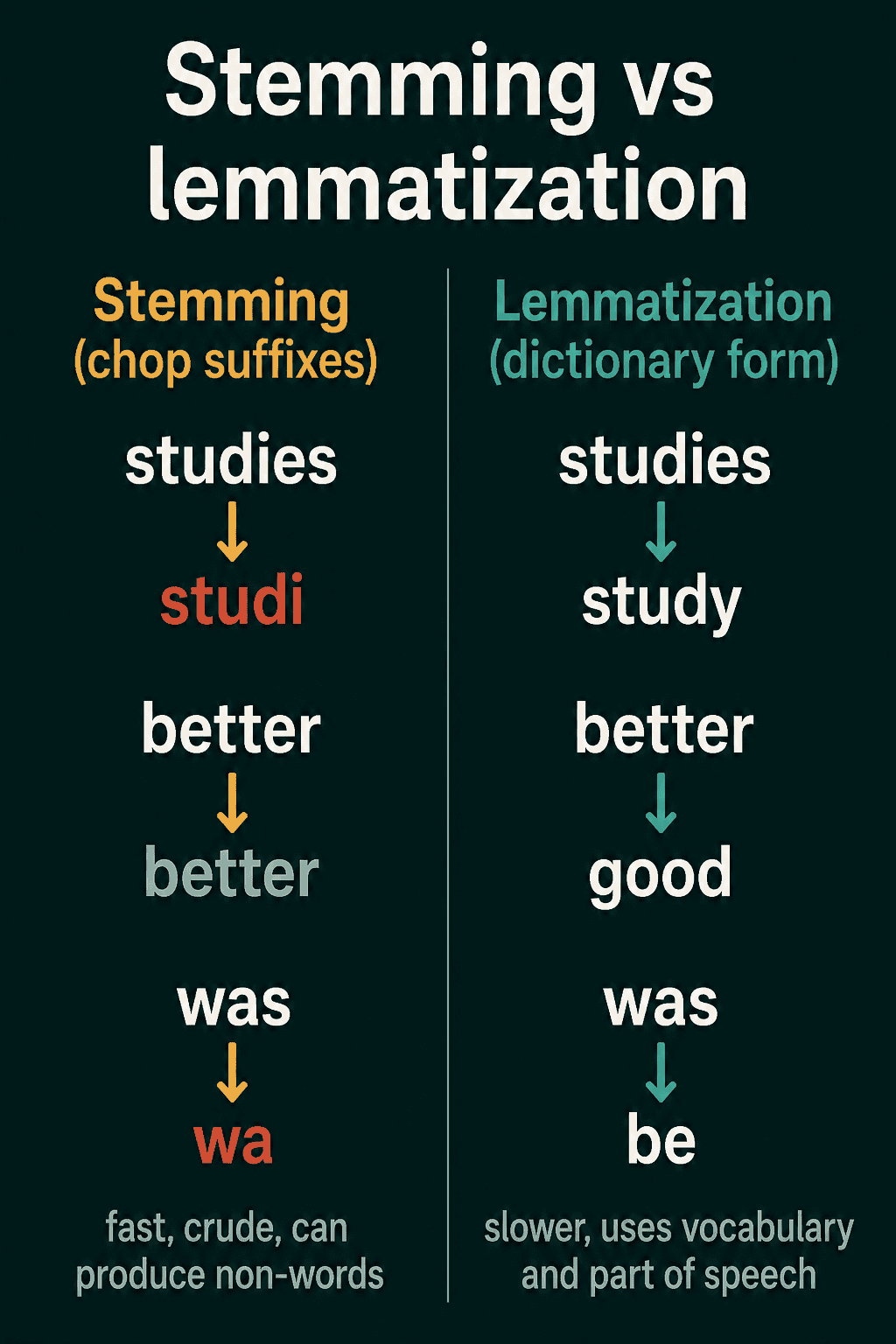
Stemming vs lemmatization
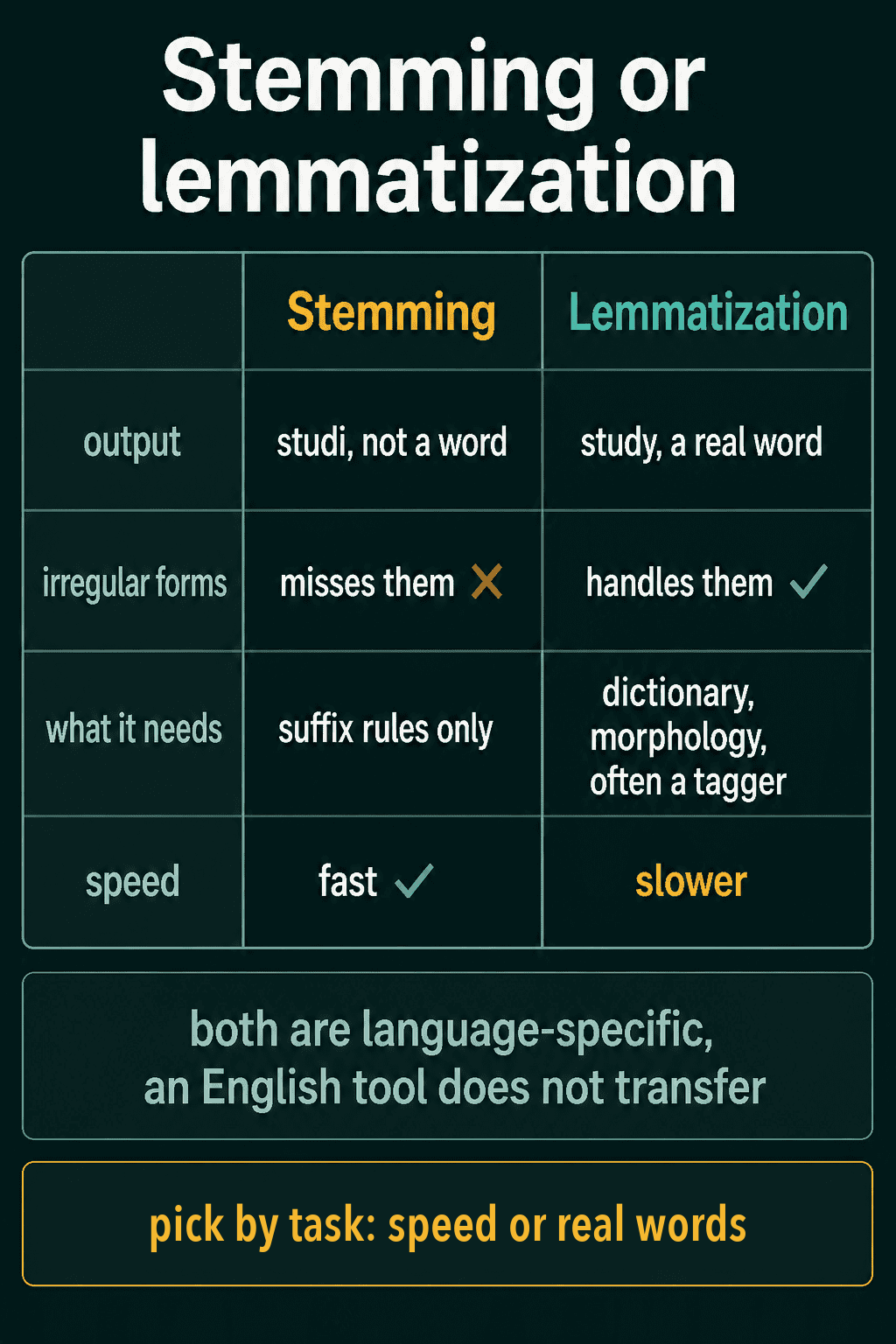
Lemmatization is better at finding a word's true base form, and it costs more. It needs a dictionary, rules for word structure and often a part-of-speech tagger that runs first, so it is slower than a stemmer.
If you need a cheap way to merge word forms and nobody reads the output, stemming is fast and usually good enough. If you need real base forms, for example in search results people read or a later step that looks words up, lemmatization is worth the extra time. Both are built for one language, so an English stemmer or lemmatizer works poorly on German or Hindi text.
Stopword removal
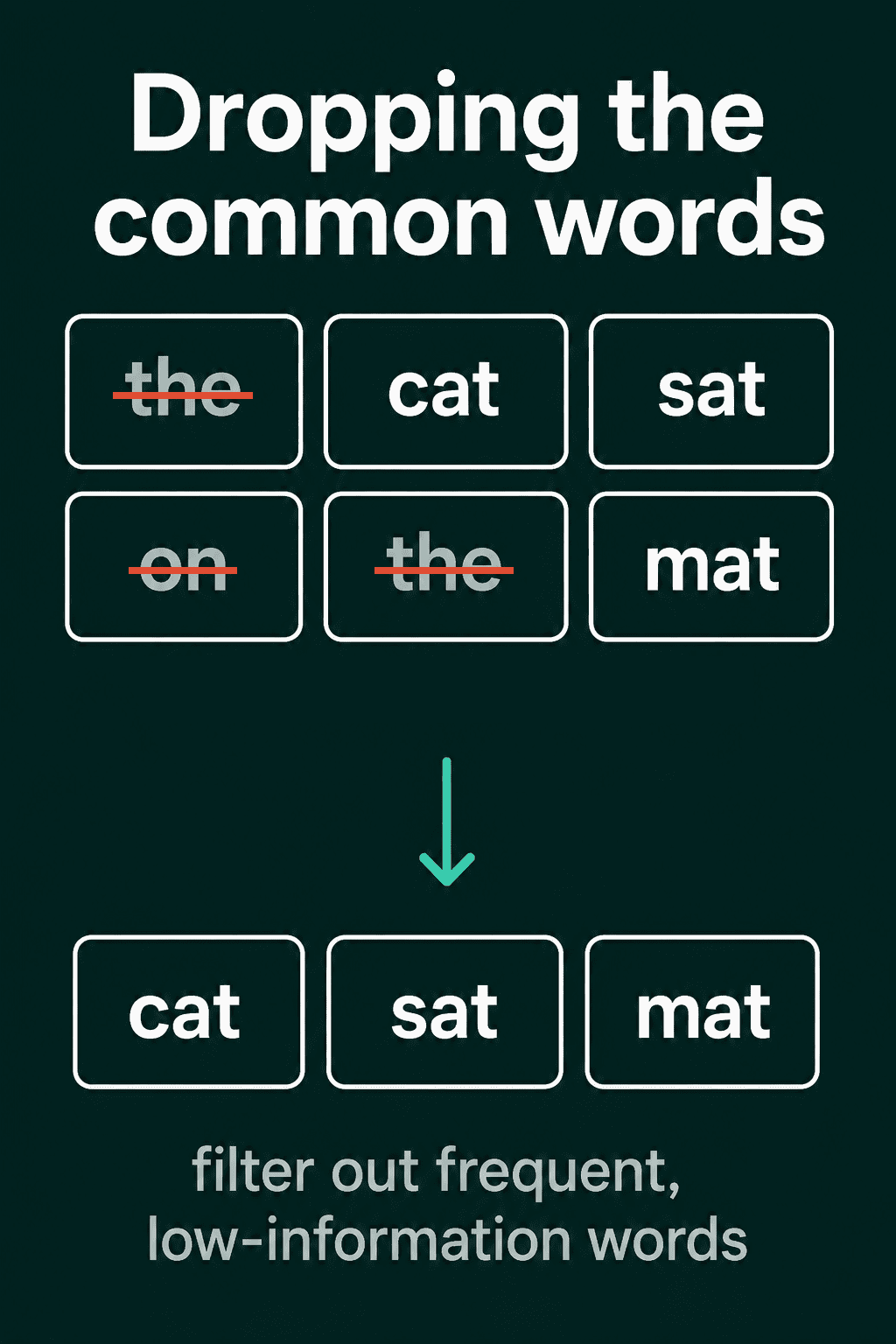
Stopwords are very common words that say little about what a document is about. Examples are "the", "is", "of" and "and". Removing them shrinks the data and leaves the content words. In English text, the most frequent hundred or so word types make up roughly half of all tokens, so this cuts a lot.
You remove them with a stopword list, a fixed set of these words:
1from nltk.corpus import stopwords as nltk_stopwords
2
3stopwords = set(nltk_stopwords.words("english"))
4print(len(stopwords))  # 198
5
6tokens = ["The", "cat", "is", "asleep"]
7print([w for w in tokens if w not in stopwords])          # ['The', 'cat', 'asleep']
8print([w for w in tokens if w.lower() not in stopwords])  # ['cat', 'asleep']
The first filter misses "The" because the list is all lowercase. Lowercasing each token before the check fixes it.
Stopword removal can delete the words a task depends on. Every word in "it is what it is" is on NLTK's list, so the filter returns an empty list. For authorship and writing-style tasks, the small words are the signal, since how often someone writes "of" or "that" helps tell one writer from another. Dropping rare words fails in a similar way, since a rare product name like "Zylotex" often tells you the topic.
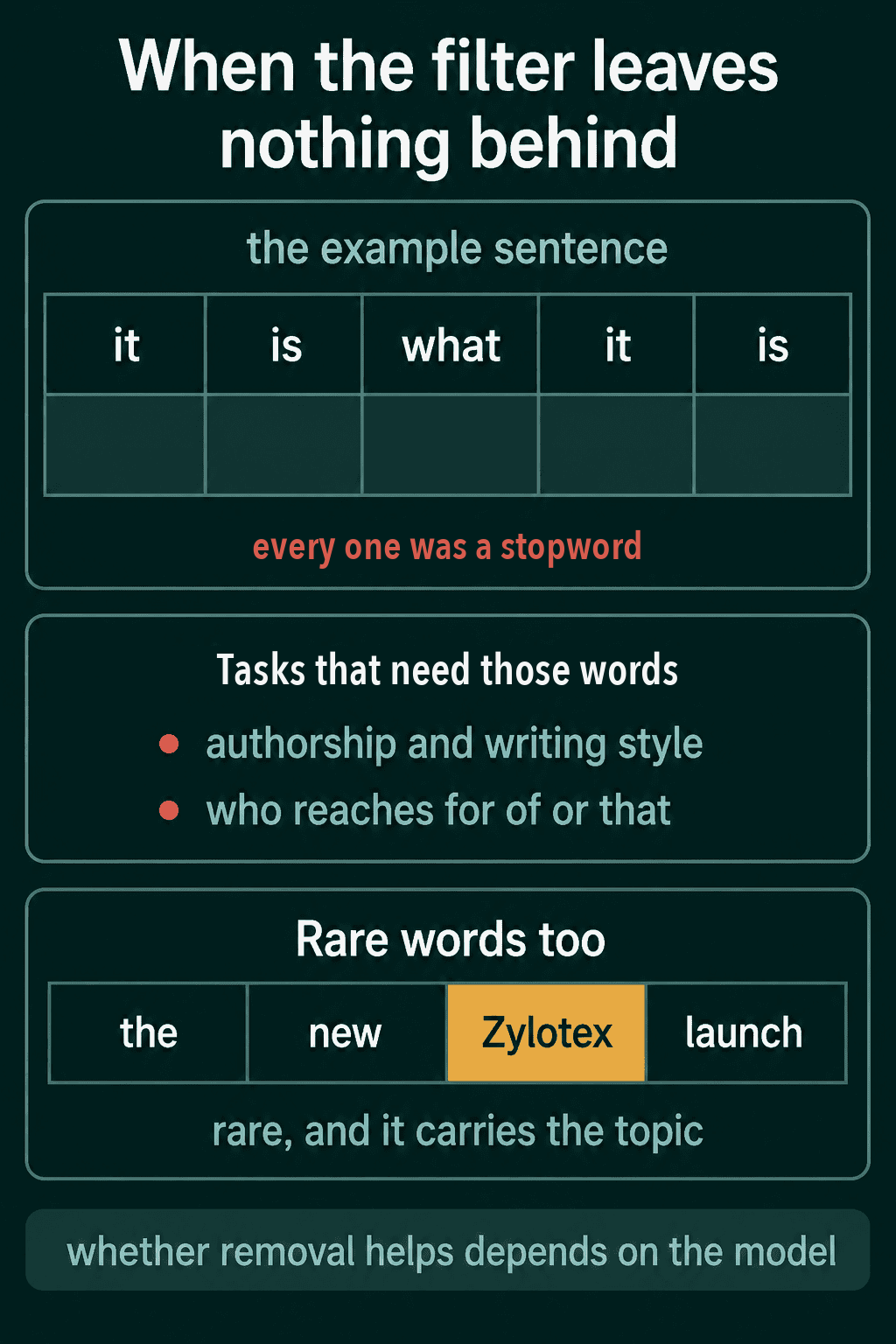
Whether removal helps at all depends on the model. A supervised classifier is one trained on labeled examples. It can learn to give common words little weight, so removing them by hand often changes little. The gain is larger for methods with no labels to guide them, such as document retrieval, which ranks documents by how well their words match a query.
How much cleanup depends on the model
Classical models such as bag-of-words, TF-IDF and naive Bayes usually benefit from heavy preprocessing. Bag-of-words turns a document into counts of each word in a fixed vocabulary. TF-IDF scales those counts down for words that appear in most documents. Naive Bayes classifies a document from how often each word shows up in each class. All three treat every distinct string as its own feature, so lowercasing, stemming and stopword removal shrink that feature list and help the model generalize from limited data.
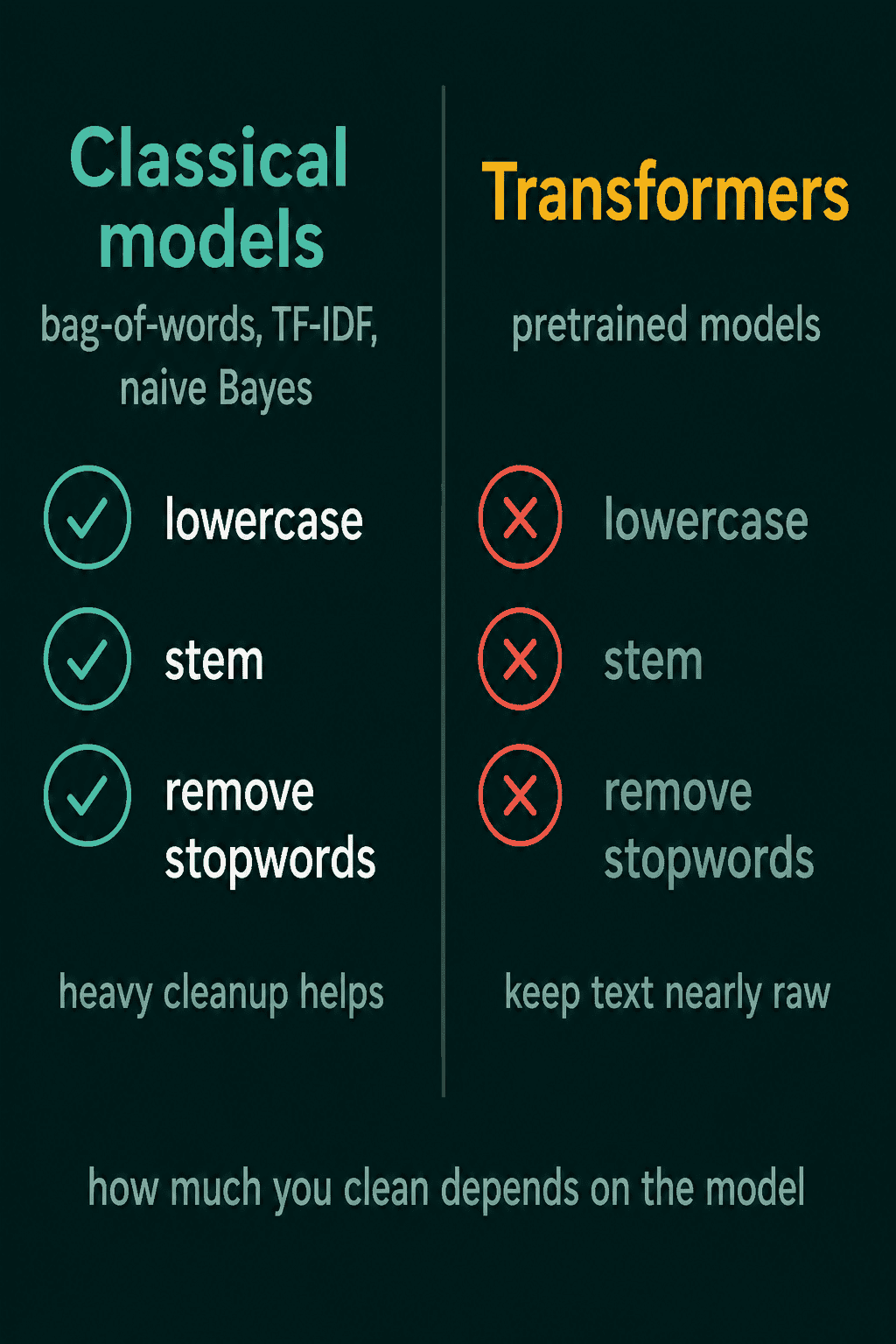
Transformers work differently. They split text with a learned tokenizer, and they were trained on text close to its original form, so heavy cleanup can remove signal they use. Capital letters often carry meaning. Compare what a classical pipeline keeps from two sentences:
1import re
2from nltk.corpus import stopwords as nltk_stopwords
3from nltk.stem import PorterStemmer
4
5stopwords = set(nltk_stopwords.words("english"))
6porter = PorterStemmer()
7
8def classical_pipeline(text):
9    tokens = re.findall(r"\w+", text.lower())
10    tokens = [w for w in tokens if w not in stopwords]
11    return [porter.stem(w) for w in tokens]
12
13print(classical_pipeline("Tim Cook was running late."))  # ['tim', 'cook', 'run', 'late']
14print(classical_pipeline("A cook was running late."))    # ['cook', 'run', 'late']
After lowercasing, "Cook" the surname and "cook" the job are the same token. Stemming collapses "running" and "runs" to "run", even though they are not identical, and the dropped stopwords carry grammar a transformer reads directly.
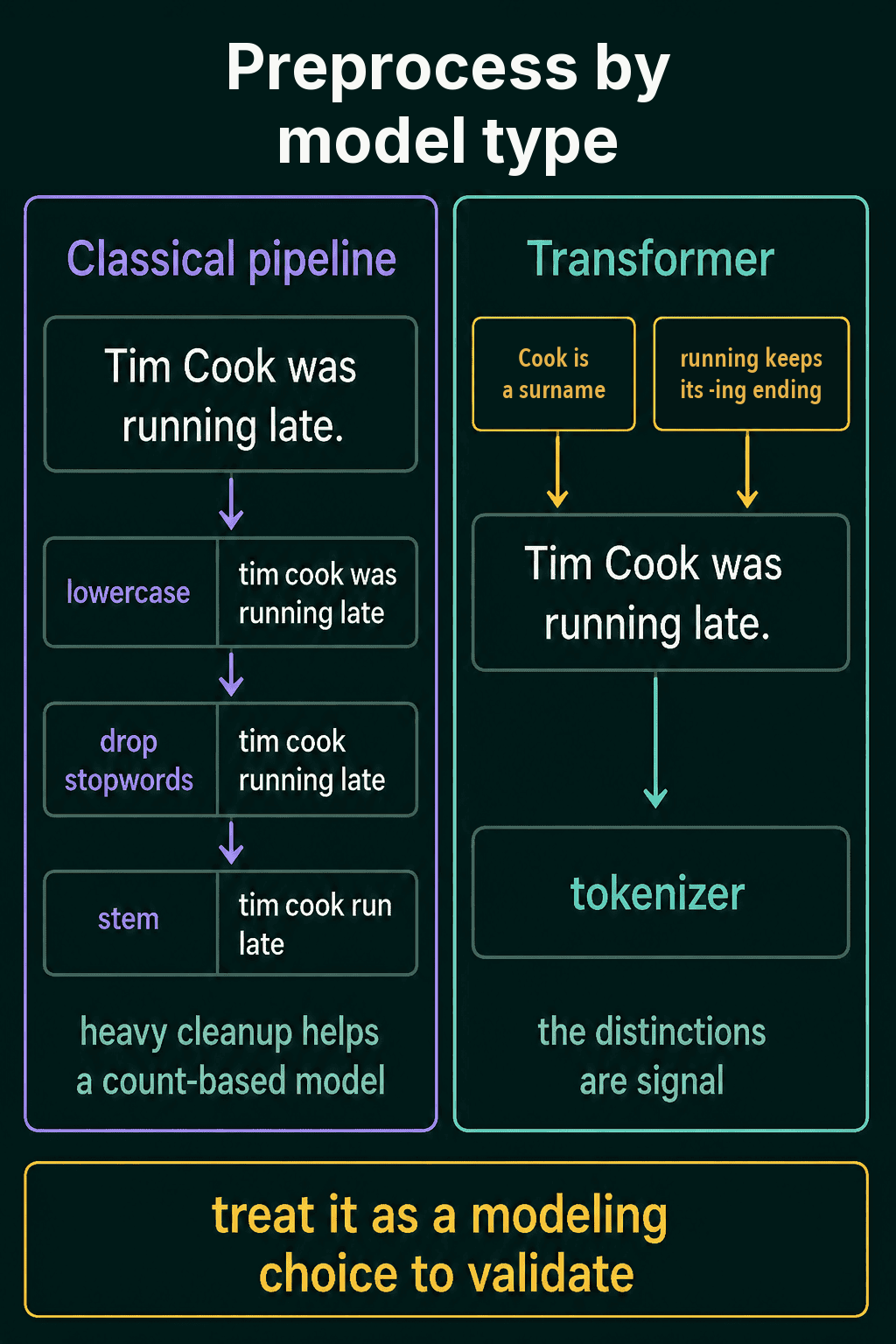
The usual rule is to preprocess heavily for classical pipelines and keep text nearly raw for transformers. With a pretrained transformer, you pass the raw text to the tokenizer that came with the model. Either way, try your model with and without each step on your own data and keep what helps.
Common mistakes
- Running a classical cleanup pipeline before a transformer. Lowercasing, stemming and stopword removal hand the model text that looks different from what it was trained on.
- Checking stopwords without lowercasing. "The" at the start of a sentence slips past an all-lowercase list.
- Lemmatizing without the part of speech. NLTK assumes a noun, so
lemmatizer.lemmatize("running")returns "running", whilepos="v"gives "run". - Removing stopwords for sentiment. NLTK's list includes "not" and "no", so "the movie was not good" becomes
['movie', 'good']. - Using an English stemmer on another language. Its rules only know English endings.
Related concepts
Preprocessing sits between collecting and labeling a dataset and training on it. The post on building your own NLP dataset covers getting clean text out of web pages and PDFs, which comes before these steps. Tokenization comes right after preprocessing. It splits text into the units a model reads, and for transformers it replaces most of the cleanup in this post. Once the text is ready, the label counts are worth a check for class imbalance, and the data for duplicates and test examples that leaked into training.
QuiddityML teaches normalization, stemming, lemmatization and stopword removal as separate concepts in the NLP track's data unit. The exercises on them include writing a normalizer from scratch, spotting the bug in a stopword filter that forgets to lowercase and choosing the assertion that checks verb lemmas like "was" to "be" (QuiddityML).